
Switch 2 players now have a healthy mix of official, third-party, wired and wireless pads to choose from.
Wired vs Wireless Controllers for Switch 2: Which Is Better?
Battery life ranges from about 12 hours on budget wireless models to 40 hours on the longest-lasting pads here.
A practical head-to-head for latency, battery life, price, comfort and features, with real examples from Nintendo, PowerA, FUNLAB, EasySMX, Turtle Beach and 8BitDo.
1. Quick Verdict: Wired Is the Safe Pick, Wireless Is the Better Everyday Pad
If you only want the short version: a wired Switch 2 controller is usually the sensible buy for local multiplayer, spare-player duties, younger children, and anyone who never wants to think about charging. A wireless controller is the better everyday pad for most solo players, sofa gaming, longer sessions and a tidier living room. Neither side wins every category, which is why this comparison is more useful than simply saying “wireless is modern” or “wired is faster”.
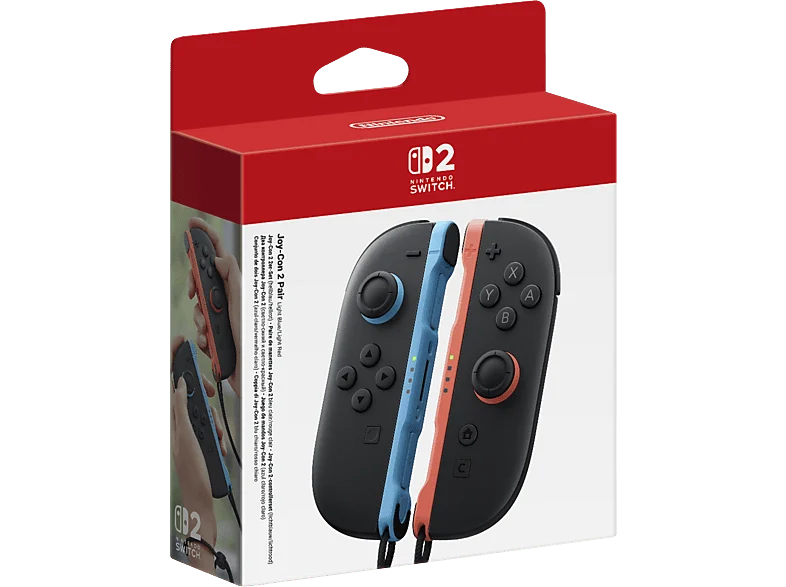
The Switch 2 controller landscape has also become more interesting than it was in the early Switch days. The official Nintendo Switch 2 Pro Controller, released on 5 June 2025, sits at the premium end with native extras such as HD Rumble 2, amiibo support, motion controls, a C Button for GameChat and GL/GR rear buttons. The Joy-Con 2 controllers, also released with the console on 5 June 2025, remained the flexible bundled option, with magnetic attachment, wireless play, motion controls, amiibo functionality, HD Rumble 2 and even mouse-style use for each controller.
Third-party brands now fill the gaps. On the wireless side, examples include the FUNLAB Pro Controller with Bluetooth 5.2 and measured 4.8ms wireless latency, the EasySMX S10 with wireless latency around 10ms, the PowerA Advantage Wireless with up to 30 hours of battery life, and the Turtle Beach Rematch Wireless with a 40-hour battery. On the wired side, the PowerA Advantage Wired Controller offers a simpler plug-in route with Hall effect sticks and an officially licensed Nintendo seal of approval.
For ToyScout readers, I’d frame it like this: if the controller will be shared, dropped onto the sofa, used by visiting cousins, and pulled out for Mario Kart-style party sessions, wired is often less hassle. If it will be your main pad for single-player adventures, online play, fighting games or long handheld-docked evenings, wireless feels more luxurious, especially when the controller has a good battery and reliable sticks.
2. Wired vs Wireless Controllers for Switch 2: Core Differences at a Glance
The biggest myth is that wired and wireless controllers are basically the same pad with or without a lead. In practice, they tend to be designed around different priorities. Wired models prioritise simplicity: plug in, play, no pairing faff, no battery cycle, and usually a lower entry price. Wireless models prioritise comfort and freedom: sit where you like, avoid cables across the carpet, and use a controller that often includes a rechargeable battery and extra features.
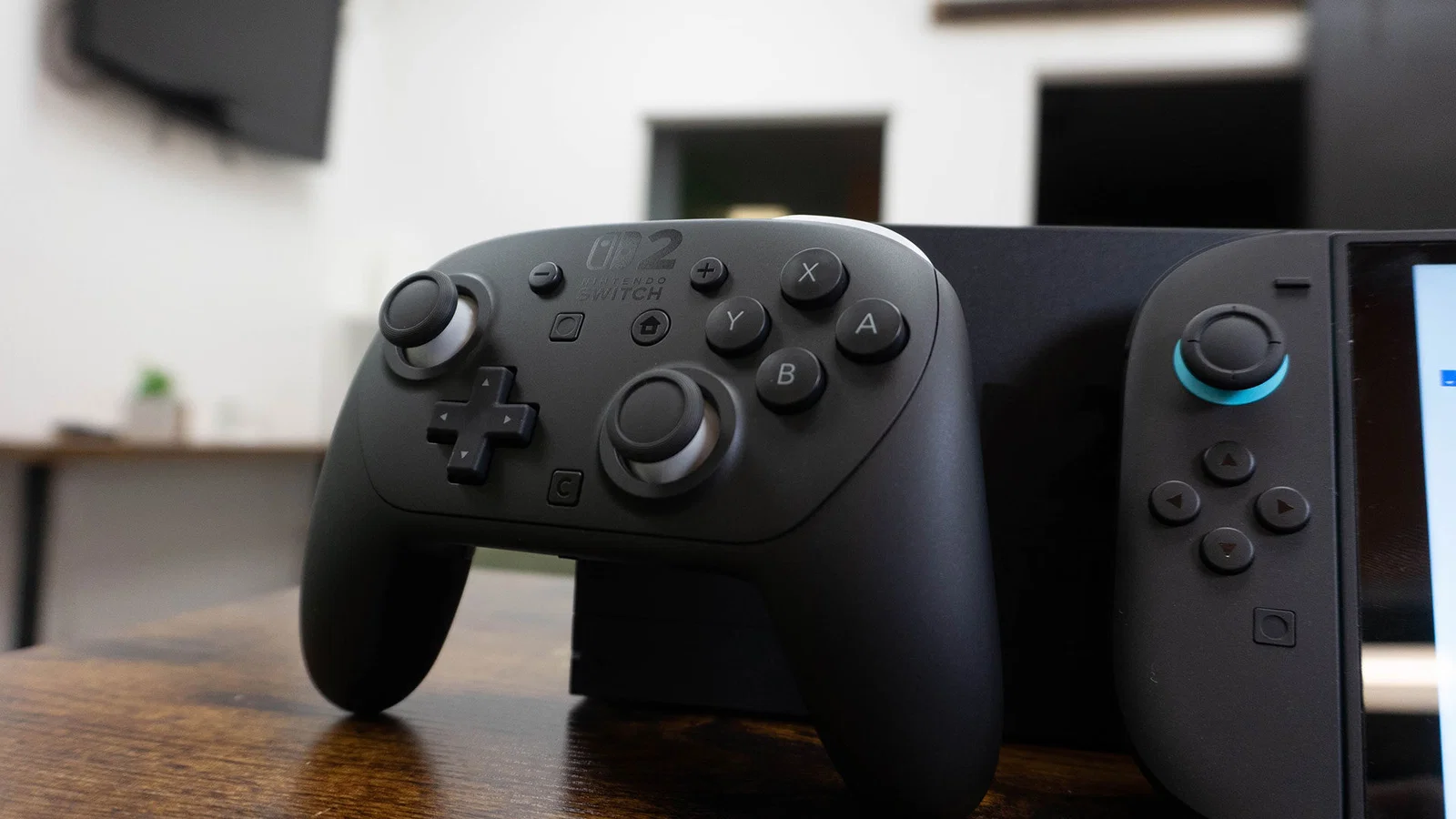
The Switch 2 makes the wireless side particularly strong because Nintendo’s own controller ecosystem leans heavily into native features. The Nintendo Switch 2 Pro Controller uses a proprietary wireless protocol and supports features that many third-party pads do not fully match. That includes HD Rumble 2 haptics, built-in amiibo support, motion controls, the GameChat C Button, programmable GL/GR rear buttons and a 3.5mm audio jack for 4-pole stereo earbuds or headsets. Its sticks also performed well in the published stick performance figures: no inner deadzone, essentially no outer deadzone at 0.1mm minimal, and stick asymmetry of 9.9% on the left stick and 3.8% on the right stick.
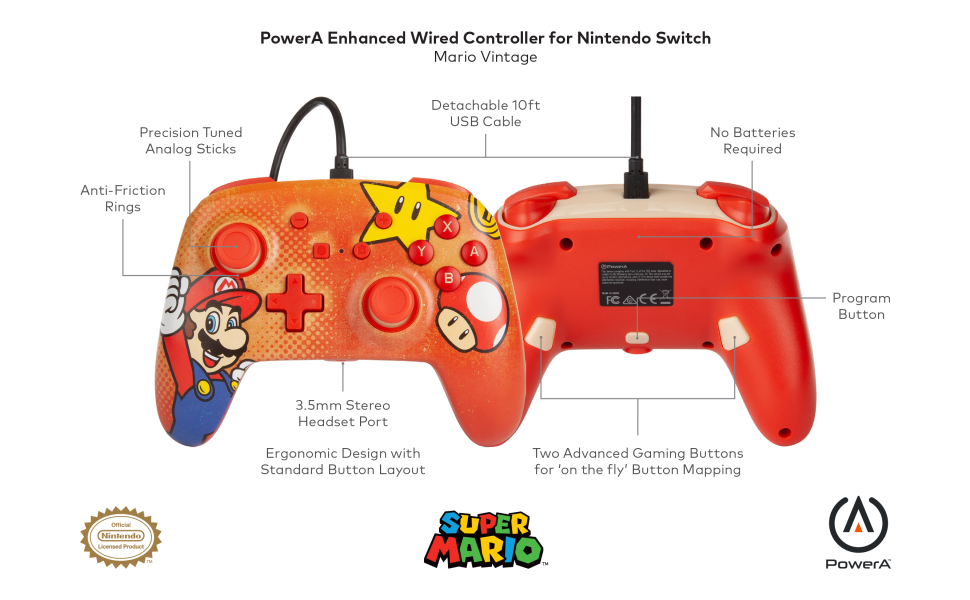
Wired third-party pads, by comparison, tend to skip some of those premium native extras and concentrate on reliability per pound. The PowerA Advantage Wired Controller is the obvious example in this comparison: it is wired-only, officially licensed, and uses Hall effect sticks. The Lumectra variant added the lighting angle whilst keeping the same wired foundation.
| Category | Wired Switch 2 Controllers | Wireless Switch 2 Controllers | What It Means in Real Play |
|---|---|---|---|
| Power | Powered by cable | Rechargeable battery on models such as Nintendo Switch 2 Pro Controller, FUNLAB Pro Controller and PowerA Advantage Wireless | Wired pads avoid charging; wireless pads reduce clutter. |
| Latency examples | Direct connection focus | FUNLAB Pro Controller measured 4.8ms; EasySMX S10 around 10ms | Good wireless pads are already fast enough for most players. |
| Battery examples | No recharge routine | Nintendo Switch 2 Pro Controller 40 hours; Turtle Beach Rematch Wireless 40 hours; PowerA Advantage Wireless 30 hours; FUNLAB Pro Controller 20 hours; EasySMX S10 about 12 hours | Battery matters more for family use than for one-player sessions. |
| Stick technology examples | PowerA Advantage Wired has Hall effect sticks | FUNLAB and EasySMX use Hall effect sticks; Turtle Beach Rematch Wireless uses TMR sticks; Nintendo Switch 2 Pro Controller uses traditional potentiometer sticks | Hall and TMR designs are attractive if stick drift worries you. |
| Native Nintendo features | Varies by model | Nintendo Switch 2 Pro Controller has HD Rumble 2, amiibo, motion controls, C Button, GL/GR and 3.5mm audio | The official wireless pad remains the feature benchmark. |
| Typical use case | Spare controllers, children, local multiplayer, desk setups | Main controller, living-room play, longer sessions, premium feel | The right answer depends on who is holding it and how often. |
3. Latency and Responsiveness: Does Wired Still Win?
Latency is where wired controllers traditionally had the easiest marketing line: a cable should mean less delay. That is still a comforting idea, and for serious competitive players it remains part of the appeal. A wired pad removes the wireless radio link from the equation, avoids pairing hiccups, and keeps things predictable. If your Switch 2 lives on a desk or near a monitor, a cable can feel like a fair trade for that sense of directness.
However, the best wireless numbers here are genuinely strong. The FUNLAB Pro Controller’s Bluetooth 5.2 connection was measured at 4.8ms latency, which is impressively quick for a third-party wireless controller. The EasySMX S10 sat around 10ms. In the real world, that difference matters most to players who are already sensitive to timing: fighting game fans, speedrunners, rhythm game players and anyone who notices when a jump or parry feels late.
For children, families and most casual players, the bigger responsiveness problem is rarely the connection itself. It is more likely to be stick feel, deadzones, the game’s own input handling, TV processing, or simply whether the controller fits the player’s hands. That is why the Nintendo Switch 2 Pro Controller’s stick behaviour matters: no inner deadzone means the stick responded immediately to tiny movement, which helps aiming feel precise. Its minimal 0.1mm outer deadzone also had little practical impact on play.
ToyScout Tip
If you are buying for a child who mainly plays platformers, racers and party games, do not obsess over a few milliseconds. A comfortable grip, reliable sticks and not running out of battery halfway through a playdate will usually matter more.
So, does wired still win on latency? In principle, yes: it is the cleanest route and removes one possible source of delay. But the gap is not as dramatic as it used to be, especially against a 4.8ms wireless controller. For most Switch 2 households, wireless latency is now “good enough” when the controller itself is well made. Wired remains the safer recommendation for timing-sensitive players who want the least complicated setup.
4. Battery Life and Charging: Wireless Freedom Has a Chore Attached
This is the category where wired controllers have the least glamorous but most practical advantage: there is no battery to charge. That sounds boring until you have four children ready for a multiplayer session and three wireless pads with flat batteries. For family homes, holiday lets, grandparents’ houses and after-school gaming, wired controllers can be brilliant precisely because they are always ready.
Wireless controllers, though, have become far less annoying than they once were. The Nintendo Switch 2 Pro Controller offers 40 hours per charge. The Turtle Beach Rematch Wireless also lists 40-hour battery life, putting it on par with Nintendo’s own controller for endurance. The PowerA Advantage Wireless offers up to 30 hours on a single charge and includes an extra-long 10 ft USB-C cable. The FUNLAB Pro Controller has a 1000mAh battery for 20 hours of playtime, whilst the EasySMX S10 uses an 800mAh battery lasting about 12 hours.
| Wireless Controller | Battery Figure | Other Relevant Details | Best Fit |
|---|---|---|---|
| Nintendo Switch 2 Pro Controller | 40 hours per charge | USB-C charging cable plugs into the console’s dock | Main household controller |
| Turtle Beach Rematch Wireless | 40-hour battery life | TMR joysticks; no rumble, audio port or ability to turn on the console | Players who want long battery life and drift-resistant sticks |
| PowerA Advantage Wireless | Up to 30 hours | Includes extra-long 10 ft USB-C cable | Flexible sofa play with a useful charging cable |
| FUNLAB Pro Controller | 20 hours | 1000mAh battery; Bluetooth 5.2; measured 4.8ms latency | Low-latency wireless gaming |
| EasySMX S10 | About 12 hours | 800mAh battery; wireless latency around 10ms | Budget wireless play |
Wireless wins on convenience once charged; wired wins on being ready every single time.
My rule of thumb is simple: one wireless controller is easy to manage; several wireless controllers need a charging routine. If your Switch 2 is mainly used by one player, a 30-hour or 40-hour controller is unlikely to feel needy. If the console is shared by siblings, visitors and adults who forget to plug things in, one or two wired spares can save the evening.
5. Comfort, Weight and Living-Room Practicality
Comfort is where wireless controllers usually feel better before you even press a button. No cable means you can sit further back, swap seats, tuck your legs under a blanket, or pass the controller across the sofa without dragging a lead over drinks and snacks. That matters in British living rooms where the Switch 2 dock may be near the telly, but the best seat may not be near the telly at all.
The FUNLAB Pro Controller gives us one useful weight figure: 240g, described as slightly lighter than the official 246g reference. That is a nice middle ground. It is not so light that it feels toy-like, but it should not feel heavy in longer sessions either. Its four programmable back buttons also help comfort if you like keeping thumbs on the sticks whilst mapping common actions to the rear. That can be especially useful in action games where camera control and face-button inputs compete for your right thumb.
The Nintendo Switch 2 Pro Controller remains the premium comfort reference because it combines a traditional full-size shape with native extras. GL/GR rear buttons are built in, and the 3.5mm audio jack is a meaningful convenience if you play with a wired headset. The Joy-Con 2 controllers, meanwhile, still serve a different purpose. Their magnetic detachable design and wireless capability make them flexible, and each controller can be used as a mouse. They are not trying to be a full-size pad in the same way.
Wireless comfort
Best for sofa play, shared screens and relaxed sessions where a cable across the room would be irritating.
Wired practicality
Best for desks, bedrooms and setups where the player sits close enough to the dock for a cable not to matter.
Family handling
Wired pads are harder to misplace and never need charging, but wireless pads are safer in walkways because there is no trailing lead.
Back-button comfort
FUNLAB offers four programmable back buttons, whilst the Nintendo Switch 2 Pro Controller includes programmable GL/GR buttons.
There is no universal comfort winner because hand size changes everything. Younger players may prefer smaller, lighter controllers or Joy-Con 2 play. Adults who play for two hours at a time usually benefit from a full-size grip. If possible, treat comfort like school shoes: the “best” one on paper is not best if it does not fit the hand using it.
6. Stick Technology, Drift and Precision
Shop Stick Technology, Drift and Precision on Amazon UK
Stick drift is one of the biggest reasons Switch owners look at third-party pads, and it remains a key factor with Switch 2. The main technologies in this comparison are traditional potentiometer sticks, Hall effect sticks and TMR sticks. The official Nintendo Switch 2 Pro Controller uses traditional potentiometer joysticks, which are susceptible to drift after 200–400 hours of use. That does not mean every unit will fail quickly, but it does mean drift anxiety has not disappeared from the official premium option.
Several third-party alternatives take a different route. The PowerA Advantage Wired Controller uses Hall effect sticks. The FUNLAB Pro Controller also uses Hall effect joysticks with magnetic sensors, and testing showed zero deviation after 500 hours of use. The EasySMX S10 uses Hall effect joysticks too. Turtle Beach goes further with the Rematch Wireless by using TMR joysticks, described as an improvement on Hall effect with greater accuracy and energy efficiency, whilst also preventing stick drift.
Hall effect and TMR sticks are especially appealing for households where controllers see heavy use. If one pad is shared across siblings, friends and visiting relatives, drift-resistant stick tech may be worth prioritising over premium haptics.
| Controller | Stick Type | Precision / Durability Detail | What to Know |
|---|---|---|---|
| Nintendo Switch 2 Pro Controller | Traditional potentiometer | No inner deadzone; 0.1mm minimal outer deadzone; 9.9% left and 3.8% right stick asymmetry | Excellent feel and precision, but not drift-proof. |
| FUNLAB Pro Controller | Hall effect | Zero deviation after 500 hours of use in testing | Strong pick for low-latency wireless and stick durability. |
| PowerA Advantage Wired Controller | Hall effect | Wired-only Hall effect gamepad | Good budget-minded drift-resistant wired option. |
| EasySMX S10 | Hall effect | Budget wireless model with drift-resistant sticks | Attractive price, but build and D-pad concerns matter. |
| Turtle Beach Rematch Wireless | TMR | Designed for greater accuracy and energy efficiency; prevents stick drift | Interesting if stick tech is your top priority. |
For aiming, the official Nintendo pad’s no-inner-deadzone behaviour is a big point in its favour. For long-term durability, the Hall effect and TMR third-party models look more reassuring. This is one of the clearest “it depends” moments: if you want Nintendo’s full feature set, the official wireless controller is hard to beat; if you have been burned by drift before, PowerA, FUNLAB, EasySMX and Turtle Beach deserve serious attention.
7. Features: Native Nintendo Extras vs Third-Party Specialisms
Features are not evenly distributed across wired and wireless controllers. In fact, this is where the official wireless controller pulls away from most third-party pads. The Nintendo Switch 2 Pro Controller includes HD Rumble 2 haptic feedback, built-in amiibo support, motion controls, the C Button for GameChat, programmable GL/GR buttons on the back, and a 3.5mm audio jack for 4-pole stereo earbuds or headsets. If you want the most complete Switch 2 feature set in a traditional pad shape, that is the benchmark.
The Joy-Con 2 controllers offer their own set of unusual features: magnetic connectors, wireless play, motion controls, amiibo functionality, HD Rumble 2 and mouse sensor functionality. Each controller can be used as a mouse, which makes them more experimental and flexible than a normal third-party pad. They do not, however, use Hall effect sticks.
Third-party pads tend to win by specialising. FUNLAB offers four programmable back buttons and a precision 8-way D-pad that is particularly attractive for fighting games. PowerA Advantage Wireless includes motion controls, a C Button for GameChat, Hall effect sticks, two mappable buttons and a 10 ft USB-C cable. Turtle Beach Rematch Wireless uses TMR sticks and comes in four Mario-themed designs plus a black variant, though it lacks rumble, an audio port and the ability to turn on the console. EasySMX S10 brings budget wireless play with Hall effect joysticks, two back buttons, rumble, NFC and swappable D-pads, but its standard 4-way D-pad can register false diagonals in platformers and the plastic shell feels creaky under pressure.
The official wireless controller is the richest for native Switch 2 features; third-party pads often compete with sticks, back buttons or price.
Wireless Controller Pros
- Cleaner living-room setup with no cable across the floor.
- Official Nintendo Switch 2 Pro Controller includes HD Rumble 2, amiibo, motion controls, C Button, GL/GR and audio jack.
- Strong battery options exist, including 40 hours on Nintendo Switch 2 Pro Controller and Turtle Beach Rematch Wireless.
- FUNLAB Pro Controller combines 4.8ms measured wireless latency with Hall effect sticks.
- Several third-party wireless pads offer programmable rear buttons.
Wireless Controller Cons
- Batteries need charging, especially in multi-controller family setups.
- Feature support varies sharply between models.
- Some third-party wireless pads lack premium extras such as HD Rumble 2 or amiibo.
- Budget models can involve compromises in D-pad feel or shell quality.
- Wireless freedom often costs more than a simple wired spare.
Wired Controller Pros
- No charging routine, which is brilliant for households with forgetful players.
- Simple plug-in setup for guests and younger children.
- PowerA Advantage Wired Controller uses Hall effect sticks.
- Usually a sensible route for spare pads and local multiplayer.
- Good match for desks, monitors and close-to-dock play.
Wired Controller Cons
- Cables can be awkward in a lounge, especially with children or pets around.
- Less convenient for relaxed sofa gaming.
- Feature sets tend to be simpler than Nintendo’s official wireless pad.
- A trailing cable can make passing the controller around more clumsy.
- Not as tidy if your Switch 2 dock is already surrounded by accessories.
8. Price and Value: Where the Real Savings Sit
Price is where wired controllers often make the strongest case, although the exact value depends heavily on which model you are comparing. The PowerA Advantage Wired Controller is $39.99 in its base version, with UK base pricing at £29.99. The PowerA Advantage Wired Controller with Lumectra is $49.99, with UK pricing at £34.99. For a controller with Hall effect sticks and official licensing, that is a compelling position for families building out a multiplayer set.
Budget wireless can be surprisingly affordable too. The EasySMX S10 is $34.99, making it cheaper than some wired alternatives on headline price, whilst still offering Hall effect joysticks and a wireless connection. The trade-off is that its plastic shell feels creaky under pressure, and the standard 4-way D-pad can register false diagonals in platformers. If you are buying for a very particular player who loves precise 2D games, that D-pad note matters.
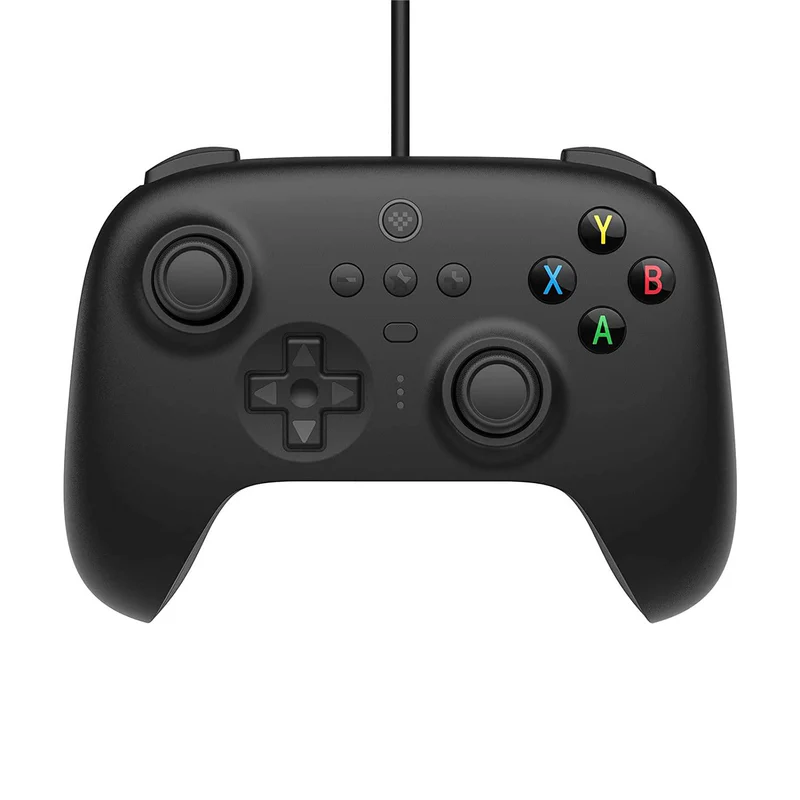
In the middle of the wireless range, the PowerA Advantage Wireless is $49.99 with a rechargeable battery, Hall effect sticks, motion controls, a C Button for GameChat, two mappable buttons and up to 30 hours of battery life. Turtle Beach Rematch Wireless is $64.99, with TMR joysticks and 40-hour battery life, although it lacks rumble, an audio port and the ability to turn on the console. The 8BitDo Ultimate 2 Bluetooth is $69.99, often $59.99 on sale, and includes a charging dock; it was an older controller model rather than one specifically designed for Switch 2, but it became compatible after a firmware update.
PowerA Advantage Wired Controller
Wired-only Hall effect gamepad with Nintendo seal of approval.
PowerA Advantage Wired Controller with Lumectra
Wired PowerA option with Lumectra styling.
EasySMX S10
Budget wireless controller with Hall effect joysticks and about 12 hours of battery life.
PowerA Advantage Wireless
Wireless controller with up to 30 hours of battery life and two mappable buttons.
Turtle Beach Rematch Wireless
Wireless controller with TMR joysticks and 40-hour battery life.
8BitDo Ultimate 2 Bluetooth
Compatible after firmware update and includes a charging dock.
For value, I would not simply sort by cheapest. A cheap controller that annoys you every evening is not good value. Instead, match the price to the job. A wired PowerA makes sense as a reliable spare or a child’s controller. A PowerA Advantage Wireless makes sense if you want a modern wireless pad without moving into premium pricing. Turtle Beach makes sense if the TMR sticks and long battery are the point. 8BitDo makes sense if the charging dock is a real convenience in your setup.
9. Product-by-Product Head-to-Head: The Pads Worth Knowing
To keep the wired-versus-wireless question grounded, it helps to look at named controllers rather than abstract categories. The best option for a competitive player is not necessarily the best one for a seven-year-old, and the best premium controller may be overkill as a fourth local multiplayer pad.
Nintendo Switch 2 Pro Controller
Shop Nintendo Switch 2 Pro Controller on Amazon UK
This is the official wireless benchmark. It has the native Switch 2 features many third-party pads either skip or only partially match: HD Rumble 2, built-in amiibo support, motion controls, a C Button for GameChat, programmable GL/GR rear buttons and a 3.5mm audio jack. Its 40-hour battery life is excellent, and the stick performance figures are strong for precision, with no inner deadzone and only a 0.1mm minimal outer deadzone.
The main caveat is the stick mechanism. It uses traditional potentiometer joysticks, which are susceptible to drift after 200–400 hours of use. If you are buying one main premium pad and want Nintendo’s full feature set, it is hard to look past. If your household has already worn through several drifting sticks, a Hall effect or TMR alternative may feel safer.
Joy-Con 2 Controllers
The Joy-Con 2 controllers are not direct rivals to full-size pads, but they are part of the decision because they come bundled with the console. Their magnetic attachment is more elegant than the old rail concept, and their wireless capability, motion controls, amiibo functionality, HD Rumble 2 and mouse sensors make them more flexible than a conventional controller. Each controller can be used as a mouse, which gives Switch 2 some unusual play possibilities.
They do not have Hall effect sticks, and they do not have rear buttons built into the controllers themselves. For party games and flexible multiplayer, they are wonderfully useful. For long sessions, serious aiming or players who prefer a full grip, a Pro-style pad still makes sense.
PowerA Advantage Wired Controller
This is the wired option I would look at first for a dependable spare. It is officially licensed, wired-only and uses Hall effect sticks. At $39.99, with UK base pricing at £29.99, it is positioned as a practical family buy rather than a luxury treat. The Lumectra version costs $49.99 or £34.99 in the UK.
The obvious compromise is the cable. If the Switch 2 dock is across the room, that matters. If the player sits at a desk or near the TV, it may barely matter at all. For children who forget to charge pads, it is an easy recommendation.
PowerA Advantage Wireless
The wireless PowerA Advantage is an interesting middle ground at $49.99. It offers Hall effect sticks, two mappable buttons, motion controls, a C Button for GameChat and up to 30 hours of battery life. The included extra-long 10 ft USB-C cable is more useful than it sounds, because it makes charging less restrictive.
This is one of the more balanced options if you want wireless comfort but do not need every premium official feature. The 30-hour battery figure is strong enough for most households, and Hall effect sticks give it a durability angle the official Pro Controller does not match.
FUNLAB Pro Controller
The FUNLAB Pro Controller is the latency headline-grabber. Its Bluetooth 5.2 connection measured 4.8ms wireless latency, and it uses a 1000mAh battery for 20 hours of playtime. It weighs 240g, and its Hall effect sticks showed zero deviation after 500 hours of use in testing.
It also has four programmable back buttons, including GL, GR and two more on the grips. That is a big deal for players who like custom controls. Its precision 8-way D-pad is another plus for fighting games. The trade-off is feature completeness: it has standard rumble rather than HD Rumble 2, and it does not have amiibo support.
EasySMX S10
The EasySMX S10 is the budget wireless option at $34.99. It has Hall effect joysticks, an 800mAh battery lasting about 12 hours, wireless latency around 10ms, two back buttons, rumble, NFC and swappable D-pads. That is a lot on paper for the price.
The cautions are equally important. Its standard 4-way D-pad can register false diagonals in platformers, and the plastic shell feels creaky under pressure. For casual wireless use, it may be enough. For a player who is fussy about 2D precision or build feel, I would step up.
Turtle Beach Rematch Wireless
The Turtle Beach Rematch Wireless costs $64.99 and focuses on TMR joysticks, 40-hour battery life and style options, including four Mario-themed designs plus a black variant. TMR sticks are pitched as an improvement on Hall effect, with greater accuracy and energy efficiency, whilst preventing stick drift.
The omissions are significant: it lacks the ability to turn on the console, lacks an audio port and lacks rumble. That makes it less of an all-rounder than the official Pro Controller, but potentially more appealing for someone who wants drift-resistant stick technology and long battery life above all else.
8BitDo Ultimate 2 Bluetooth
Shop 8BitDo Ultimate 2 Bluetooth on Amazon UK
The 8BitDo Ultimate 2 Bluetooth is a slightly different case because it was not specifically designed for Switch 2, but it became compatible after a firmware update. It costs $69.99 and is often $59.99 on sale, and it includes a charging dock.
The dock is the key lifestyle feature. If you are the sort of player who always puts the controller back in one spot, a dock makes wireless charging habits almost effortless. If you are buying for a shared family room where controllers vanish under cushions, the advantage may be less consistent.
10. Ratings: Wired vs Wireless by Category
Because this is a category comparison rather than two single products, the ratings below reflect the best argument for each side. Wireless scores higher for comfort and features because the official Nintendo Switch 2 Pro Controller and several third-party pads offer richer options. Wired scores higher for readiness and simple family reliability because there is no battery to manage and no pairing behaviour to explain to guests.
The key decision is not just cable versus no cable; it is which compromises matter in your household.
Those scores are deliberately close. A great wired controller is better than a poor wireless one, and a premium wireless controller is better than a bargain wired pad if it suits your games and hands. The category winner changes once you add children, pets, cable routes, charging habits and the number of people playing.
11. FAQ: Wired and Wireless Switch 2 Controllers
Shop Wired and Wireless Switch 2 Controllers on Amazon UK
12. Final Verdict: Which Should You Buy?
Wired vs Wireless Controllers for Switch 2: The Balanced Verdict
Wireless is the better main-controller choice for most Switch 2 players because it is more comfortable in the living room, offers strong battery options, and unlocks the richest feature sets through models such as the Nintendo Switch 2 Pro Controller. Wired is the better practical buy for spare pads, children, local multiplayer and anyone who values “it just works” over sofa freedom.
The best overall approach for many homes is not wired or wireless exclusively. I would buy one excellent wireless controller for the main player, then add one or two wired controllers for guests and family sessions. That gives you comfort when it matters and reliability when everyone wants to play at once.
For many Switch 2 homes, the smartest setup is one premium wireless pad plus dependable wired spares.
Best for competitive players
Choose wired if you want the simplest low-risk connection. If you prefer wireless, the FUNLAB Pro Controller’s measured 4.8ms latency makes it the standout low-latency third-party option.
Best for premium Switch 2 features
Shop Best for premium Switch 2 features on Amazon UK
Choose the Nintendo Switch 2 Pro Controller. Its HD Rumble 2, amiibo support, motion controls, C Button, GL/GR buttons and audio jack make it the most complete feature package here.
Best for families and spare pads
Choose the PowerA Advantage Wired Controller. It is simple, officially licensed, uses Hall effect sticks, and avoids the charging problem entirely.
Best for sofa gaming
Choose wireless. PowerA Advantage Wireless offers up to 30 hours of battery life, whilst Nintendo and Turtle Beach options reach 40 hours.
Best for drift worriers
Look at Hall effect or TMR models: PowerA, FUNLAB and EasySMX use Hall effect sticks, whilst Turtle Beach Rematch Wireless uses TMR joysticks.
Best for value hunters
Compare the PowerA Advantage Wired Controller at £29.99 UK base pricing with the EasySMX S10 at $34.99 and PowerA Advantage Wireless at $49.99, then choose based on charging tolerance and build expectations.
If I were buying for my own living room, I would start with one high-quality wireless pad for the person who plays most often. Then I would add wired controllers as dependable extras, especially if children or guests use the console. That combination avoids the classic mistake of overspending on four premium pads, whilst also avoiding the frustration of having only cheap controllers that nobody actually enjoys using.
So, which is better? Wireless is better for comfort, features and everyday play. Wired is better for readiness, simplicity and multiplayer value. The clever buy is the one that fits your household rather than the one that wins a spec-sheet argument.