
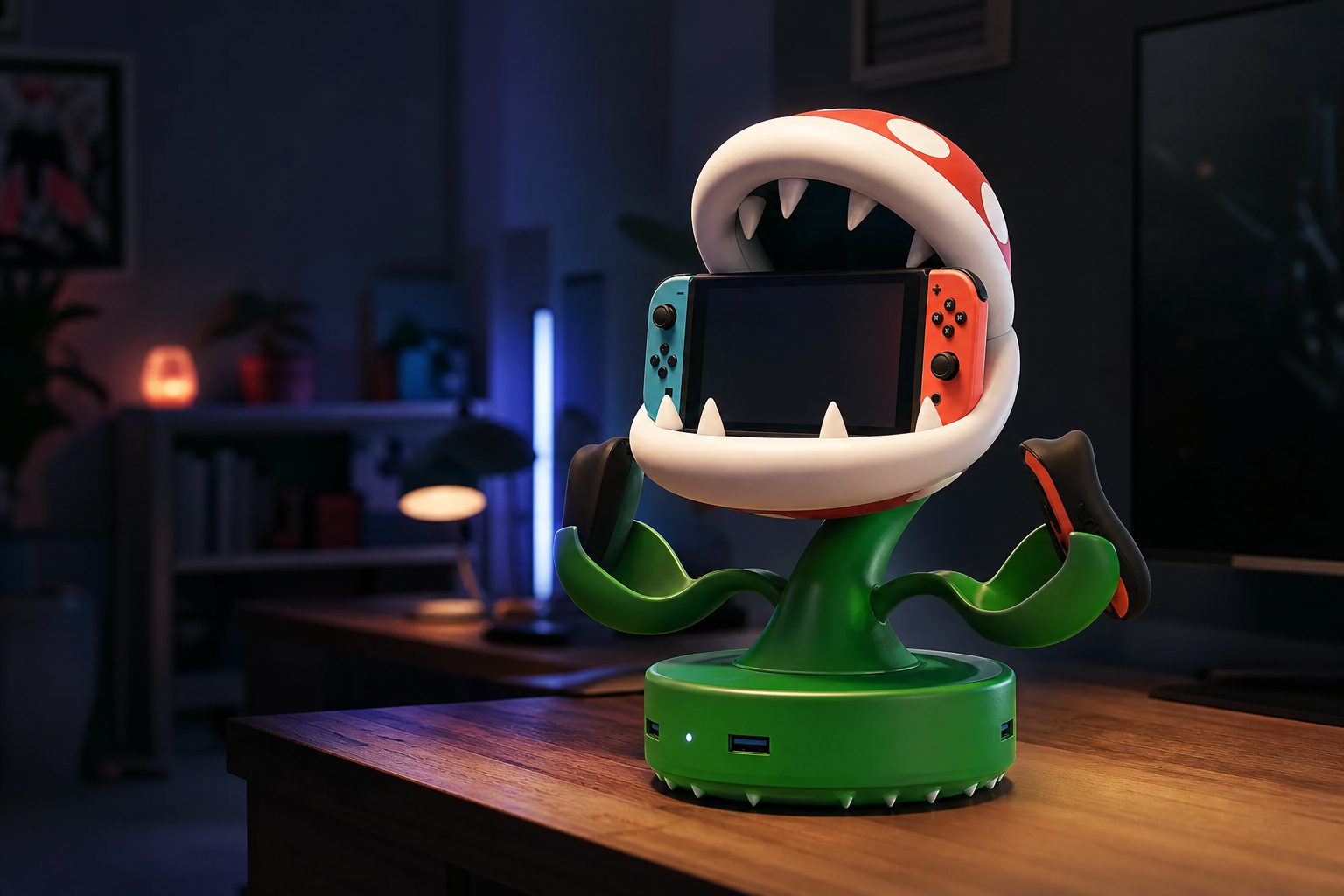
A Switch 2 dock does more than point the console at a television: the right one turns a low-battery handheld into a properly organised play space.
Best Charging Docks and Stands to Keep Your Switch 2 Ready to Go
Switch 2's 2-to-6.5-hour battery life makes a good charging home rather less of a luxury than it was on older Switch models. From a cheerful Piranha Plant command centre to genuinely pocketable HDMI adapters and Joy-Con charging stations, these are the docks and stands worth considering in August 2026.
Why a charging dock matters more for Switch 2
The Switch 2 is a very easy machine to pick up for "just one race" or "one more shrine" and then discover, some time later, that it would quite like a lie-down. Its 5,220mAh battery is rated for roughly two to 6.5 hours, depending heavily on what you are playing. Big-budget games can sit near the two-hour end; lighter 2D fare can run towards 6.5. That is a considerably tighter range than the 4.5-to-9-hour life of the standard and OLED Switch models.
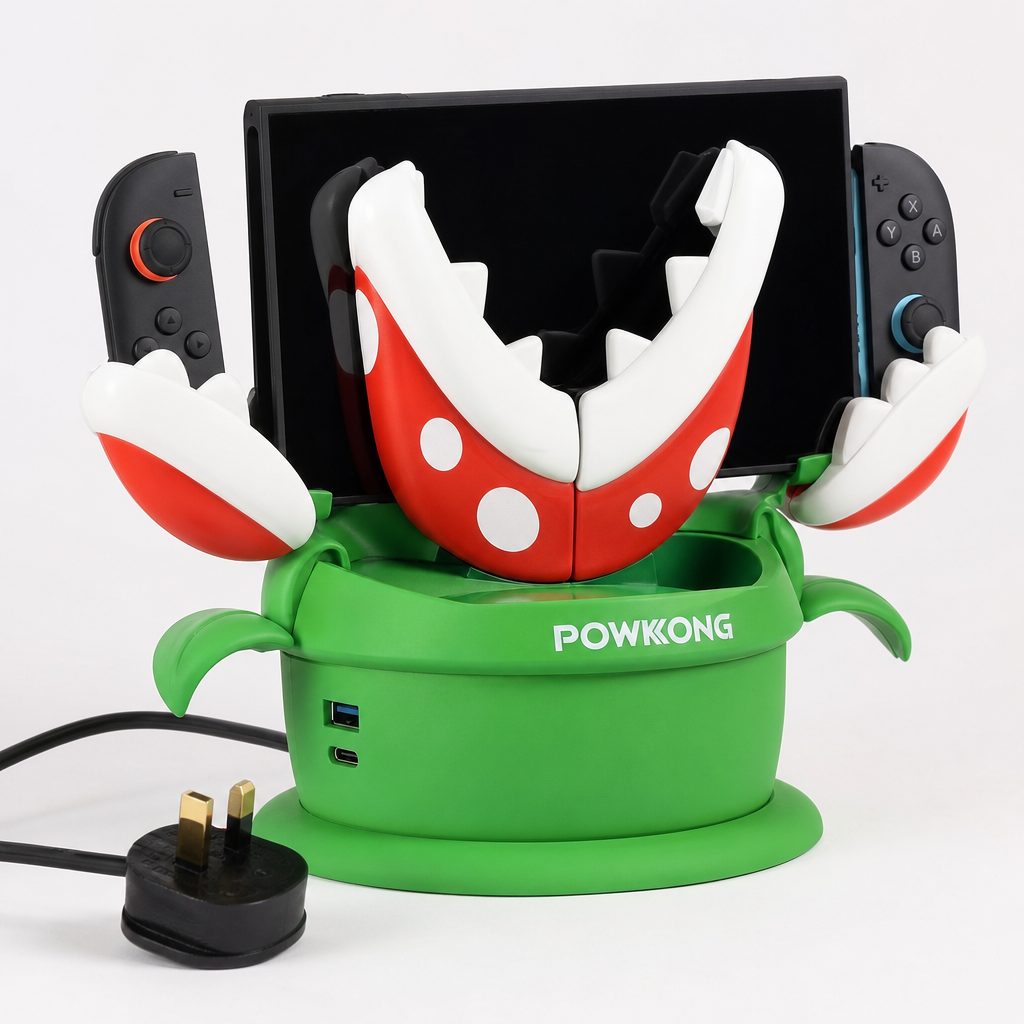
A desktop charging station earns its keep in a busy household by giving the console and extra Joy-Con 2 controllers a single obvious destination.
None of that makes the console inconvenient. It simply changes the sensible accessories. A dock on the TV unit gives the machine a repeatable place to cool, charge and wait. A compact USB-C dock means the family-holiday television is no longer a negotiation involving one proprietary-looking slab of plastic. And a separate Joy-Con charger prevents the small but surprisingly common ritual of discovering the spare controllers are flat precisely when four people are standing around asking for a game.
The important word is routine. The best dock is not always the one with the longest port list. It is the one that makes returning the Switch 2 after a session so obvious that everyone in the house actually does it. That sounds faintly patronising until you have found a console tucked under a cushion at 4% battery. We have all been there. Some of us more often than we care to admit.
For TV mode, a third-party dock needs appropriate USB-C power and HDMI support. The Switch 2 itself remains the limiting factor for supported output, so a lofty number on a dock's box does not magically turn every game into a 4K 120Hz showcase.
Our ranked picks at a glance
I have ranked these by the job they do rather than pretending every buyer has identical needs. The POWKONG Plantdock 2 Piranha is the glorious overachiever for a permanent gaming corner. The JSAUX 6-in-1 Gaming Dock is the practical family choice, particularly if cartridges and spare controllers tend to migrate around the house. At the other extreme, the POWKONG Pipedock is almost comically small, and that is precisely its appeal.
| Pick | Best for | Video output | Charging / controller capacity | Notable detail | Known price |
|---|---|---|---|---|---|
| POWKONG Plantdock 2 Piranha | Premium home setup | 4K 60Hz; 1080p 120Hz | Switch 2 plus up to six Joy-Con | Cooling fan and Piranha Plant design | — |
| JSAUX 6-in-1 Gaming Dock | Family TV station | 4K 60Hz; 2K/1080p 120Hz | Four Joy-Con 2; console option | Ethernet and game storage | $59.99 |
| JSAUX OmniCentro Charger Dock | One dock for several devices | Up to 4K 60Hz | Up to 65W USB-C PD | Works with handheld PCs and laptops | — |
| POWKONG Cubedock 2 | Portable all-rounder | 4K 60Hz | 65W | 145g | $39.99 |
| POWKONG Pipedock | Minimal travel | 4K 60Hz | 65W passthrough | 98g cylindrical adapter | — |
| Techigher Switch 2 Dock | Premium simple dock | 4K 60Hz | — | Aluminium construction | — |
| BGGUANG Switch 2 Dock | Budget buyers | — | — | Remote startup support | Under $18 |
| JSAUX EnergyFlow Joy-Con Charging Dock | Controller-only charging | — | Four Joy-Con | Dedicated charging station | — |
A dash in the table is not a mark against a product; it simply means the feature is not what defines that particular pick. A Joy-Con charger does not need an HDMI port any more than a travel adapter needs a row of glowing controller cradles. Buy for the gap in your own setup, not for the largest collection of nouns on a product page.
Best desktop docks and full charging stations
1. POWKONG Plantdock 2 Piranha — Best for a premium home setup
Shop POWKONG Plantdock 2 Piranha on Amazon UK
If your Switch 2 setup lives beside the television rather than in a backpack, the POWKONG Plantdock 2 Piranha is the most complete answer here. It is part dock, part controller corral and part very committed piece of Mario décor. The Piranha Plant styling will either make you smile every time you see it or make your minimalist sideboard feel personally attacked. I am firmly in the former camp.
The substance matches the silliness. Plantdock 2 Piranha supports 4K at 60Hz and 1080p at 120Hz through HDMI 2.1, and it can charge the Switch 2 plus as many as six Joy-Con controllers at once. Four use its magnetic petal arms and two charge in the console cradle. A drained pair of Joy-Con takes about 3.5 hours to refill. For a household that regularly has friends over, that is a far more useful figure than an abstract claim of "fast charging".
There is active cooling, ambient lighting, overcharge protection and tucked-away USB-A and USB-C expansion ports. At 320g, it is not an accessory you will casually move between hotel rooms. Nor should you try to make it one. This is a stationary charging hub that happens to look as though it may bite you if you lose Mario Kart.
Pros
- Charges the console and up to six Joy-Con at the same time.
- 4K 60Hz and 1080p 120Hz support covers the key Switch 2 display modes.
- Cooling, expansion ports and overcharge protection make it a real setup centre.
Cons
- At 320g, it is emphatically a home dock rather than a travel accessory.
- The bold Piranha Plant look will not suit every room.
- It is more dock than a solo player needs.
2. JSAUX 6-in-1 Gaming Dock — Best for a family TV station
Shop JSAUX 6-in-1 Gaming Dock on Amazon UK
The JSAUX 6-in-1 Gaming Dock is less theatrical and, for many families, more sensible. It is a foldable dock with charging provision for four Joy-Con 2 controllers, a USB-C point for a Pro Controller, storage for four game cartridges and four microSD cards, two USB 2.0 Type-A ports, HDMI 2.0 and gigabit Ethernet. In other words, it has looked around a typical gaming shelf and decided that loose things have had enough freedom.
It supports 4K at 60Hz, 2K at 120Hz and 1080p at 120Hz, whilst its 100W USB-C PD port is adapted to provide 60W for Switch 2 use. The clever wrinkle is that the Pro Controller charging slot can charge the Switch 2 when you fit the included adapter dock to its USB-C connector. That gives the unit a useful degree of flexibility when the console needs topping up away from the usual cradle arrangement.
At $59.99, this is the most clearly positioned full-featured dock in the roundup. It is a strong pick if you own extra controllers, buy physical games and want wired internet for multiplayer or downloads. If you only ever play handheld in bed, it is hilariously overqualified. For everyone else, it is one of the tidiest ways to turn Switch 2 clutter into a proper station.
JSAUX 6-in-1 Gaming Dock
Foldable dock, controller charging, Ethernet and game storage.
POWKONG Cubedock 2
65W compact dock weighing 145g.
BGGUANG Switch 2 Dock
Budget-minded dock with remote startup support.
Best compact and travel docks
3. POWKONG Cubedock 2 — Best portable all-rounder
The POWKONG Cubedock 2 occupies the sweet spot that most people should start with. It gives you 4K at 60Hz output and 65W power in a 145g unit, rather than asking you to choose between a chunky desk appliance and a tiny adapter with the emotional resilience of a paperclip. At $39.99, it also lands at a notably friendlier price than the more elaborate JSAUX 6-in-1.
This is the one I would choose for someone who splits their time between a home television, a partner's television and the occasional trip away. It is portable enough to earn its place in a carry case, but substantial enough to feel like a real dock rather than an emergency cable. The balance is the point. You receive 65W charging capability and 4K 60Hz output without paying for a large controller rack you will never use.
The trade-off is simple: it is not a whole-family charging station. There are no six Joy-Con petals, storage bays or a stated Ethernet connection. But a good buying guide should not confuse "more" with "better". If your actual problem is that you want TV mode without carrying the official dock around, Cubedock 2 solves it neatly.
4. POWKONG Pipedock — Best for minimalist travel
The POWKONG Pipedock takes compactness to the point of mischief. It weighs just 98g, has a cylindrical form and essentially acts as a USB-C-to-HDMI adapter with 65W passthrough charging. It supports 4K at 60Hz, so this is not a compromise in the most important visual specification; it is simply a stripped-back tool for players who travel light.
There is one very practical catch: it does not include a built-in cable, so you must bring your own USB-C cable. That is not a disaster, but it is exactly the sort of tiny detail capable of ruining a Friday evening at somebody else's house. Put a suitable cable in the same pouch and you are sorted. Do not put the cable somewhere "safe". Nothing good ever comes from that phrase.
The Pipedock is ideal for a carry case, a work bag or a pocket of a larger backpack. It is not meant to replace a permanent dock with controller charging and ports. Think of it as the grown-up version of packing a travel plug: dull until it saves the day, then suddenly the best thing you brought.
5. JSAUX OmniCentro Charger Dock — Best for multi-device households
The JSAUX OmniCentro Charger Dock has a broader remit than a Switch-only accessory. Alongside Switch 2 TV output up to 4K at 60Hz, it works with Steam Deck, ROG Ally, USB-C laptops, tablets and phones. That matters if the television area is shared by several devices and you would rather not build a tiny museum of specialised docks beside it.
Its USB-C PD charging reaches up to 65W, with fast charging support up to 62W through PPS, PD3.0 and QC3.0 protocols. When used with the official Switch 2 charger, it delivers up to 30W at 15V/2A to the console, matching the official dock charging level. There is HDMI, USB-A 2.0 and USB-C input, with the USB-A port providing 5V/0.6A or 3W. Simultaneous output is specified at 62W plus 3W.
That last paragraph is rather more numbers than anyone wants with their tea, but the buying message is plain: OmniCentro is the adaptable choice. It is for the household where Switch 2 is not the only handheld with ambitions of reaching the telly. It will not organise six Joy-Con or store game cards. It will, however, pull double duty rather than waiting in a drawer until Mario Kart night.
This chart deliberately compares unlike things. Controller capacity is a useful measure for desktop chargers; weight is the meaningful measure for a travel dock. The lesson is not that a 98g adapter somehow loses to a six-controller plant. The lesson is to buy the form factor for its intended job.
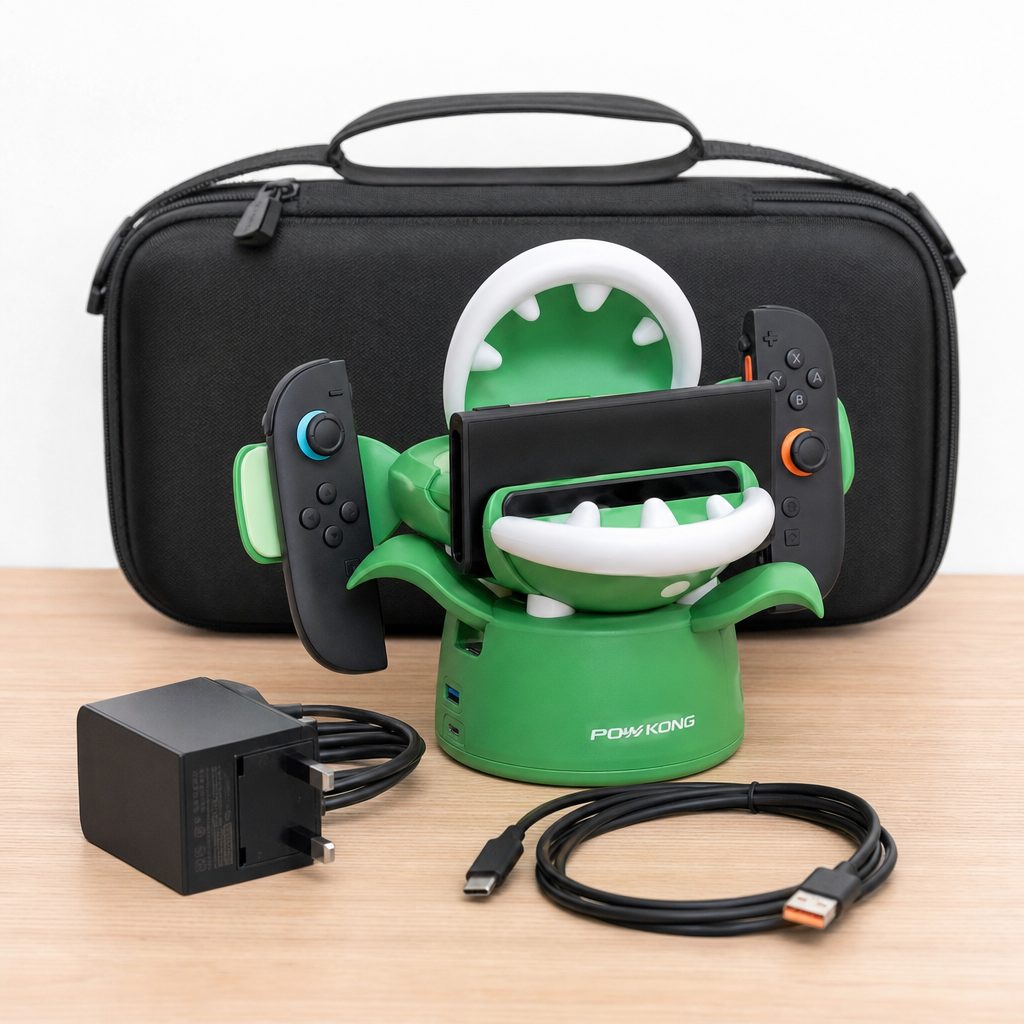
Compact docks are most useful when they live with the Switch 2 carry case, cable and charger instead of being left at home on the TV unit.
Best simple docks and budget alternatives
6. Techigher Switch 2 Dock — Best for a premium, no-fuss dock
Shop Techigher Switch 2 Dock on Amazon UK
The Techigher Switch 2 Dock is for buyers who do not need a small charging circus on their sideboard. Its appeal is its aluminium build, plug-and-play approach and 4K at 60Hz output. That may sound modest beside a dock with an Ethernet socket, card cubbies and four controller points, but simple is often a feature. Especially if the intended user is a child who wants to put the console down, see it charge and press play.
Aluminium construction also makes sense for a dock that will remain visible in a living room. It feels less like a temporary gadget and more like it belongs beside the television. Choose it when you want the desktop experience to be tidy, dependable and understated. Skip it if a major reason for shopping is charging a collection of spare Joy-Con 2 controllers; this is a console-and-screen solution, not a controller warehouse.
7. BGGUANG Switch 2 Dock — Best on a tight budget
Shop BGGUANG Switch 2 Dock on Amazon UK
The BGGUANG Switch 2 Dock earns its place because it costs under $18 and supports remote startup. That is a meaningful distinction at this end of the market. A cheap dock is only a bargain if it removes friction from playing; remote startup is exactly the sort of convenience that helps it do that.
It is the sensible first step for someone setting up a second television, a student room or a casual play area where the official dock stays in the main lounge. It is also a good reminder that you do not need to spend premium-dock money merely to establish a reliable charging and TV-mode spot. Be realistic about what you are not buying: there is no stated multi-controller system, travel-light weight or luxury metal construction. There is simply a low-cost route to a useful extra dock.
A sensible second-dock strategy
Keep the larger, feature-packed dock where the family plays most often, then use a compact or budget dock at the second screen. That gives Switch 2 a charging destination in both places without paying twice for controller slots, cooling or storage that only one room actually needs.
Best Joy-Con-only chargers and play-and-charge stands
8. JSAUX EnergyFlow Joy-Con Charging Dock — Best for four-controller households
A dedicated Joy-Con charger can be the smarter buy when your existing console dock already does its job perfectly. The JSAUX EnergyFlow Joy-Con Charging Dock charges up to four Joy-Con, which is the number that matters for local multiplayer without turning the television unit into a forest of cables.
It is especially useful for families who own two pairs: one pair attached to the console and one pair ready for visitors, party games or the children who insist they are definitely better with the green controller. Rather than removing controllers from the Switch 2 one at a time to charge them, everyone gets a clear parking place. The console remains free for handheld play whilst the extra set tops up.
This is not an HDMI solution and should not be judged as one. Its value lies in specialising. If the console dock has a permanent place and the controller battery situation is what keeps derailing your multiplayer plans, EnergyFlow is the cleaner answer than replacing a perfectly good dock.
9. Nintendo Joy-Con 2 Charging Grip — Best for solo players who prefer a proper controller feel
Shop Nintendo Joy-Con 2 Charging Grip on Amazon UK
Nintendo's Joy-Con 2 Charging Grip belongs in a slightly different category. It is not a desktop station designed to charge a stack of controllers. Instead, it lets a pair of Joy-Con 2 function as a more conventional grip whilst charging. For solo players, that can be the most natural play-and-charge arrangement of all.
The official option makes sense if you are the person who reaches for detached Joy-Con but would like them to feel less like two clever little remotes and more like one controller. It is also useful when the TV is in use and you are playing on the Switch 2 screen: the console can be charged separately whilst the Joy-Con sit in the grip. There is no multi-controller spectacle here, and that is fine. Not every accessory has to glow, fold or sprout petals.
For the living-room base
Choose Plantdock 2 Piranha or the JSAUX 6-in-1 when console charging and spare-controller organisation matter equally.
For weekends away
Choose Cubedock 2 for the balanced option or Pipedock when every gram and pocket counts.
For shared tech
Choose OmniCentro if Switch 2 must share a dock with a handheld PC, tablet or USB-C laptop.
For local multiplayer
Choose EnergyFlow or the JSAUX 6-in-1 to stop spare Joy-Con being the weak link.
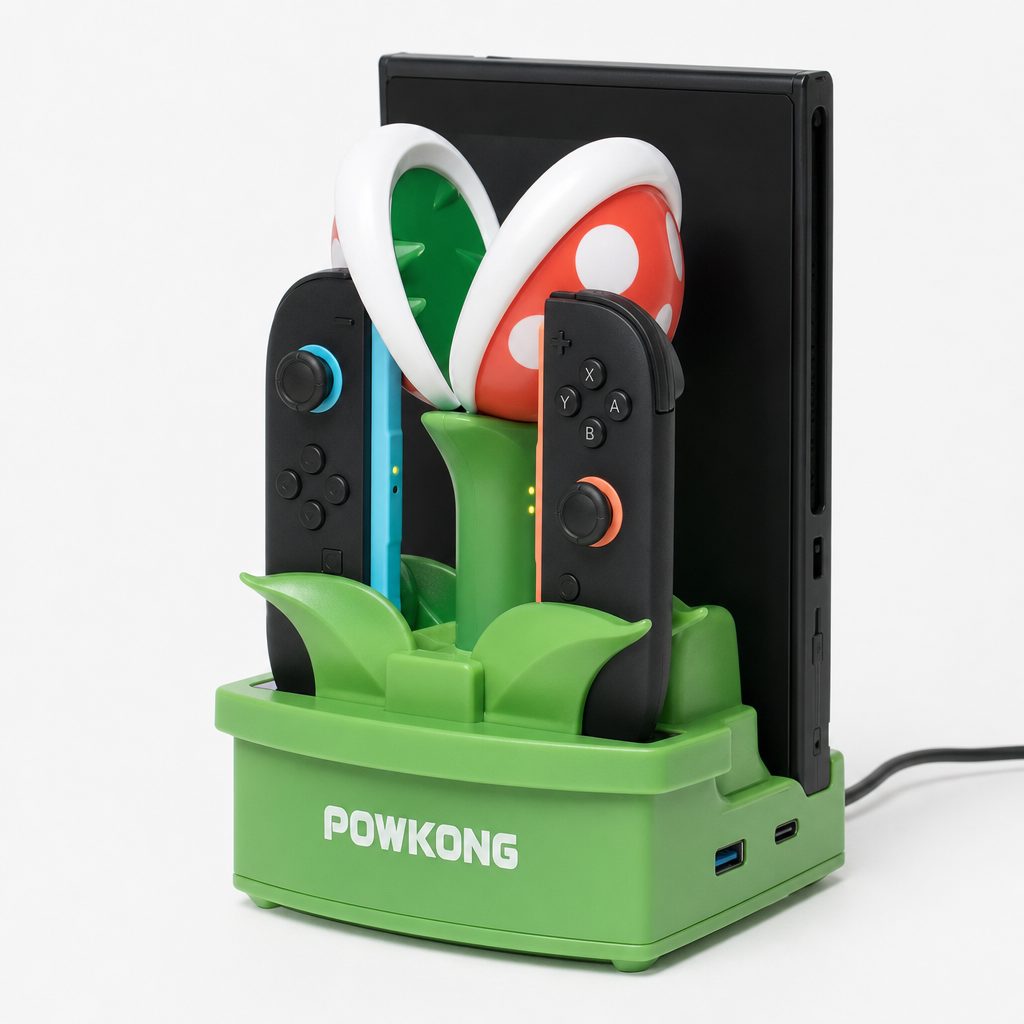
A standalone Joy-Con charger is a modest accessory with an outsized impact on local multiplayer readiness.
How to choose without buying more dock than you need
Start with where you play. If 80% of your Switch 2 time is handheld, buying an enormous desktop hub because it looks exciting is a fast route to owning an expensive ornament. A compact dock or charging grip may be all you need. Conversely, if Switch 2 is the household party console, it is false economy to choose a minimal adapter and then continue to charge four controllers in rotation from random sockets.
Then count controllers, not people. A family of four does not automatically need six charging points if only two Joy-Con are owned. But if you regularly run two pairs, four places are genuinely helpful. Plantdock 2 Piranha's six-controller capacity is excellent for bigger collections; the JSAUX 6-in-1 and EnergyFlow's four-controller approach is more proportionate for most homes.
Finally, separate output capability from actual use. 4K at 60Hz is common among the stronger docks here, and 1080p at 120Hz is supported by Plantdock 2 Piranha and JSAUX 6-in-1. Whether that matters depends on your display and the game, not merely the line printed on the accessory packaging. The Switch 2's own limits remain central. A dock should reliably deliver the mode you need, not win a theoretical arms race in the specifications.
Charging, heat and cable habits that make a difference
A full Switch 2 charge averages around three hours. The easy habit is to return it to its dock after playing rather than waiting for the battery warning. It sounds obvious because it is obvious. Obvious habits are still the ones that work. A dock can only keep the console ready if it becomes the console's home.
For Joy-Con, use the charger's dedicated slots rather than relying on the console whenever you own extras. That reduces the awkward situation where the Switch 2 is tethered to charge but you also want it for handheld play. It also makes a quick glance enough to identify which controllers belong to the active set.
Where a dock offers active cooling, as Plantdock 2 Piranha does, treat it as an aid rather than a licence to bury the entire setup behind books, toys and an alarming quantity of dust. Give any dock breathing room, keep the connectors clear and use a cable in good condition. Glamorous? No. But neither is explaining why the television has suddenly stopped showing the game just as somebody was about to win.
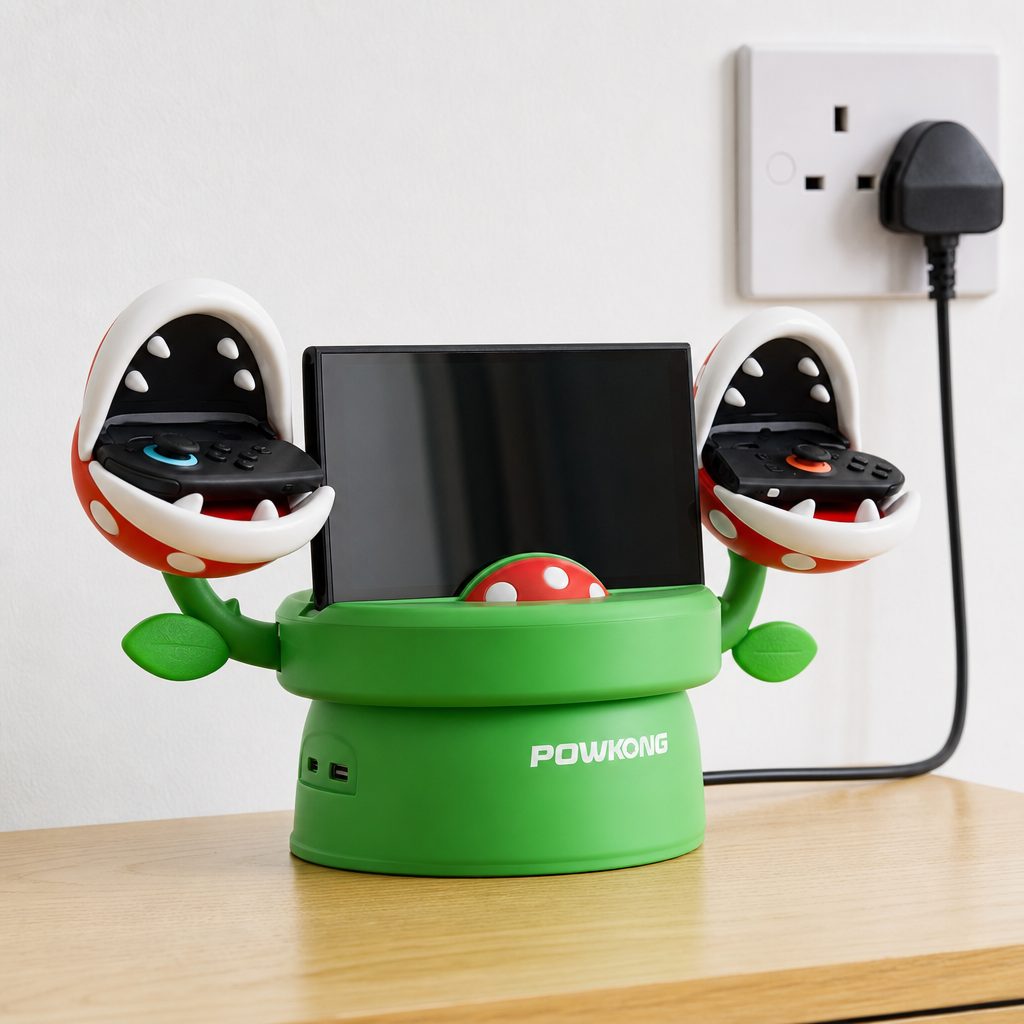
A clear shelf and a repeatable cable layout do more for everyday dock reliability than any amount of RGB drama.
Who should buy which Switch 2 dock?
Best premium pick
POWKONG Plantdock 2 Piranha. Buy it for a permanent gaming station, six Joy-Con capacity, active cooling and unapologetically Mario-flavoured personality.
Best all-rounder
JSAUX 6-in-1 Gaming Dock. The strongest balance for families needing four-controller charging, storage, Ethernet and foldable practicality.
Best on a budget
BGGUANG Switch 2 Dock. Its under-$18 price and remote startup support make it the logical low-cost second-screen choice.
Best for travel
POWKONG Pipedock. At 98g, it is the pick for players who value a genuinely compact 4K 60Hz adapter with 65W passthrough.
Best for mixed devices
JSAUX OmniCentro Charger Dock. Best where Switch 2 shares space with Steam Deck, ROG Ally, phones, tablets or USB-C laptops.
Best controller-only fix
JSAUX EnergyFlow Joy-Con Charging Dock. Choose it when the console dock is fine but four Joy-Con need to be ready for local multiplayer.
Frequently asked questions
A full Switch 2 charge averages about three hours. Because battery life can range from around two to 6.5 hours by game, returning it to a dock between sessions is the simplest way to avoid an unplanned charging break.
Yes. Switch 2 is rated for approximately two to 6.5 hours, whilst standard and OLED Switch models were rated for 4.5 to nine hours. Actual results vary hugely by game, so the lower figure is especially relevant for demanding titles.
The POWKONG Plantdock 2 Piranha has the largest capacity in this guide. It can charge the Switch 2 and up to six Joy-Con simultaneously, with four on magnetic petal arms and two in the console cradle.
Not if you only own the pair attached to the console. It becomes worthwhile when you own extra controllers and play local multiplayer. A four-controller station such as JSAUX EnergyFlow means spares can charge without tying up the Switch 2 itself.
The POWKONG Pipedock is the most minimalist travel choice at 98g, with 4K 60Hz output and 65W passthrough charging. The Cubedock 2 is the more balanced portable option at 145g, adding a more conventional compact-dock proposition.
Yes. The JSAUX OmniCentro Charger Dock is designed to work with Switch 2 as well as Steam Deck, ROG Ally, tablets, phones and USB-C laptops. It is the obvious choice where one television setup serves several devices.
No. A dock's output support describes the signal it can handle. The console and the particular game determine the modes that are actually available. Choose a dock for reliable compatibility with your display, not as a promise of a particular performance mode in every title.
The JSAUX 6-in-1 Gaming Dock is the standout because it includes slots for four game cartridges and four microSD cards, alongside controller charging, HDMI, USB ports and gigabit Ethernet.
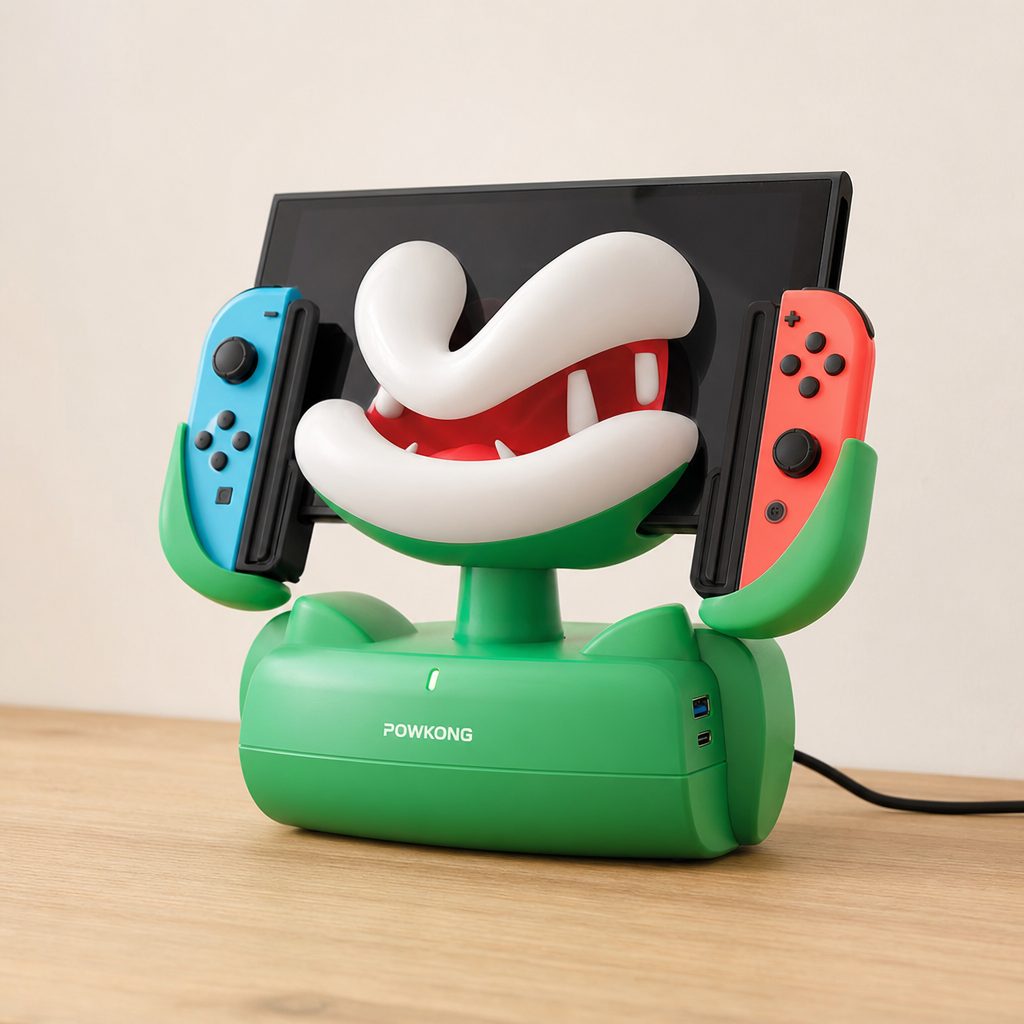
For most players, the best Switch 2 charging solution is the one that makes putting the console away feel effortless rather than like another tiny household chore.
The bottom line
Buy the POWKONG Plantdock 2 Piranha if Switch 2 is a full-time living-room console and you want the most ambitious all-in-one charging hub. Choose the JSAUX 6-in-1 Gaming Dock for the best broadly useful family station, particularly with physical games and four controllers in the mix. Pick the POWKONG Cubedock 2 or Pipedock if your priority is taking TV mode with you, and go for JSAUX EnergyFlow when the real problem is simply that the spare Joy-Con are never charged. Switch 2's shorter battery window rewards good habits. A decent dock makes those habits almost automatic.