
Best Cooling and Ventilation Accessories to Keep Your PS5 Pro Quiet
The PS5 Pro is a seriously capable bit of gaming kit, and it already arrived with an upgraded internal cooling design. These fans, airflow stands and placement-friendly accessories can still be useful in a warm media unit or busy gaming corner — provided you choose one that helps ventilation rather than simply adding another noise source.
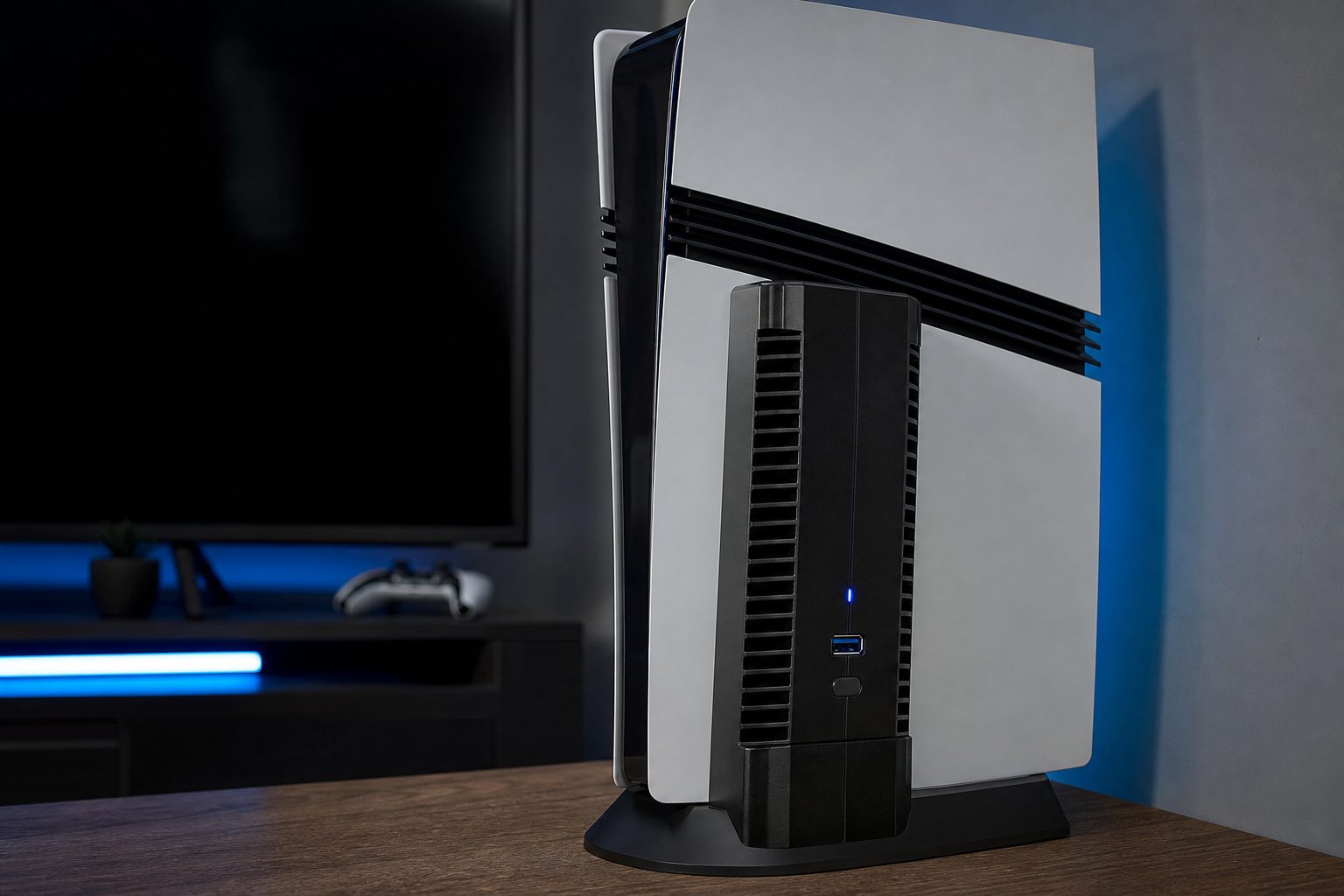
A PS5 Pro has substantial built-in cooling, but clear space around its vents still matters more than any glowing add-on.
Do you actually need a PS5 Pro cooling accessory?
Let's begin with the mildly unglamorous answer: probably not, if your PS5 Pro is sitting in the open with room to breathe. Sony's 2024 console had its own improved radiator-and-fan cooling arrangement, and an external fan cannot replace that carefully designed internal system. It certainly cannot cure dust inside the console, a blocked rear vent or a cabinet that has become a tiny, expensive oven.
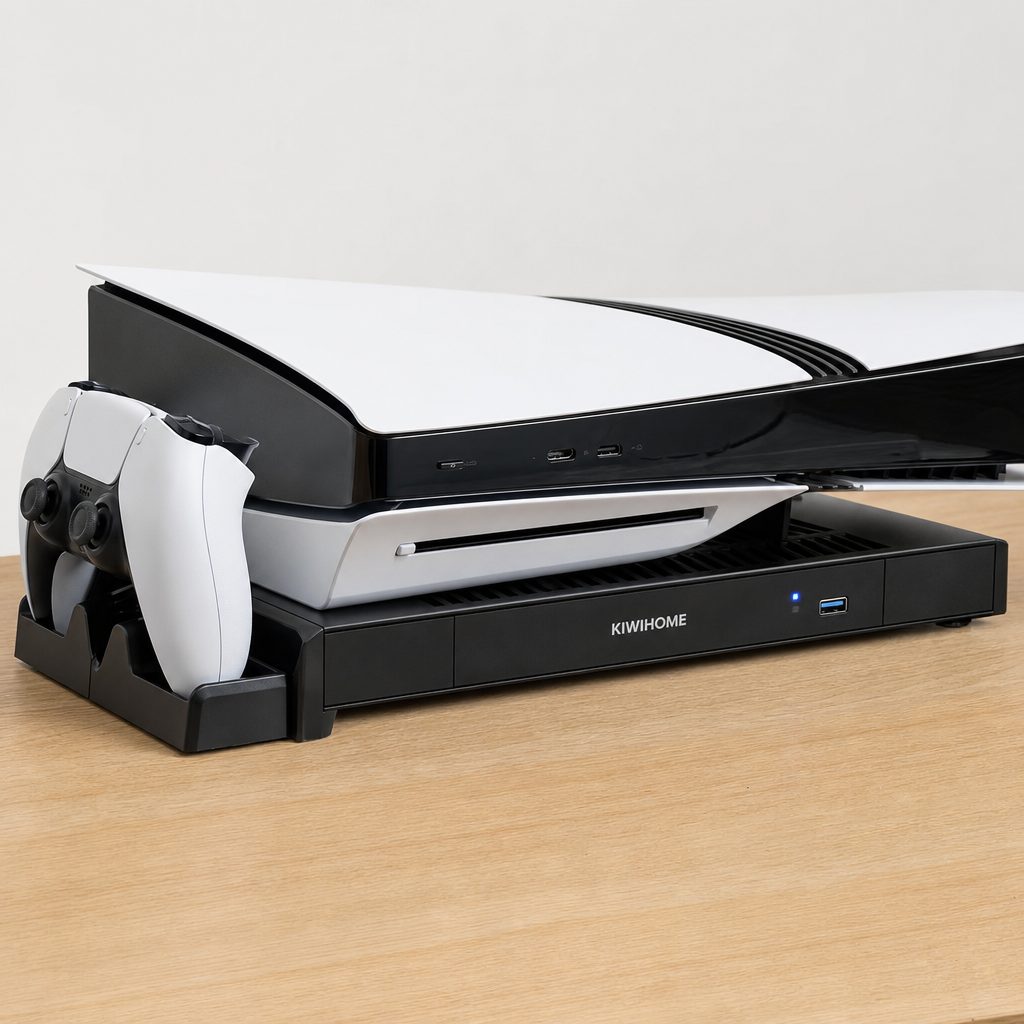
A horizontal station can raise the PS5 Pro and organise controllers, but make sure its vents remain aligned with the console rather than obstructing them.
Where these accessories make more sense is in marginal setups. Perhaps the console lives on a shelf with awkwardly close side walls. Perhaps it spends long summer afternoons running demanding games. Perhaps you want a horizontal platform which both lifts the chassis and provides controller charging. In those cases, a quiet fan station or a well-targeted exhaust fan can give warm air an easier escape route. That is the sensible goal. Not "ice-cold PS5 Pro", not miracle performance gains, and definitely not turning your lounge into an aircraft hangar.
Start with the room, not the accessory. Leave ventilation space around the console and avoid stuffing it behind a closed cabinet door. An external cooler is most useful after that basic housekeeping is already sorted.
What makes a cooling accessory quiet rather than annoying?
The noisy accessory is the one people regret buying after roughly six minutes. Fan speed matters, but it is only part of the story. A higher RPM rating tells you that a fan can move briskly; it does not automatically tell you how intrusive the sound will be from your sofa. The TEFELE, for example, reaches 6700 RPM but is rated at up to 28.8 dB, while MEQI's fluid-dynamic-bearing setup is measured at 24.7 dB(A) on low speed. Those are useful clues, not a promise that every room will sound identical.
Automatic temperature control is arguably the more civilised feature. It allows a fan to slow down when the console is merely idling and increase assistance when heat rises. That avoids the familiar nuisance of a fixed-speed fan whirring away while you are navigating menus, downloading a patch or wondering where the other DualSense has gone.
Automatic response
Look for temperature thresholds or an automatic mode so the fan does not run flat-out without reason.
Low-speed manners
Quiet low-speed operation matters more for everyday play than an impressive maximum figure on a listing.
Useful lift
A platform that provides airflow beneath a horizontally placed console can be more practical than another fan pointed vaguely at it.
Port planning
USB-powered units should not leave you worse off for accessible connections; passthrough is a genuinely helpful detail.
A small but important buying rule
Buy for your exact console. PS5, PS5 Slim and PS5 Pro accessories can look frustratingly similar, yet their fit and vent alignment differ. "Compatible with PS5" is not enough when a product is physically designed around one particular chassis.
The best PS5 Pro cooling and ventilation accessories
I have ranked these around a simple principle: fit first, then intelligent airflow, then how much extra clutter they introduce. A multi-function dock can be wonderful for a family gaming station, whilst a standalone exhaust fan is the cleaner choice if you already have somewhere to charge controllers. There is no prize for owning the most plastic around your console.
1. KIWIHOME PS5 Pro Cooling Fan — Best for PS5 Pro-specific exhaust cooling
Shop KIWIHOME PS5 Pro Cooling Fan on Amazon UK
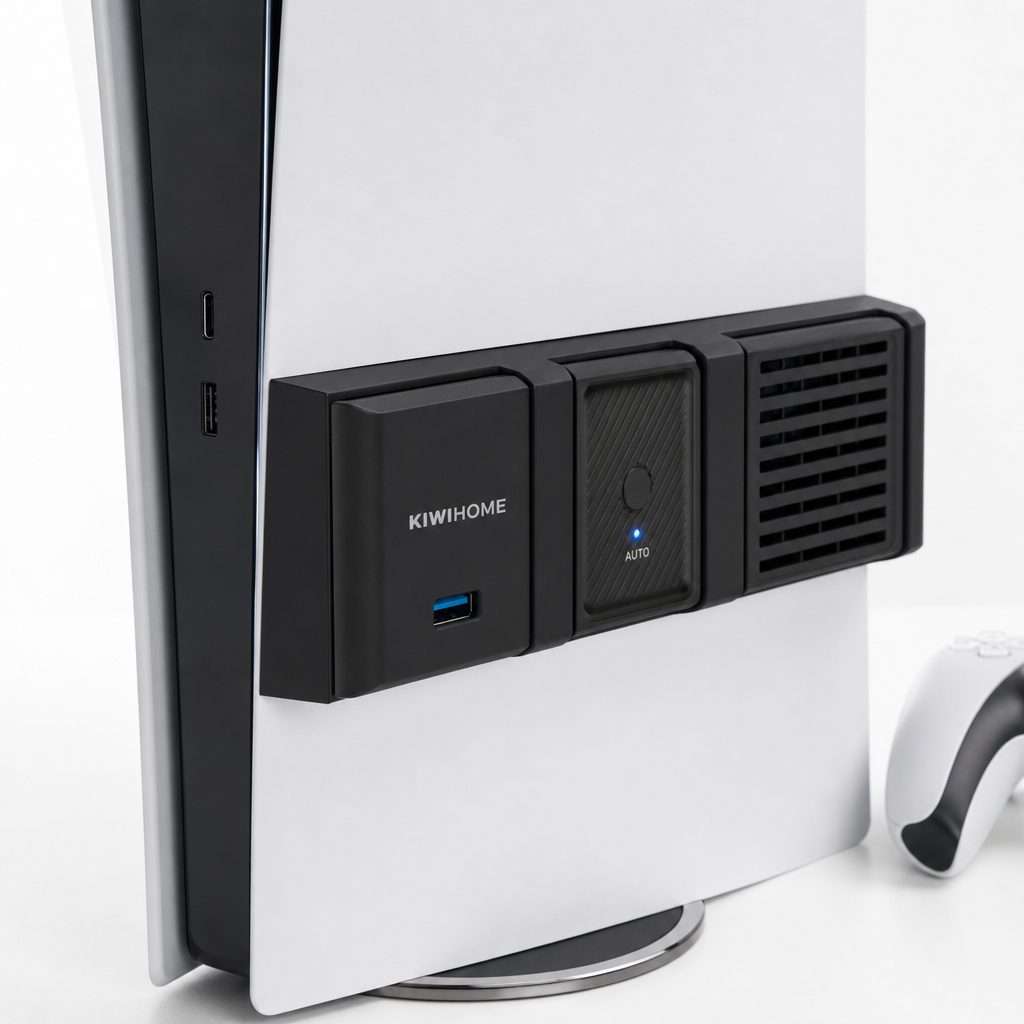
The KIWIHOME is the most straightforward recommendation for a PS5 Pro owner who wants an accessory designed specifically for that console. It is made for the 2024 PS5 Pro with the three side-panel lines, works whether the machine is vertical or horizontal, and uses four upgraded fans with nine enlarged blades apiece. That is 36 blades in total, all focused on expelling hot air rather than attempting to turn the outside of the console into a wind tunnel.
Its automatic control is neatly judged. Below 39°C it remains on standby; from 39°C to 43°C it runs low at 3500 RPM; above 43°C it moves to high at 5000 RPM. A blue LED shows it is active without flashing at you like a router from 2006. It also uses the console's USB 3.0 connection and retains a USB 3.0 passthrough port.
Third-party thermal imaging reported GPU junction temperatures 5.2°C lower than baseline. That is a meaningful result, but it should be read sensibly: it shows the fan can alter temperatures in the tested arrangement, not that every PS5 Pro in every room needs one.
Pros
- Purpose-built fit for the PS5 Pro rather than a catch-all shell.
- Automatic standby, 3500 RPM low and 5000 RPM high behaviour.
- USB 3.0 passthrough helps reduce the cost of using a console port.
Cons
- It does not fit the original PS5 or PS5 Slim.
- The blue operating LED will not suit every dark-room setup.
- It is an exhaust-focused accessory, not a charging and storage hub.
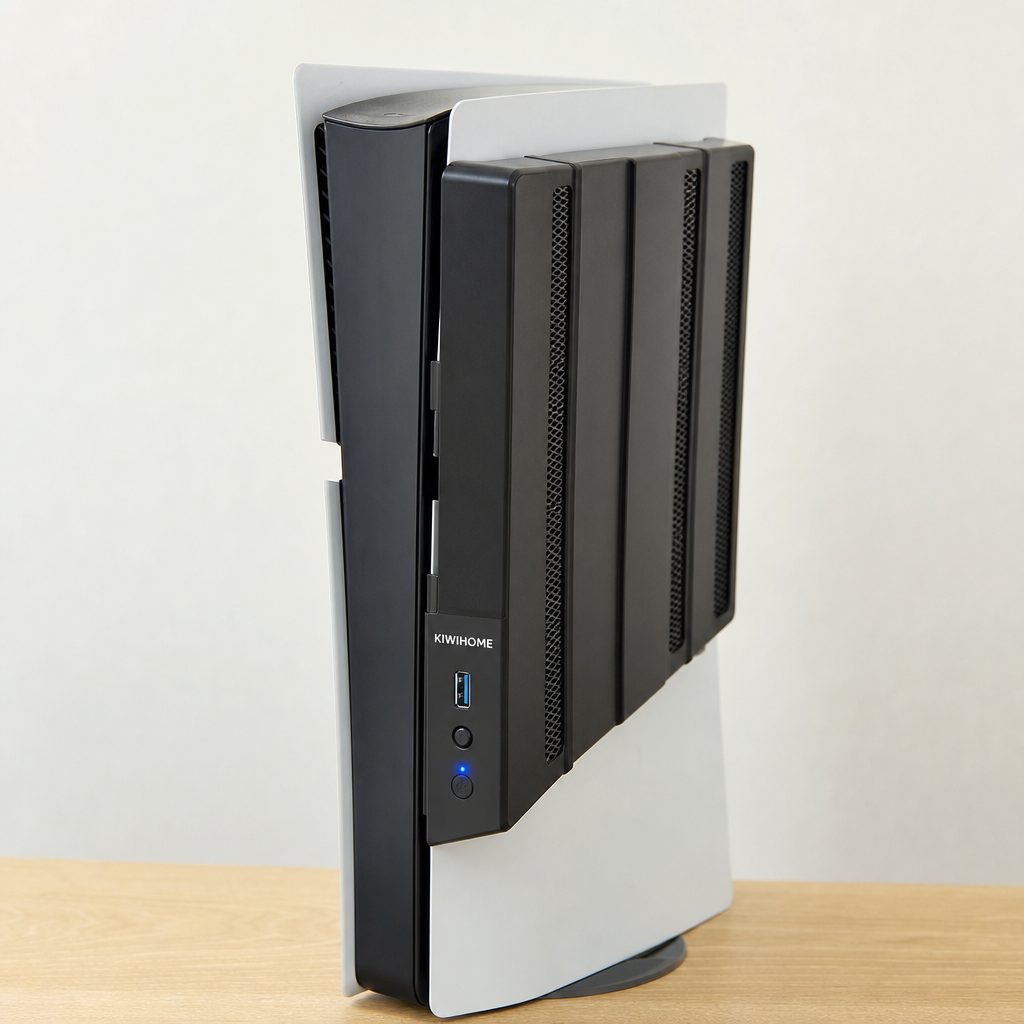
The KIWIHOME unit targets the PS5 Pro's distinct side-panel design, which is precisely why it should not be bought for a Slim or launch-era PS5.
2. Tokluck PS5 Pro/Slim Horizontal Stand — Best all-rounder for a family setup
Shop Tokluck PS5 Pro/Slim Horizontal Stand on Amazon UK
Tokluck's PS5 Pro/Slim horizontal station is the answer for households that need their console area to do a few jobs at once. It combines a dual-fan platform, two controller charging docks and anti-vibration feet. More importantly, it is described as PS5 Pro-optimised with vent alignment for all three PS5 generations, so it is not asking you to gamble on a near-enough fit.
The automatic mode uses a temperature probe and switches between low below 35°C, medium from 35°C to 37°C, and high above 37°C. There are also five manual choices: high, medium, low, auto and off. The memory function remembers the last fan setting after restart, which sounds trivial until you have owned enough accessories that cheerfully forget every preference you made yesterday.
Its quoted noise figures vary by measurement source: 24.7 dB(A) at low speed in one comparison, and 40 dB in another report. Treat that discrepancy as a reason to use low or automatic mode if quiet is the priority, rather than assuming any single number tells the whole story. The controller docks can charge two controllers in approximately two hours.
Pros
- Combines cooling, controller charging and stable horizontal placement.
- Five manual modes plus temperature-led automatic control.
- Anti-vibration feet are useful in furniture that tends to resonate.
Cons
- It takes more shelf space than a standalone exhaust fan.
- Reported noise measurements are inconsistent across sources.
- Best suited to owners who genuinely want the charging docks.
3. OIVO PS5/Slim/Pro Stand and Cooling Station — Best for multi-console households
Shop OIVO PS5/Slim/Pro Stand and Cooling Station on Amazon UK
OIVO's stand and cooling station earns its place because it spans the original PS5, Slim and Pro, in both Disc and Digital forms. That broad compatibility is especially handy when a console has moved between rooms, siblings or generations of household gaming kit. It has more than 22,000 user reviews, which does not make it perfect, but does mean it is one of the better-established options in this particular sea of near-identical accessories.
The fan has three settings between 3100 and 3500 RPM and can be adjusted or switched off using a touch control. On its lowest setting it is barely noticeable in real-world use; the highest setting prioritises cooling and becomes more audible. That is the right trade-off to offer. You decide whether tonight is a silent late-night session or a warm afternoon when extra airflow is welcome.
Two DualSense controllers charge simultaneously with clear LED charge indicators, and the station adds storage for accessories. It is a much more complete desk-management solution than the KIWIHOME, although it is also more visible. Minimalists, look away now.
Pros
- Works across original, Slim and Pro PS5 variants.
- Three fan speeds and an off setting provide real choice.
- Charges two DualSense controllers with clear status lights.
Cons
- High fan mode is more audible than the lowest setting.
- An all-in-one station is visually busier than a simple fan.
- Its broad design is less PS5 Pro-specific than KIWIHOME's.
4. Prociv Cooling Fan — Best for hands-off temperature control
Prociv's appeal is its simple three-mode temperature logic. It starts cooling when temperatures reach 40°C or more, and stops when they fall to 35°C or below. That automatic on-off behaviour makes sense for someone who does not want another setting to manage before a game. You turn on the PS5 Pro, play, and the accessory gets involved only when its temperature thresholds say it should.
It is compatible with PS5 Pro and PS5 Slim, which gives it more flexibility than the Pro-only KIWIHOME. It is still worth checking your precise console before ordering, because that flexibility does not extend to assuming every PS5 shape is interchangeable. For a Pro owner, though, Prociv is one of the neater options if controller charging is already covered elsewhere.
Pros
- Automatic operation begins at 40°C and stops at 35°C.
- Compatible with PS5 Pro and PS5 Slim systems.
- A focused choice for buyers who do not need a full dock.
Cons
- It does not bring controller charging or accessory storage.
- Automatic thresholds provide less manual fine-tuning than Tokluck.
- Its usefulness depends heavily on giving the console clear surrounding space.
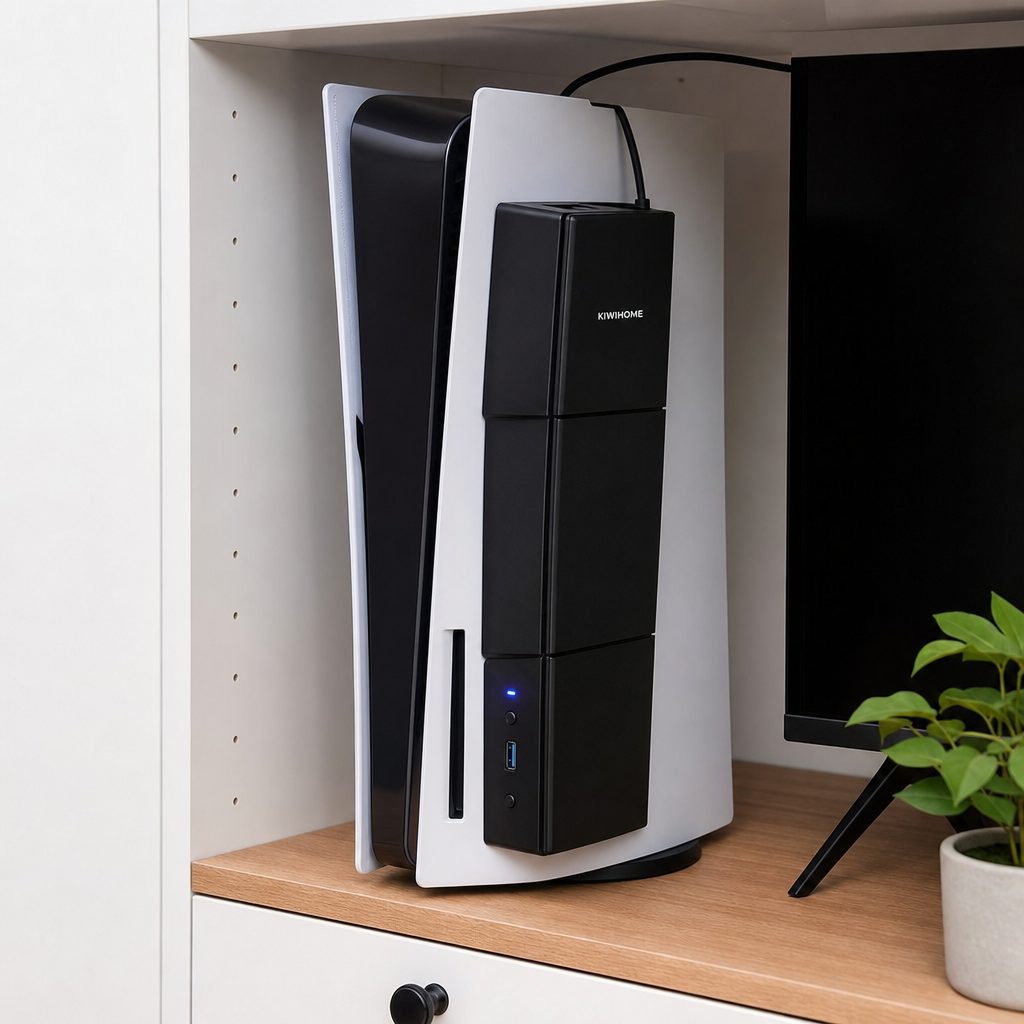
Automatic fan modes are most helpful when the PS5 Pro is in a warm but still properly ventilated entertainment unit.
5. MEQI PS5 Cooler — Best budget-minded quiet option
Shop MEQI PS5 Cooler on Amazon UK
MEQI is the pick for shoppers who want a simpler cooler and care about low-speed sound. Its fluid-dynamic-bearing fans were measured at 24.7 dB(A) at low speed, a reassuring figure for anyone whose gaming setup shares a room with telly watching, homework or somebody trying very hard to read.
At $19.99, it was the least expensive product here with a confirmed price. That makes it easier to justify as an incremental improvement to a warm setup, rather than a grand redesign of your console station. Do not let the modest price encourage unrealistic expectations, though. It is still a supplementary fan accessory, not a replacement for sensible console placement.
Pros
- 24.7 dB(A) low-speed measurement supports its quiet-use case.
- Fluid-dynamic bearings are a welcome design choice for noise-conscious buyers.
- $19.99 confirmed price is approachable for a basic airflow add-on.
Cons
- It is a cooler rather than a full charging and storage station.
- Low-speed noise tells you less about sound at higher settings.
- A bargain is only a bargain if your console actually has an airflow problem to solve.
6. TEFELE PS5 Cooling Fan — Best for maximum fan speed
Shop TEFELE PS5 Cooling Fan on Amazon UK
TEFELE is for the person looking at their enclosed shelf and thinking, fairly, that a bit more active airflow would be reassuring. Its maximum speed is 6700 RPM, the highest explicit figure in this roundup, while its maximum noise rating is 28.8 dB. That combination puts it in an interesting middle ground: brisk enough to be purposefully active, but not specified as a deafening little desk fan.
Maximum speed should not be confused with automatic superiority. A quieter, lower-speed fan may be the better companion for ordinary open-air placement. TEFELE makes most sense where there is a genuine heat-management reason to value headroom, and where you accept that a fan working hard is still a fan working hard.
Pros
- 6700 RPM maximum gives it the strongest stated speed figure here.
- Maximum noise is rated at 28.8 dB.
- A sensible shortlist option for warm, restricted spaces with proper vents.
Cons
- High-speed operation is not the same thing as silent operation.
- It offers fewer desk-organisation benefits than station-style picks.
- Open placement may make this level of assistance unnecessary.
Cooling figures compared: what the numbers really say
Accessory makers understandably lead with fan counts, RPM and bold claims about airflow. The more useful interpretation is comparative. KIWIHOME has four fans and reaches 5000 RPM in high mode, but it also stands by below 39°C. TEFELE reaches 6700 RPM. OIVO operates in a narrower 3100–3500 RPM range. None of those numbers alone tells you which is "best"; they tell you what each product prioritises.
| Pick | Compatibility | Cooling control | Noise information | Extra function |
|---|---|---|---|---|
| KIWIHOME PS5 Pro Cooling Fan | PS5 Pro only | Standby below 39°C; 3500 / 5000 RPM | — | USB 3.0 passthrough |
| Tokluck PS5 Pro/Slim Horizontal Stand | All three PS5 generations | Auto plus high, medium, low and off | 24.7 dB(A) low reported; 40 dB also reported | Two controller docks |
| OIVO PS5/Slim/Pro Stand and Cooling Station | Original, Slim and Pro | 3100–3500 RPM; touch control/off | Low is barely noticeable; high is more audible | Two-controller charging and storage |
| Prociv Cooling Fan | PS5 Pro and Slim | On at 40°C; off at 35°C | — | Automatic stop/start |
| TEFELE PS5 Cooling Fan | — | Up to 6700 RPM | Up to 28.8 dB | Standalone fan approach |
A dash means that no directly comparable figure is listed. Noise figures may use differing measurement methods, so treat them as guidance rather than a laboratory shoot-out.
Fan speed is only one part of the story: automatic control and an unobstructed exhaust path are usually more important for quiet everyday gaming.
Known prices and the best-value question
Cooling accessories tend to sit in the relatively modest part of the PS5 Pro ecosystem, but prices move around with bundles and retailers. Only two exact US prices are confirmed here, so these are the useful fixed reference points rather than an attempt to pretend every accessory has a stable ticket price.
MEQI PS5 Cooler
The confirmed lower-cost option, aimed at simple supplemental cooling.
Tokluck PS5 Pro/Slim Horizontal Stand
Cooling, two controller docks and anti-vibration feet in one station.
For UK buyers, the practical calculation is not merely converting dollars into pounds. Ask whether you need controller charging, whether you prefer horizontal placement, and whether a cooler is addressing a real ventilation limitation. If all you require is more space around an open-air PS5 Pro, spending nothing and moving the console may be the best-value answer. It is not glamorous. It is, however, difficult to beat.
Placement tips that reduce heat without adding noise
A fan can only move the air available to it. If hot air is trapped behind a backboard, it has nowhere useful to go and the accessory may simply make more noise. The goal is a clean path: cooler room air can reach the console's intake area, and warmed air can leave the rear and surrounding space without immediately being recycled.
- Give the PS5 Pro room around its vents. Avoid wedging it tightly between books, speakers or the cabinet wall.
- Keep the surrounding shelf clear. Loose cables and game cases are not technically thermal insulation, but they can make an already cramped area worse.
- Use automatic or low modes first. If the system is in open space, there is little reason to start at a fan's loudest setting.
- Choose a compatible fit. A Pro-only accessory should go on a Pro; Slim products should stay with Slim consoles.
- Listen for changes. A sudden new sound from the console itself is a reason to inspect its placement and cleanliness, not merely pile on more external fans.
The quietest upgrade is often free
Before buying a fan, pull the PS5 Pro out from a tight recess and play as normal. If the console and room already stay comfortable and quiet, you may have solved the problem without adding a single cable, LED or moving part.
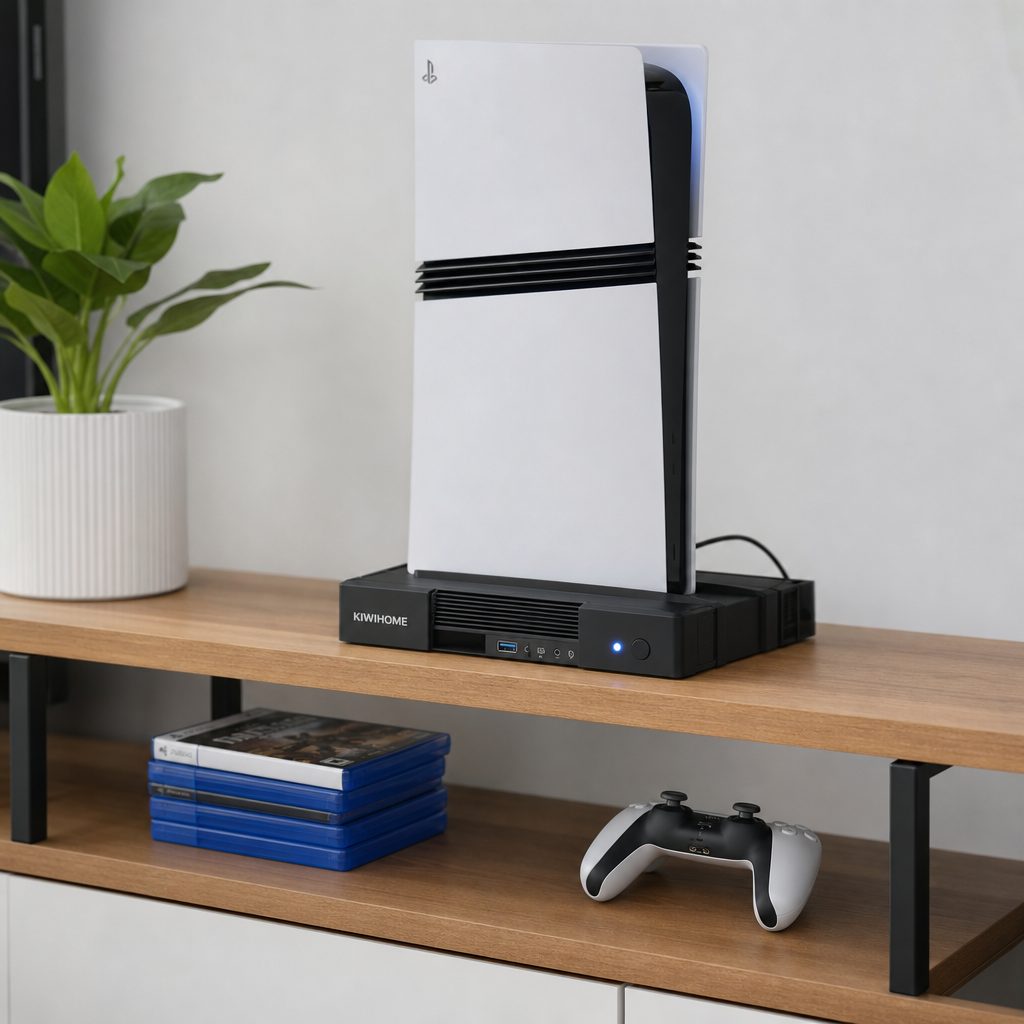
A clean, open console shelf gives every cooling accessory a better chance of helping — and may mean you need less fan speed in the first place.
Best-for awards: match the accessory to your setup
Best PS5 Pro-specific pick
KIWIHOME PS5 Pro Cooling FanChoose it when the console is definitely a PS5 Pro and you want purpose-built automatic exhaust assistance without a giant dock.
Best all-rounder
Tokluck PS5 Pro/Slim Horizontal StandThe strongest fit for a family console station needing cooling, horizontal support and charging for two controllers.
Best on a budget
MEQI PS5 CoolerThe $19.99 confirmed price and 24.7 dB(A) low-speed figure make it the sensible value-led option.
Best for mixed PS5 ownership
OIVO PS5/Slim/Pro Stand and Cooling StationIts compatibility across original, Slim and Pro variants is ideal when consoles move around the household.
Best hands-off choice
Prociv Cooling FanIts 40°C start and 35°C stop thresholds suit owners who want automatic behaviour without fiddling.
Best for stated maximum speed
TEFELE PS5 Cooling FanIts 6700 RPM maximum is the standout for buyers prioritising active airflow capacity.
Who should skip external cooling altogether?
If your PS5 Pro is in open air, has sensible clearance and remains comfortably quiet through long sessions, I would not rush to buy anything. The console was not designed on the assumption that every owner would attach an auxiliary fan. Extra accessories mean extra wiring, another component to clean and, inevitably, another thing that somebody in the house can knock sideways while hunting for a controller.
Likewise, do not use an external fan as permission to keep a console inside a completely closed unit. That is treating the symptom with a small plastic propeller. Improve the furniture setup first. A horizontal stand may be useful because it improves organisation and lift; a targeted fan may be useful in a warm corner; neither is a magical ventilation loophole.
Frequently asked questions
No accessory here is a performance upgrade. Their purpose is supplementary airflow and heat management in suitable placements. The PS5 Pro already has its own internal cooling solution, so think quieter, better-managed surroundings rather than extra frames per second.
Prociv is the clearest hands-off choice because it starts at 40°C and stops at 35°C. KIWIHOME also has automatic stages, including standby below 39°C, but it is specifically for the PS5 Pro with three side-panel lines.
No. The KIWIHOME PS5 Pro Cooling Fan is designed only for the 2024 PS5 Pro and is not compatible with the 2023 PS5 Slim or the original 2020 PS5. Buy the accessory that matches the console you actually own.
Its low-speed result was reported as 24.7 dB(A), but another source reported 40 dB, likely using a different measurement approach. Its automatic setting and manual low mode are the sensible place to start if quiet gaming is your priority.
The Tokluck PS5 Pro/Slim Horizontal Stand has two charging docks and charges controllers in approximately two hours. OIVO also charges two DualSense controllers simultaneously and uses LED indicators to show charging status.
Third-party thermal imaging reported GPU junction temperatures 5.2°C lower than baseline in its tested setup. It is encouraging evidence that the four-fan system can help, but room temperature, furniture and console placement will affect individual results.
Not automatically. TEFELE reaches 6700 RPM, but a quieter low-speed or automatic option may be more appropriate for an open, well-ventilated room. Choose the behaviour that suits the problem you actually have, not the largest number on the box.
A station is better if you also need controller charging, storage or a stable horizontal home for the console. A standalone fan is better if your existing setup is tidy and you simply want supplemental airflow with less furniture-like bulk.
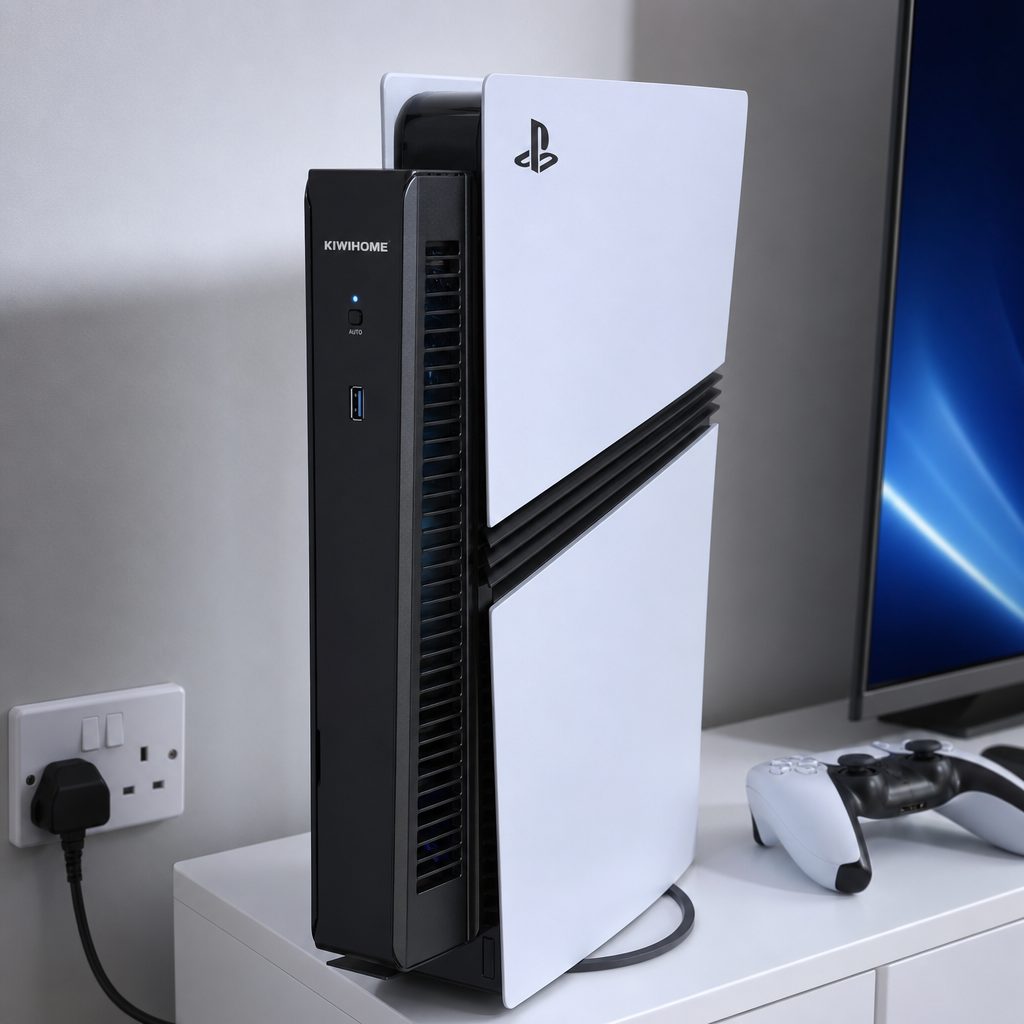
For most PS5 Pro owners, the best result comes from pairing sensible placement with the least intrusive accessory that genuinely suits the room.
The bottom line
KIWIHOME PS5 Pro Cooling Fan is the best choice for a PS5 Pro owner who wants dedicated, automatic external cooling and a clean fit, backed by a reported 5.2°C GPU junction-temperature improvement in third-party thermal imaging. Choose the Tokluck PS5 Pro/Slim Horizontal Stand instead if charging two controllers and keeping a shared gaming area tidy matter just as much as airflow. For a lower-cost, quiet-minded route, MEQI PS5 Cooler is compelling at its confirmed $19.99 price and 24.7 dB(A) low-speed measurement. Whichever route you take, remember the boring truth: give the PS5 Pro breathing room first. It remains the quietest, cheapest and most effective starting point.