
Best PS5 Pro Controllers: DualSense, Edge and Pro-Grade Pads Compared
The regular DualSense still does things no third-party pad quite replicates. Yet for ranked shooters, fighting games and anyone tired of losing a thumbstick to drift, the DualSense Edge and specialist pro controllers make a strong case. Here is how the official and pro-grade PS5 pads compared in August 2026.
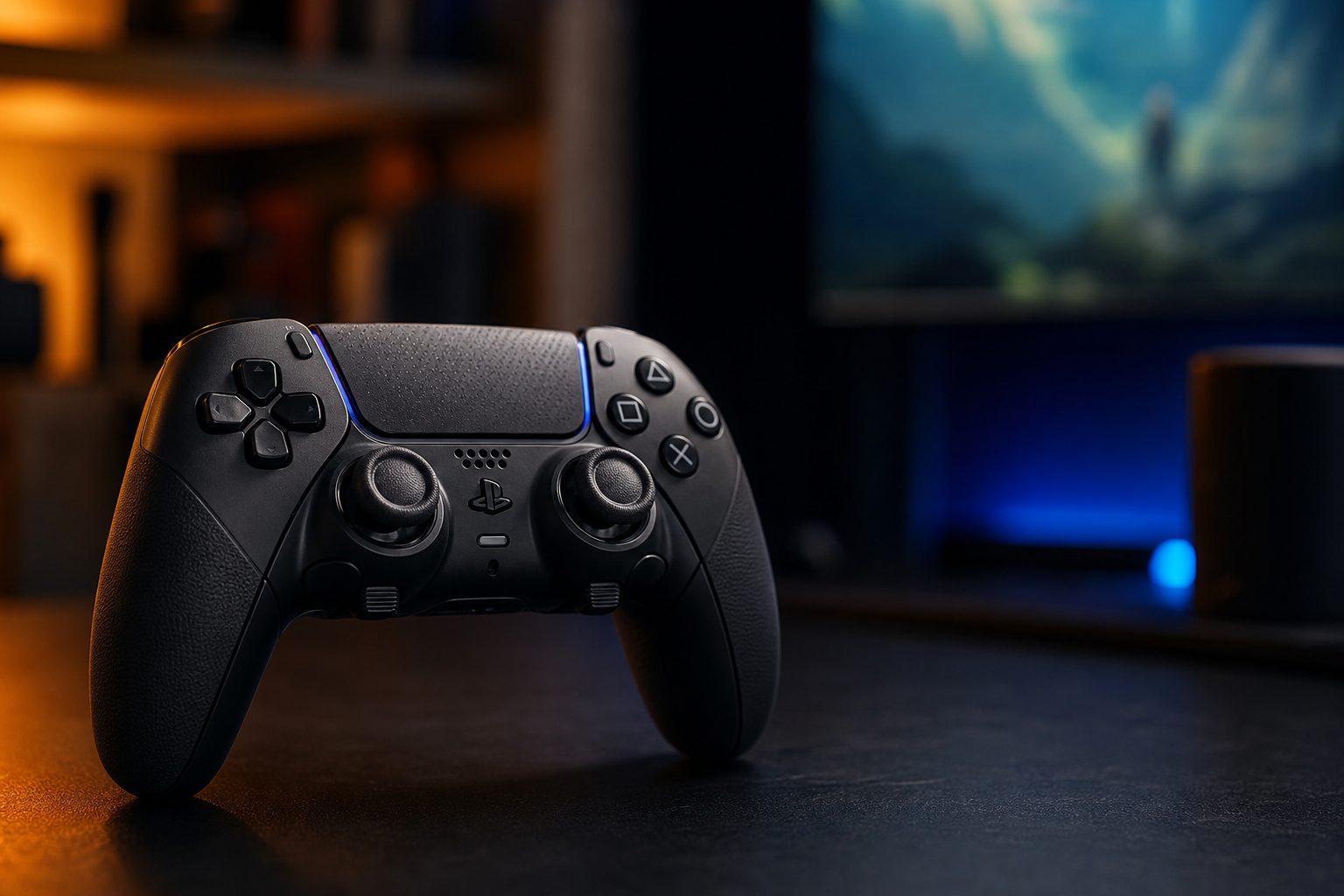
The standard DualSense remains the baseline for PlayStation 5 play, but serious players now have several very different routes to extra buttons, shorter triggers and more durable thumbsticks.
Why a "pro" controller is not automatically the best controller
The PlayStation 5 controller market had become wonderfully complicated by 2026. That is good news if you know what you want, and mildly exhausting if you simply wanted to play a bit of Astro Bot after tea. Sony's standard DualSense remained the most complete expression of what the PS5 itself could do: detailed haptics, adaptive trigger resistance, a microphone and the familiar PlayStation layout all arrived without any setup ritual.
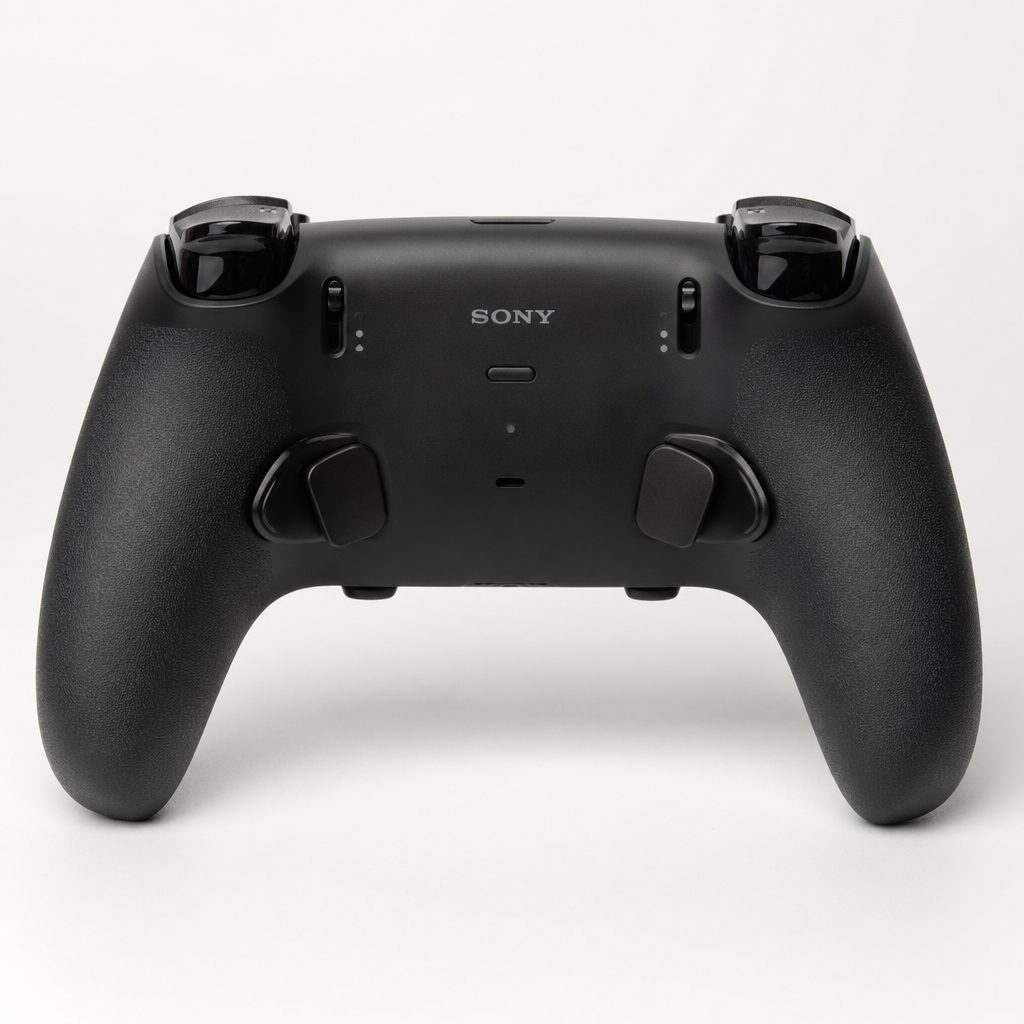
Rear controls are the major practical upgrade: they let a competitive player keep both thumbs on the sticks rather than briefly abandoning aim to press a face button.
A pro pad, meanwhile, usually concentrated on competitive control rather than sensory theatre. The headline additions were rear buttons, trigger stops, remapping and replaceable or magnetically sensing sticks. These can make a genuine difference. Mapping jump to a rear button means your right thumb can stay on the aim stick in a shooter. A short trigger pull can be useful for repeated firing. Hall Effect and TMR stick technology aim to reduce the wear mechanism associated with conventional stick drift.
There is a trade-off, though. Several excellent specialist pads omit PS5 haptics and adaptive triggers entirely. That is not a fault for every player. In a competitive match, many people turn those features down anyway. But in a big single-player adventure, losing the tension of a bowstring or the strange patter of rain through the controller can make a premium pad feel less premium. Pro is not a synonym for better. It is a synonym for more focused.
The short version: choose the standard DualSense for the fullest PS5 experience, the DualSense Edge for Sony features plus customisation, and a specialist third-party pad when extra rear inputs, modularity or anti-drift sticks matter more than adaptive triggers.
What to compare before choosing a PS5 pad
Ignore the word "pro" for a moment and begin with your games. A player who lives in story-led PS5 exclusives needs a different controller from somebody grinding a fighting game or an online shooter. There are four questions worth answering before falling for a smart carrying case or a particularly dramatic product name.
How much does drift worry you?
Hall Effect and TMR sticks use magnetic sensing rather than the conventional arrangement that can wear over time. The Nacon uses Hall Effect sticks, whilst the Raiju V3 Pro and SCUF Omega use TMR thumbsticks.
How many extra controls do you need?
The Edge has two rear controls, the Nacon and Wolverine have four, the Victrix has three programmable rear buttons, and the SCUF Omega offers 11 custom inputs.
Do you value PlayStation immersion?
Only the DualSense and DualSense Edge here retain both haptic feedback and adaptive triggers. The other pads prioritise traditional rumble or a more direct trigger feel.
Do you want one pad for several genres?
The Victrix Pro BFG is the unusual modular choice, with interchangeable stick, D-pad and button modules, including a six-button fight-pad module.
A sensible first upgrade
If this is your first premium pad, do not assume that the controller with the most buttons is right for you. Two well-placed rear inputs, mapped consistently, are easier to learn than a forest of new switches. Start with jump and reload, or jump and melee, then build habits from there.
At-a-glance comparison: every controller in this guide
This table deals in the features that actually separate these controllers, rather than pretending every model needs a meaningless score. Battery claims are only included where a usable figure was available. The absence of a feature matters just as much as its presence: adaptive triggers are lovely, but they are not universal once you leave Sony's own range.
| Controller | Stick approach | Rear controls | Connection | PS5 haptics / adaptive triggers | Battery figure |
|---|---|---|---|---|---|
| DualSense Wireless Controller | Standard sticks | None | Wireless, USB-C | Yes / Yes | 6–12 hours |
| DualSense Edge | Replaceable stick modules | 2 | Wireless, USB-C | Yes / Yes | About 5–6 hours |
| Nacon Revolution 5 Pro | Hall Effect | 4 | Wired, wireless adapter | No / No | 10 hours |
| Razer Wolverine V2 Pro | Hall Effect | 4 | HyperSpeed 2.4 GHz, USB-C | No / No | — |
| PDP Victrix Pro BFG | Modular; Hall Effect add-on available | 3 | Wireless dongle, USB-C | No / No | — |
| Razer Raiju V3 Pro | TMR | Two programmable rear buttons | 2.4GHz wireless, USB-C wired | Yes | — |
| SCUF Omega | TMR | 11 custom inputs | 2.4GHz wireless, USB-C wired | Yes | Up to 8 hours |
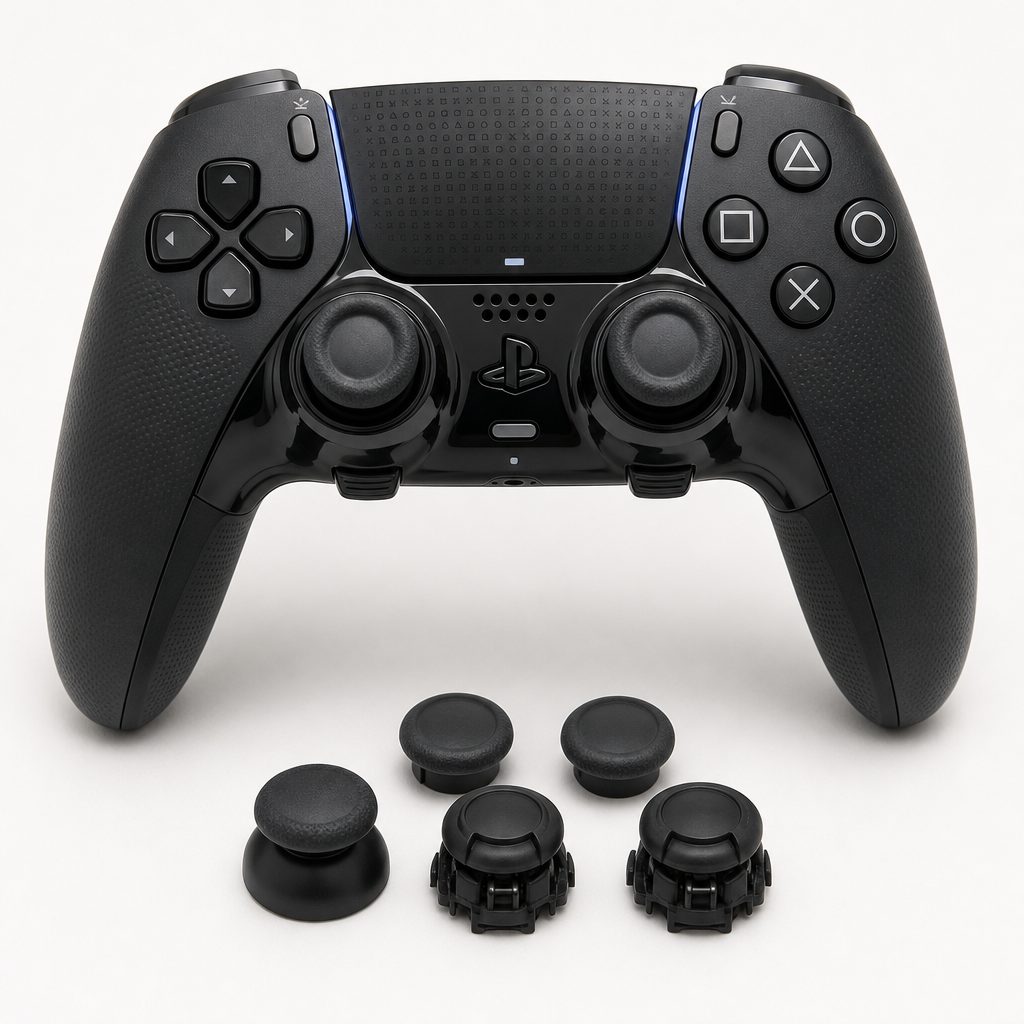
Sony's DualSense Edge keeps the familiar PS5 shape and sensory features, then adds replaceable stick modules, trigger stops and two rear controls.
Ranked picks: the best PS5 pro controllers
1. Sony DualSense Edge — Best for the complete PS5 experience
Shop Sony DualSense Edge on Amazon UK
The DualSense Edge was the best all-round premium choice for somebody who wanted a competitive upgrade without giving up what makes PS5 controllers feel distinctive. It retained haptic feedback and adaptive triggers, which instantly separated it from most specialist alternatives. You still got the tiny environmental details and variable trigger resistance that developers had designed into PS5 games. Then Sony added proper enthusiast features: remapping, custom profiles, adjustable trigger stops and replaceable analogue-stick modules.
The replaceable modules were its most important long-term feature. They did not make the stick assembly magnetic, but they did offer a practical recovery route if a stick eventually developed a problem. That is a much less frightening prospect than replacing an entire premium controller. The box also included alternative stick caps, two lever-style rear buttons, dome-style rear caps and a 2.8-metre braided USB-C cable with a locking connector housing. It was a neatly considered bundle, not merely a standard controller with a pair of paddles glued on.
The limitation was battery life. Its 1,050mAh / 3.9Wh battery was around 33% smaller than the original DualSense battery, and typical use sat at about five to six hours. Sony described it as moderately shorter, and it was. For a long Saturday session, wired play or a charging break became part of the routine. The Edge was brilliant, but it had the stamina of a very talented sprinter.
Pros
- Kept full haptics and adaptive triggers.
- Replaceable stick modules offered an answer to stick wear.
- Trigger stops, profiles and two rear buttons suited competitive play.
Consider
- About 5–6 hours of battery life was short for a wireless pad.
- Two rear controls are fewer than several rival pro controllers.
- It used replaceable modules rather than Hall Effect or TMR sticks.
2. Sony DualSense Wireless Controller — Best for most PS5 players
Shop Sony DualSense Wireless Controller on Amazon UK
It may sound odd to rank the ordinary controller so highly in a pro-controller guide, but the DualSense remained the best answer for most households. Not every player needed rear buttons. Not every game benefited from a hair-trigger setting. And no other pad in this list matched the standard DualSense combination of haptic feedback, adaptive triggers, built-in microphone, Create button and native PS5 feel.
Its 1,560mAh / 5.9Wh battery typically delivered between six and 12 hours, with newer revisions showing slightly better endurance than launch-era controllers. That broad range reflected how hard those haptics and triggers worked. A quiet menu-heavy session is not the same as a rumble-heavy action game. Still, it generally outlasted the Edge, which matters if you do not fancy a cable trailing across the living room just as a boss fight begins.
For younger players, families and anyone who mainly plays the big PS5 catalogue rather than ranked multiplayer, the regular DualSense was not a compromise. It was the intended experience. Its lack of rear buttons only became a real issue when you specifically needed to jump, slide, reload or use abilities without moving your thumb from the right stick.
3. Nacon Revolution 5 Pro — Best for anti-drift sticks and four rear buttons
Shop Nacon Revolution 5 Pro on Amazon UK
The Nacon Revolution 5 Pro was the strongest alternative for a player whose number-one concern was stick drift. Its asymmetrical Hall Effect thumbsticks were designed to avoid the conventional wear pattern associated with drift, and it paired them with four back buttons rather than the Edge's two. That is a meaningful upgrade for complex competitive games, where you can map more actions without turning your grip into a small hand yoga class.
Nacon also took customisation seriously. You could change stick tops and gates, add weights to the handles and save four profiles per platform. There were extensive audio settings and multipoint wireless connectivity, while the controller worked with PS5, PS4 and PC. The matted rubberised surface gave it a more purposeful, equipment-room feel than a standard console pad.
The catch was that it did not deliver Sony's haptic feedback or adaptive triggers, using traditional rumble instead. That made it more of a competitive tool than a universal PS5 controller. Battery life was a much happier story, with an impressive 10-hour lifespan. If you wanted rear buttons, wireless use and an anti-drift stick design, it was an extremely persuasive package.
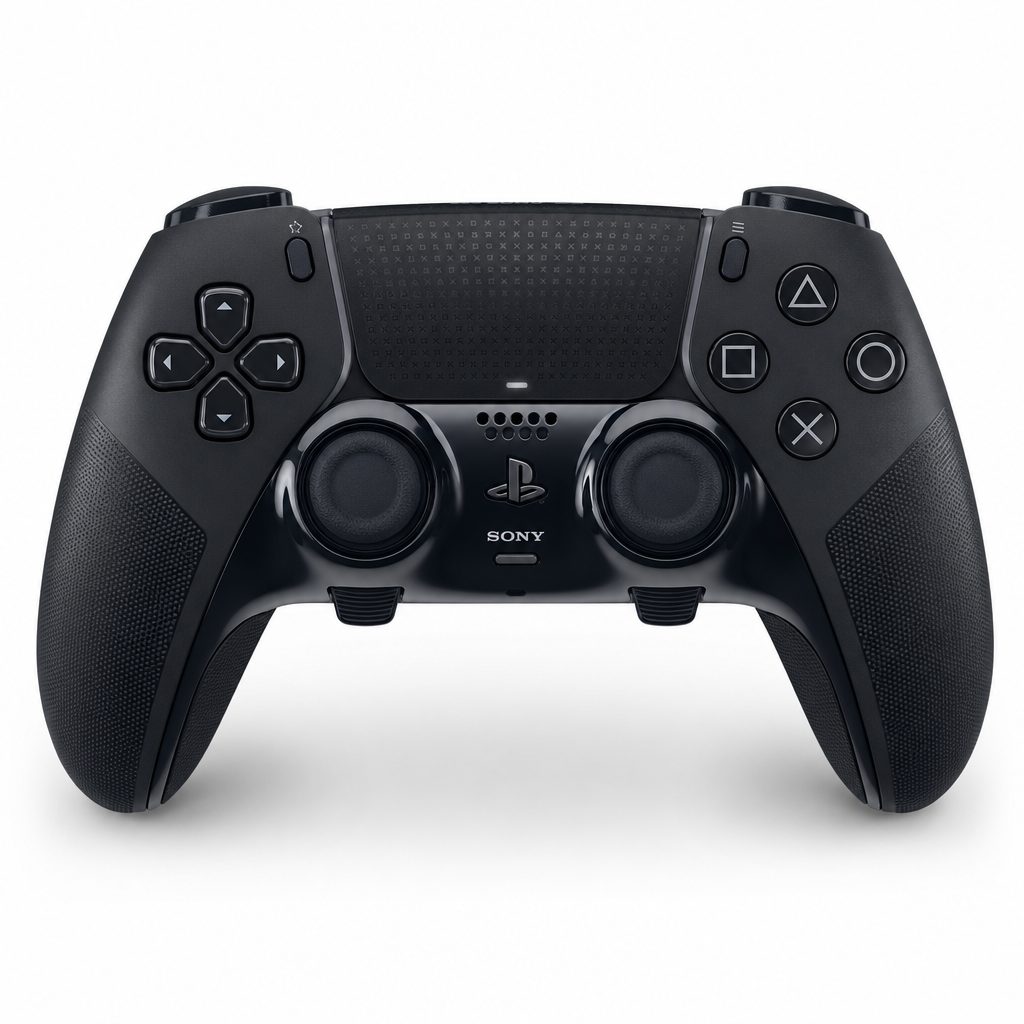
The Nacon Revolution 5 Pro leans into competitive practicality with Hall Effect sticks, four rear buttons, adjustable weight and a stated 10-hour battery life.
4. PDP Victrix Pro BFG — Best for fighting games and modular control
The PDP Victrix Pro BFG was the controller for people who did not play one kind of game. Its party trick was a genuinely modular layout: D-pad, stick and X/Y/A/B button modules could be swapped, and the package supported three D-pad options, four interchangeable thumbsticks and four gate options. There was even a six-button fight-pad module with Kailh microswitches. This is not a small tweak. For a fighting-game player, six face buttons in the right place can be far more useful than an extra feature buried in an app.
Its Mister Crimson-designed D-pad was optimised for fighting games and could be used in disc or cross layout. Three programmable rear buttons added flexibility for other genres, while wired USB-C and wireless-dongle play covered both sofa sessions and tournament-style desk setups. It also worked with PS5, PS4 and PC.
The main consideration was that Hall Effect thumbsticks were an optional add-on, rather than the default stick solution. It also omitted haptic feedback and adaptive triggers. The Victrix made most sense when modularity was the goal; for a player who only wanted a conventional PS5 pad with two rear paddles, it could be more controller than necessary. But for fighting games, it was the cleverest option here.
5. Razer Wolverine V2 Pro — Best for fast trigger response
Shop Razer Wolverine V2 Pro on Amazon UK
The Razer Wolverine V2 Pro was built around a more immediate, competition-minded response. Its HyperTrigger system used a mechanical approach rather than adaptive resistance, and the controller included four back buttons plus an eight-way microswitch D-pad. It connected wirelessly using HyperSpeed 2.4GHz and charged through USB-C, with a charging dock arrangement for keeping it ready between sessions.
It used Hall Effect sticks, so it remains a sensible choice for players looking beyond standard stick mechanisms. The controller deliberately stripped out PS5 haptic feedback and adaptive triggers, retaining traditional rumble instead. That was a clear statement of priorities: the Wolverine did not want to simulate the sensation of driving over different road surfaces; it wanted you to hit your inputs quickly and consistently.
For shooters and action games where a short, decisive trigger feel is preferable, that focus made sense. For story games, though, it was worth pausing before buying. The absence of Sony's signature features can make a PS5 game feel a little flatter, however impressive the controller's switches may be.
6. Razer Raiju V3 Pro — Best for TMR thumbstick technology
Shop Razer Raiju V3 Pro on Amazon UK
The Razer Raiju V3 Pro earned its place on the strength of its TMR, or Tunnel Magnetoresistance, thumbsticks. TMR is the newest anti-drift talking point in this group and was positioned around particularly strong drift resistance. That matters because thumbstick reliability had become one of the least glamorous but most important controller-buying questions. Nobody enjoys discovering that their character is slowly walking left while the controller is on the coffee table minding its own business.
The Raiju V3 Pro was the choice for buyers who specifically wanted that stick technology in a Razer pro-controller format. It represented a more future-facing approach than simply replacing a worn conventional stick later. As always with magnetic stick technology, it is wise to remember that anti-drift design is not a magical promise that every other part of a controller will last forever. Buttons, triggers, batteries and grips still live in the real world.
It is best treated as a specialist pick: a controller chosen because TMR thumbsticks are your priority, rather than because you are chasing the complete DualSense feature set.
7. SCUF Omega — Best for players who need maximum custom inputs
The SCUF Omega was the most ambitious choice for players who wanted to move as many actions as possible away from the face buttons. It offered 11 custom inputs and TMR thumbsticks, paired with an asymmetrical design. That makes it especially interesting for players of shooters, battle royales and action games with a dense web of movement, equipment and ability commands.
Eleven custom inputs is not simply a bigger number for the box. It can allow a player to build a control layout around their own habits, reducing the number of moments where the right thumb leaves aim control. There is, however, a learning curve. More inputs reward deliberate setup. If you never remap beyond one or two familiar functions, the Omega's major strength will be underused.
For the genuinely committed player who already knows exactly which actions they want under their fingers, it was the most configurable option in this guide. For everyone else, the Nacon's four back buttons or Edge's simpler two-control arrangement may be easier to live with.
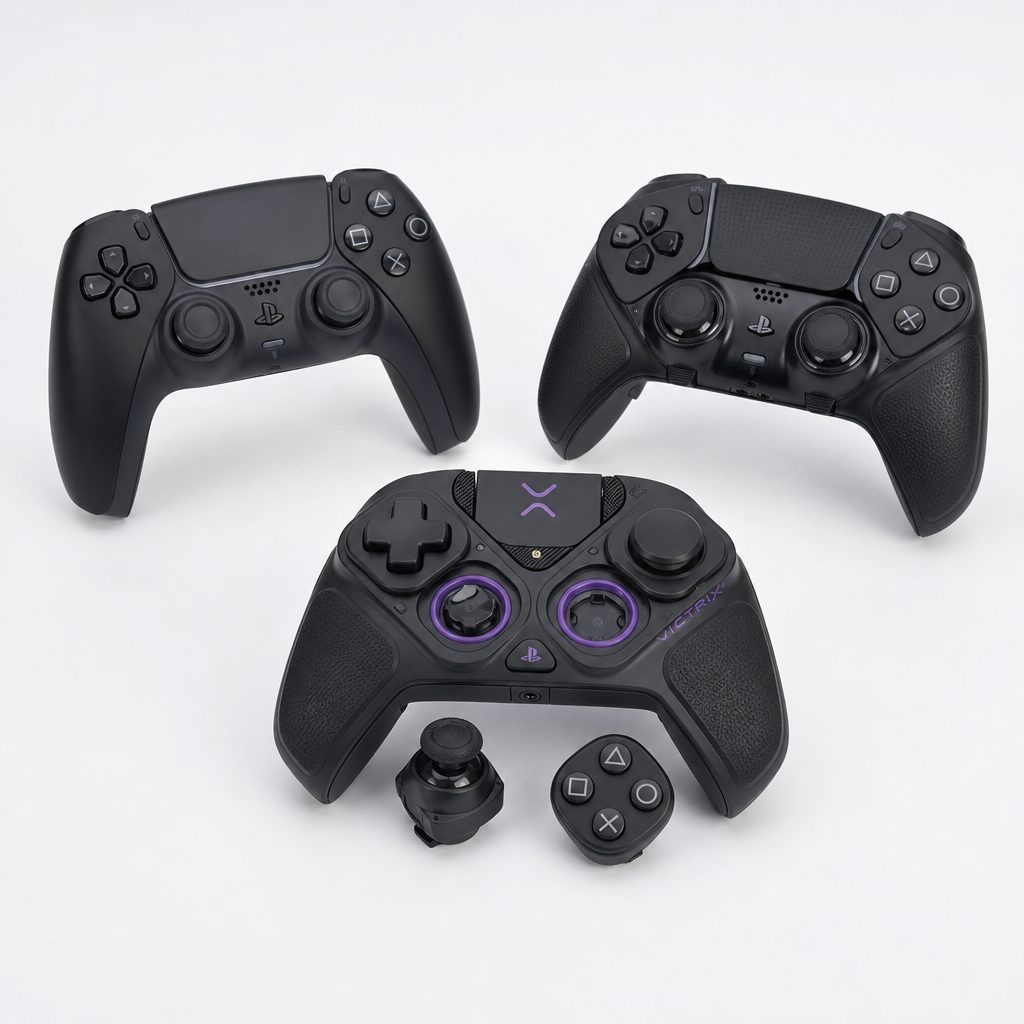
The Victrix Pro BFG's interchangeable modules make it the outlier in this group: particularly useful when a fighting-game layout and a conventional controller layout both matter.
Drift resistance: Hall Effect, TMR and replaceable modules explained
Stick drift is one of those controller subjects that can turn an otherwise peaceful gaming chat into a support group. Conventional thumbsticks can wear over time, leading to unwanted movement or camera input. The controls in this guide approached the problem in three distinct ways.
The standard DualSense used conventional sticks. The DualSense Edge also used standard-style stick assemblies, but its entire stick modules could be swapped. That did not prevent drift in the first place, but it made the controller more repairable when a stick became troublesome. It is a pragmatic solution, and for many Edge owners it was enough.
The Nacon Revolution 5 Pro and Razer Wolverine V2 Pro used Hall Effect sticks. These sense movement magnetically, avoiding the particular contact wear associated with conventional designs. The PDP Victrix Pro BFG offered Hall Effect sticks as an add-on. The Raiju V3 Pro and SCUF Omega moved to TMR thumbsticks, a magnetic sensing approach presented as having especially high drift resistance.
Do not confuse "anti-drift" with indestructible
Hall Effect and TMR sticks are important buying advantages, but they do not make a controller immortal. Keep food, spills and unnecessary force away from any pad, store it sensibly, and remember that shoulder buttons, battery cells and mechanical switches can still wear independently of the thumbsticks.
Battery life: where Sony's premium pad loses ground
Battery is the slightly awkward chapter in the DualSense Edge story. The standard DualSense had a 1,560mAh / 5.9Wh battery and returned around six to 12 hours depending on play conditions. The Edge's 1,050mAh / 3.9Wh battery was approximately a third smaller, and real-world expectations of about five to six hours were considerably less generous. Even with haptics and rumble disabled, five to five and a half hours was a reported result.
The Nacon Revolution 5 Pro had the clearest endurance advantage among the dedicated pro pads with a stated 10-hour lifespan. If you play lengthy sessions wirelessly, that difference is not academic. It is the gap between casually carrying on after dinner and needing to think about charging before the evening has properly begun.
These are manufacturer or reported usage figures rather than like-for-like laboratory tests, so treat them as a practical guide, not an excuse to bring a stopwatch to the sofa. The useful conclusion is straightforward: Edge buyers should expect more frequent charging, while Nacon buyers get a more relaxed wireless routine.
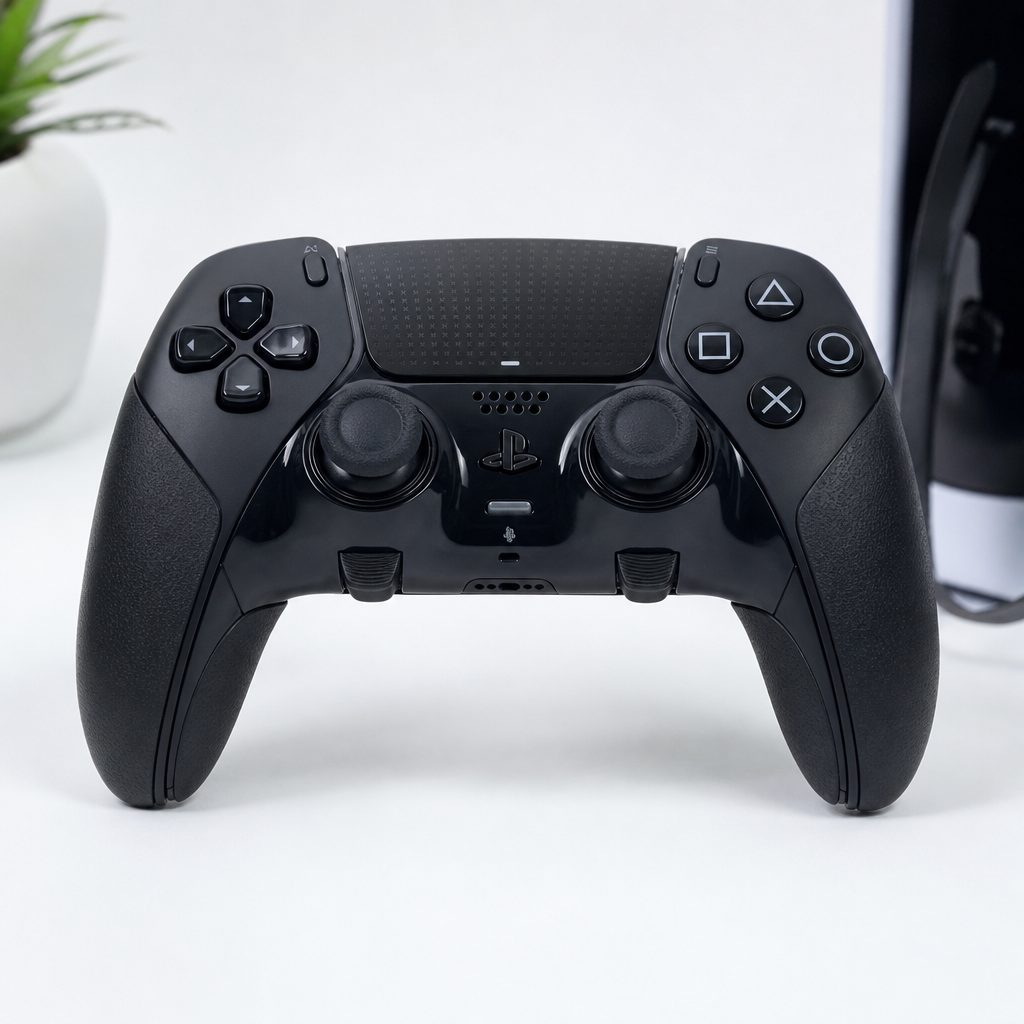
Battery capacity and endurance are not glamorous specifications, but they matter when a premium wireless controller can run for roughly five hours or around 10 hours depending on model.
Triggers, haptics and the case for keeping a standard DualSense nearby
The controller you use for competitive play does not necessarily need to be the controller you use for every PS5 game. The DualSense and DualSense Edge were the only choices here with both haptic feedback and adaptive triggers. That is important because those are not merely menu features. In games designed around them, they can add texture, resistance and physical cues that ordinary rumble cannot replicate.
The Edge added trigger stops, allowing a shorter physical travel where speed mattered, whilst preserving the option of adaptive trigger effects. It was a rare best-of-both-worlds proposition, aside from the battery compromise. Razer's Wolverine V2 Pro instead used HyperTrigger, a mechanical system made for a direct response, but did without the adaptive system entirely.
The Nacon, Victrix and Wolverine all made sense for players who valued immediate inputs over immersion. For everyone else, it was perfectly reasonable to own a pro pad for online matches and leave a regular DualSense charged for cinematic campaigns. That is not indulgence. It is simply using the right tool for the game in front of you.
Who should buy which PS5 controller?
There was no single winner for every player. The best choice depended on whether your version of a good evening involved a single-player adventure, a ranked match, a fight-stick-style button layout or a sincere desire never to worry about conventional stick drift again.
Best for most players
Sony DualSense Wireless Controller
Choose it for the complete PS5 feature set, the longer 6–12 hour battery range and a straightforward controller that needs no custom profile homework.
Best premium all-rounder
Sony DualSense Edge
Best for players who want PS5 haptics, adaptive triggers, remapping, trigger stops and replaceable stick modules in one official package.
Best for drift resistance
Nacon Revolution 5 Pro
Hall Effect sticks, four back buttons and a 10-hour battery make it the sensible anti-drift all-rounder.
Best for fighting games
PDP Victrix Pro BFG
The modular layout, six-button fight-pad module and specialised D-pad options are the big draw here.
Best for input-heavy play
SCUF Omega
Its 11 custom inputs suit experienced players who know exactly what they want to remap.
Best for rapid triggers
Razer Wolverine V2 Pro
Pick it for four rear buttons, mechanical HyperTrigger response and an eight-way microswitch D-pad.
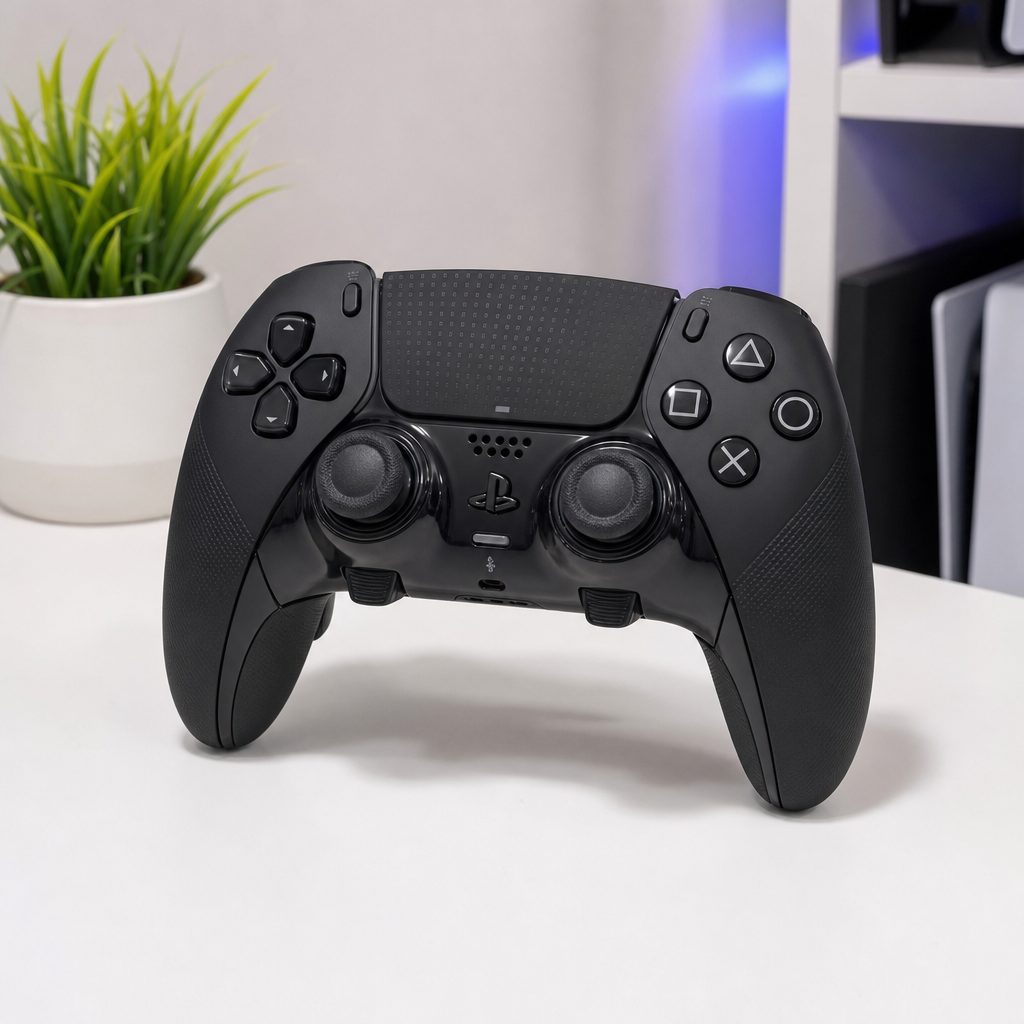
Choosing the right pad is less about the largest feature list and more about matching your favourite games to the controls you will genuinely use every session.
Final buying advice before you choose
If you are replacing a worn-out standard controller and mainly play PS5 adventures, buy another DualSense and enjoy the whole console experience. It remains an excellent controller rather than the budget option in a room full of cleverer gadgets. If you play competitive games but still love Sony's haptics, the DualSense Edge was the natural upgrade, provided you could live with charging it more often.
If drift is the reason you are shopping, start with the Nacon Revolution 5 Pro. Its Hall Effect sticks, four rear buttons and 10-hour battery life made it the most balanced specialist alternative. If your hobby revolves around fighting games, skip the conventional wisdom and choose the Victrix Pro BFG for its modularity. That six-button module and adaptable D-pad layout could matter more than any adaptive trigger ever will.
Finally, do not buy an 11-input controller because you feel you ought to become the sort of person who uses 11 inputs. Buy it because you already know your game and your preferred control scheme. There is no trophy for making your controller more complicated than your actual life.
Frequently asked questions
It is worth it if you will use its rear controls, trigger stops, custom profiles and replaceable stick modules. It is less compelling if you mainly play single-player games and value battery life, because the standard DualSense typically lasts six to 12 hours compared with roughly five to six hours for the Edge.
The Nacon Revolution 5 Pro is the clearest all-round anti-drift pick thanks to Hall Effect thumbsticks, four back buttons and its stated 10-hour lifespan. The Raiju V3 Pro and SCUF Omega use TMR thumbsticks, while the DualSense Edge offers replaceable stick modules rather than magnetic sensing.
Not the third-party models in this guide. The DualSense and DualSense Edge retain both haptic feedback and adaptive triggers. The Nacon, Wolverine and Victrix prioritise more conventional rumble and competitive-focused controls instead.
Two is enough for many players, particularly for jump and reload or jump and melee. Four offers more flexibility for competitive games with several movement and ability commands. The SCUF Omega's 11 custom inputs make sense for experienced players who are prepared to create and learn a much more elaborate layout.
No. It also has wireless-dongle and wired USB-C play, three programmable rear buttons and modular stick, D-pad and face-button components. Its six-button fight-pad module and specialist D-pad options simply make it unusually appealing for fighting-game fans.
The Nacon Revolution 5 Pro has a stated 10-hour lifespan. The regular DualSense typically manages six to 12 hours, depending on usage, while the DualSense Edge normally delivers around five to six hours.
Yes, if you enjoy PS5 games that make strong use of haptics and adaptive triggers. A specialist pro controller can be ideal for competitive sessions, while the standard DualSense remains the better fit for games built around Sony's full sensory feature set.
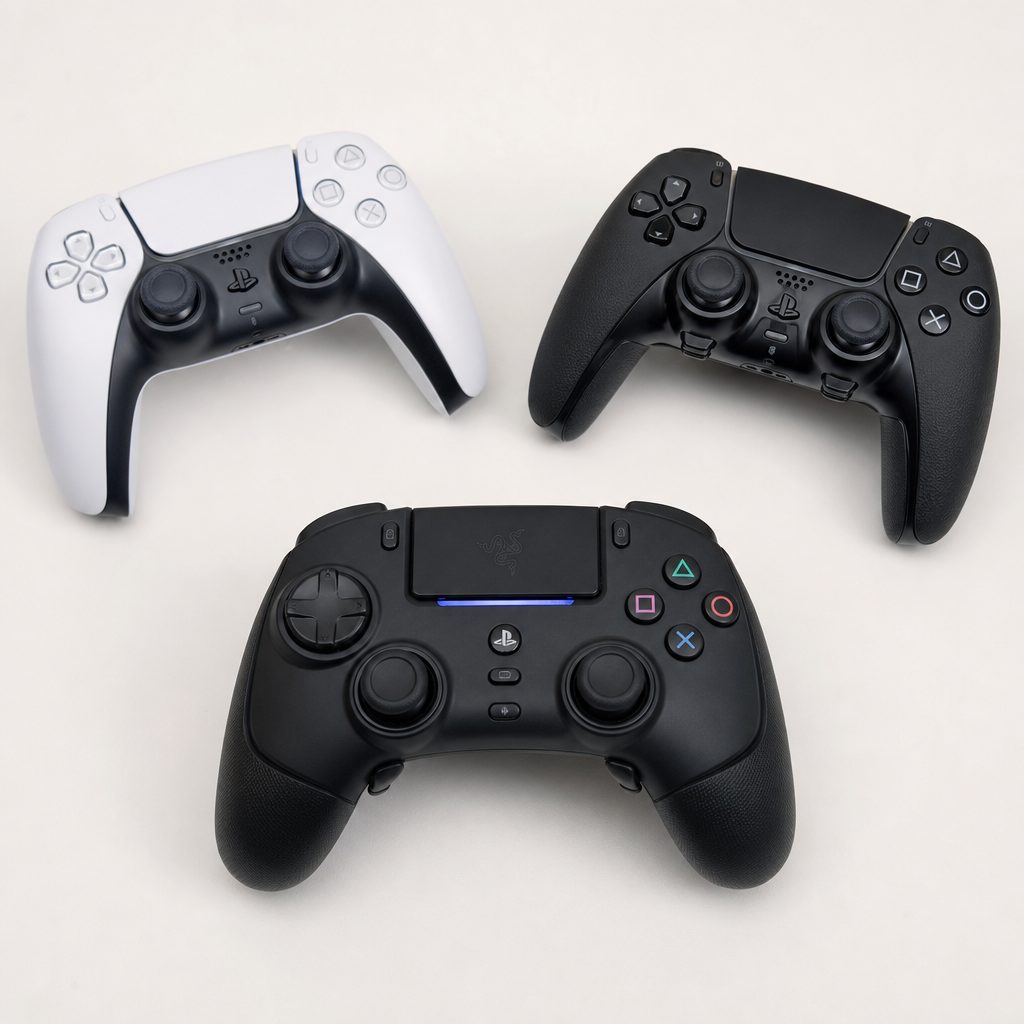
For most households, the ideal setup is not necessarily one controller forever: a standard DualSense for immersive PS5 adventures and a pro pad for the games where extra inputs genuinely help.
The ToyScout verdict
The DualSense Edge was the best premium PS5 all-rounder because it added pro-grade flexibility without abandoning haptics and adaptive triggers. Its short battery life was the obvious compromise. The regular DualSense remained the recommendation for most players, while the Nacon Revolution 5 Pro was the standout alternative for Hall Effect sticks, four rear buttons and 10-hour battery life. Fighting-game devotees should look straight at the PDP Victrix Pro BFG, and serious control tinkerers should consider the TMR-equipped SCUF Omega. Pick the features you will use, not the ones that merely sound impressive on a box.