
Best External SSDs for PS5 Pro and Xbox Series X (2026)
A hands-on, no-nonsense ranking of the storage drives that actually make sense for the two most powerful consoles on the market — with real read/write numbers, the platform caveats nobody warns you about, and honest picks for every budget.
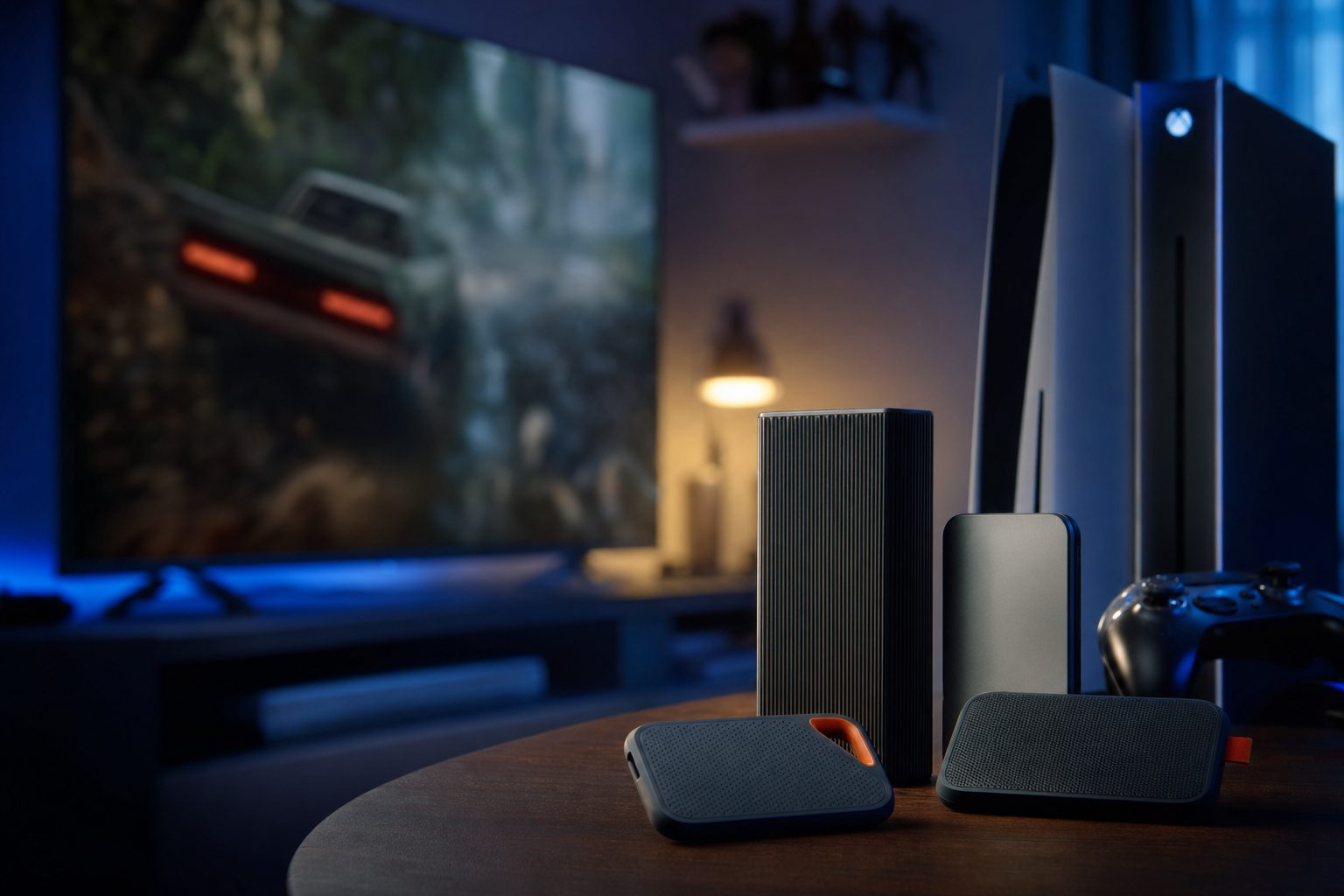
The right external drive keeps your growing PS5 Pro and Xbox Series X libraries close to hand.
If there's one thing every PS5 Pro and Xbox Series X owner discovers within a fortnight of unboxing, it's that the built-in storage vanishes at an alarming rate. Modern blockbusters routinely swallow 100GB or more apiece, and once you've got a couple of open-world epics, a live-service shooter and the family's favourite platformer installed, you're staring at that dreaded "storage full" prompt. I've been there more times than I care to admit.
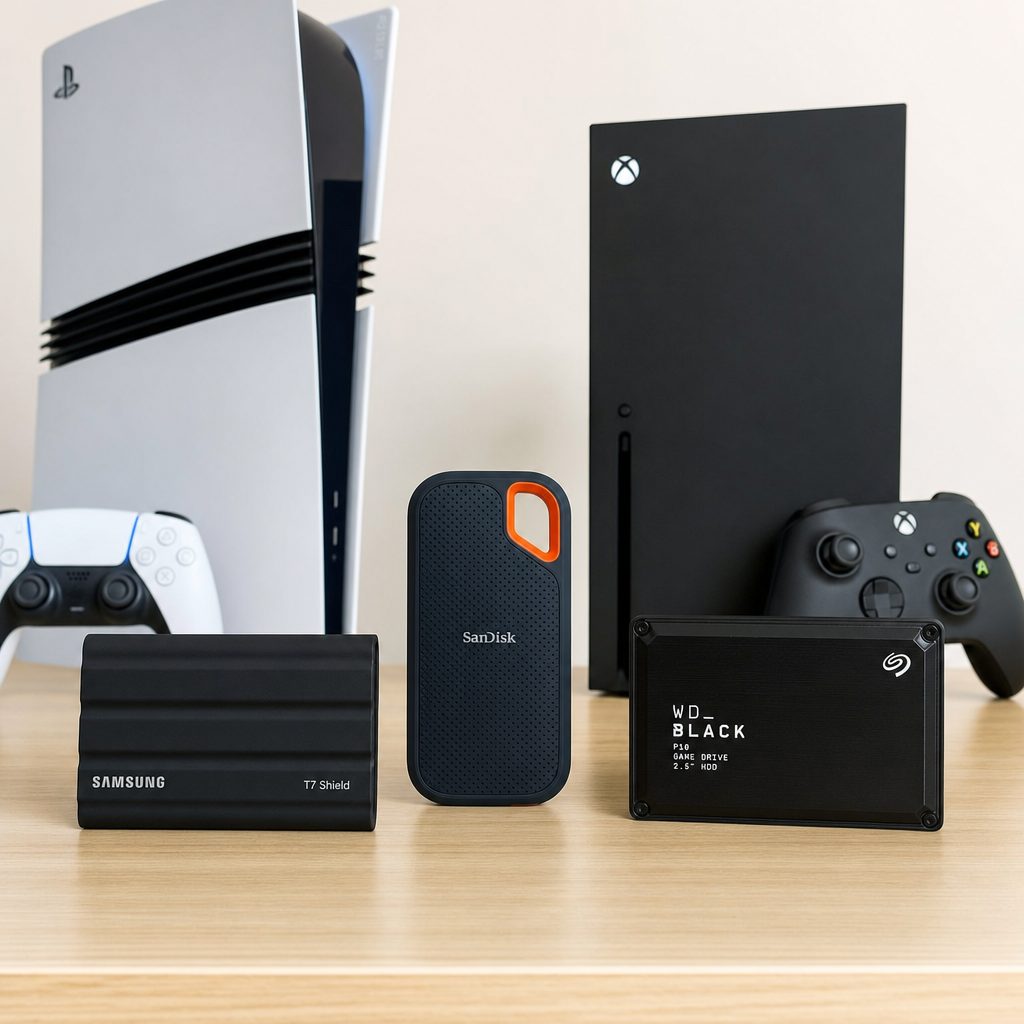
Match the drive to how you actually play: offload, native Xbox, or native PS5 — and the right choice becomes obvious.
So the natural question is: what's the best external SSD to bolt on? And here's where things get genuinely confusing, because "external SSD" means two very different things depending on which console is under your telly. Get it wrong and you'll spend money on a drive that can't run the games you bought it for. I've written this guide precisely so you don't fall into that trap. Let's untangle it properly.
Before You Buy: How Storage Actually Works on Each Console
This is the bit most guides skip, and it's the single most important thing to understand. The way these two machines handle add-on storage is fundamentally different, so bear with me for a moment.
PS5 Pro — USB drives are for storage, not play
A USB external SSD on a PS5 Pro can store your PS5 games, but it cannot run them directly. You must transfer them back onto the console's internal storage or an installed M.2 NVMe drive before playing. The exception is PS4 games, which do run straight off a USB drive. For native PS5 game playback you want an internal M.2 NVMe SSD in the expansion slot.
Xbox Series X — USB drives store, cards play
A USB external SSD on the Series X can store games and play backward-compatible titles (Xbox One and earlier) directly. But current-gen, Series X|S optimised games cannot run from a standard USB SSD. For that you need a proprietary Storage Expansion Card that plugs into the dedicated slot on the back and taps into the Xbox Velocity Architecture.
The short version: USB portable SSDs are brilliant offload drives for both consoles — a place to park games you're not playing this week. But if you want add-on storage you can play current-gen games from natively, you need an internal M.2 drive (PS5 Pro) or an official Expansion Card (Xbox Series X). This guide covers all three categories so you can pick the right tool.
With that cleared up, here's how I've structured the ranking. I've split my picks into the three practical categories above, ranked within each, and given every drive its own key-specs treatment. There's a full comparison table further down, and who-should-buy cards at the end to point you at the right choice.
The Portable USB SSDs (Cross-Platform Offload Drives)
These are the versatile, plug-into-anything drives. They work on the PS5 Pro, the Series X, your PC, your Mac and your laptop, and they're the smart choice for archiving a big library. Slower than internal storage, yes — but the convenience of moving a whole drive between machines is hard to beat.
1. Crucial X10 Pro — Best Overall Portable Drive
Shop Crucial X10 Pro on Amazon UK
If raw speed is what you're after in a pocketable drive, the Crucial X10 Pro is the one to beat. It uses USB 3.2 Gen 2×2 (20 Gbps) over USB-C, and that extra bandwidth genuinely shows: Crucial rates it up to 2,100 MB/s, roughly double what most of the 10 Gbps competition manages. In practice that means shuffling a 100GB game off your console and back is markedly quicker.
The catch — and it's a fair one — is that both the PS5 Pro and the Series X only expose USB 3.2 Gen 2 (10 Gbps) ports, so you won't hit the full 2,100 MB/s when it's plugged into a console. You get the headline speeds on a PC with a Gen 2×2 port. Still, even capped at 10 Gbps, it's a rock-solid offload drive, and if you also use it with a modern PC you'll unlock its full potential there.
Pros
- Class-leading 2,100 MB/s peak transfer speeds
- Removable rubber sleeve adds knock protection
- Splash, dust and drop resistant for travel
- Generous five-year limited warranty
Cons
- Full speed only unlocks on a USB 3.2 Gen 2×2 PC port
- Consoles cap it to 10 Gbps regardless
- No option beyond 4TB
2. Samsung T7 Shield — Best Rugged Portable Drive
Shop Samsung T7 Shield on Amazon UK
The T7 Shield is the drive I recommend most often to friends who chuck their kit in a rucksack and expect it to survive. Its rubberised metal body carries an IP65 rating, meaning it shrugs off dust and water splashes, and the whole design is built to survive the odd tumble off the sofa. It sustains 1,050 MB/s over USB 3.2 Gen 2, which is exactly the ceiling both consoles support anyway — so on a PS5 Pro or Series X you're getting effectively all the speed the port can deliver.

A rugged IP65-rated portable drive like the T7 Shield survives the knocks of family life far better than a bare enclosure.
Capacities run from 1TB all the way up to 8TB, which makes it a serious contender for anyone hoarding a huge back catalogue. It ships with both USB-C and USB-A adapters, so it'll happily hook up to older laptops and PCs too. For pure practicality across every device in the house, it's superb.
Pros
- Genuine IP65 dust and water resistance
- 1,050 MB/s matches the console port ceiling exactly
- Capacities stretch to a huge 8TB
- USB-C and USB-A adapters included in the box
Cons
- Slower peak speed than the Crucial X10 Pro on PC
- Rubberised finish attracts dust and fingerprints
3. SanDisk Extreme Portable SSD — Best for Big Libraries
Shop SanDisk Extreme Portable SSD on Amazon UK
The SanDisk Extreme has been a stalwart of the portable SSD scene for years, and it earns its place here on the strength of its capacity range and dependable NVMe performance. It delivers 1,050 MB/s read and 1,000 MB/s write over USB 3.2 Gen 2, and it scales all the way up to a whopping 8TB — enough to archive dozens of full-fat current-gen installs in one tidy enclosure.
On a PS5 Pro it's ideal for stashing PS5 games you've finished and for playing PS4 titles directly. On a Series X it works as external storage for your Series X|S games (to be moved to internal storage before playing) and runs Xbox One and older backward-compatible titles natively. It's a genuine cross-platform workhorse.
Pros
- Capacities up to a massive 8TB for serious hoarders
- Solid 1,050 MB/s read / 1,000 MB/s write
- Rugged enclosure built for travel
- Plays PS4 and Xbox One backward-compatible titles directly
Cons
- Write speed trails the read speed slightly
- 10 Gbps interface, so no headroom beyond 1,050 MB/s
4. Crucial X9 Pro — Best Budget Portable Drive
Shop Crucial X9 Pro on Amazon UK
The X9 Pro is the X10 Pro's more affordable sibling, and for pure offload duty it's arguably the smarter buy. It runs on USB 3.2 Gen 2 (10 Gbps) at 1,050 MB/s — again, exactly the console ceiling — carries an IP55 rating and survives drops from 7.5 feet. It's slightly less rugged than the Samsung T7 Shield but sits at a similar price point, and comes in 1TB, 2TB and 4TB flavours.
If you don't need the X10 Pro's PC-only 2,100 MB/s bonus and just want a reliable, protected drive to park your library on, this is the one I'd steer most console owners toward first.
Pros
- Excellent value for an offload drive
- IP55 rating and 7.5-foot drop resistance
- Full 1,050 MB/s matches the console interface
Cons
- Less rugged than the T7 Shield despite similar pricing
- Tops out at 4TB
5. WD Black P40 — Best for Cross-Platform Flexibility
Shop WD Black P40 on Amazon UK
Rounding out the portable category is the WD Black P40, a drive that consistently earns recommendations from major outlets for cross-platform use. Its gamer-focused aesthetic — complete with RGB lighting on some variants — makes it a natural fit alongside a console setup, and it handles offload duties on both the PS5 Pro and the Series X without fuss.
As with every USB drive here, remember the golden rule: it's a superb place to store your games and to play backward-compatible titles, but current-gen installs get moved back to fast internal storage before you press play. Treat it as a library annexe rather than a play-from drive and you'll be delighted.
Xbox Series X Storage Expansion Cards (Native Current-Gen Play)
Shop Xbox Series X Storage Expansion Cards on Amazon UK
Now we get to the drives that actually let you play current-gen Series X|S games without moving anything around. These proprietary cards slot into the dedicated bay on the back of the console and tap directly into the Xbox Velocity Architecture, so a game installed on the card behaves exactly as if it were on the internal SSD. If you play a lot of modern Xbox titles, this is non-negotiable — a USB drive simply won't run them.
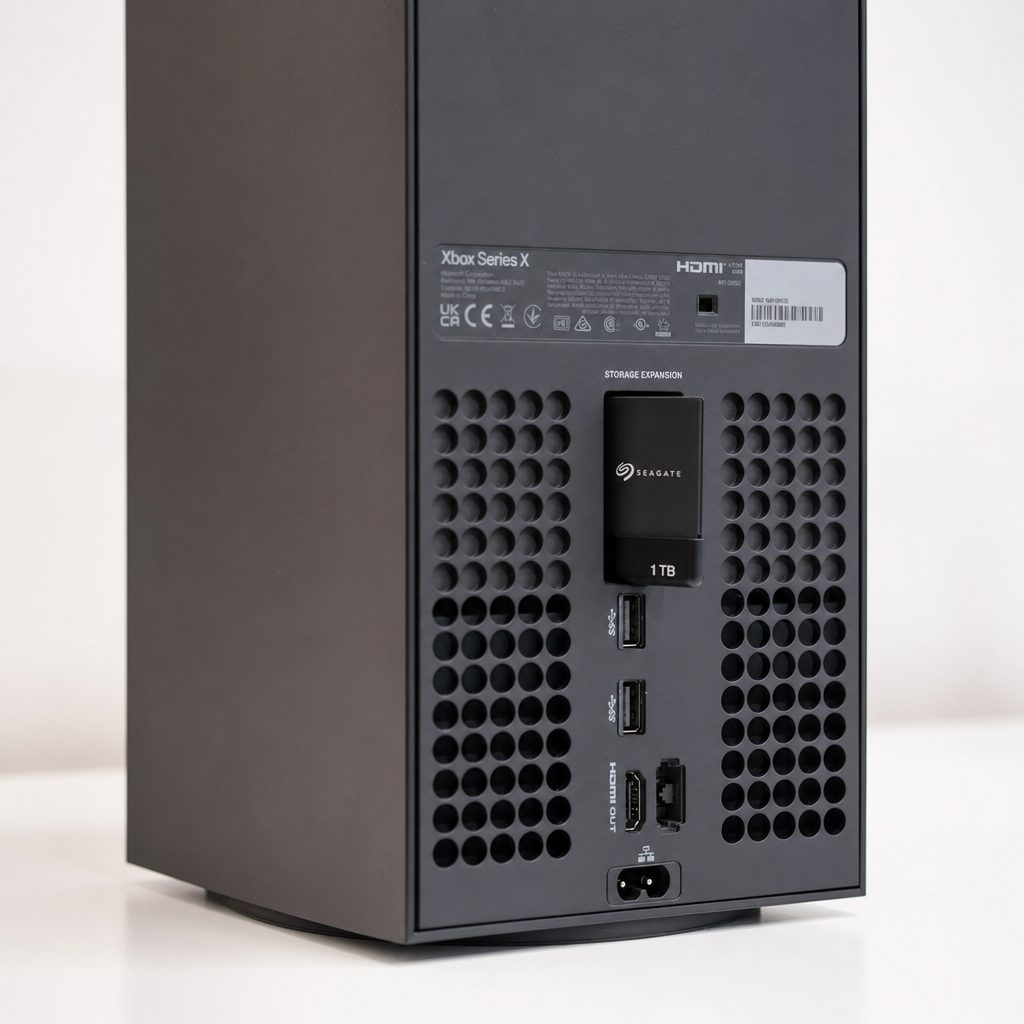
Xbox Storage Expansion Cards slot into the dedicated bay on the rear of the console and behave like internal storage.
6. Seagate Xbox Storage Expansion Card — Best for Native Xbox Series X Play
Shop Seagate Xbox Storage Expansion Card on Amazon UK
This is the original — the official Microsoft partner card that launched alongside the console. It's a compact, thumb-drive-sized unit in an aluminium shell that plugs into the rear bay, and it's engineered specifically for the Xbox Velocity Architecture. That means Series X|S optimised titles run directly from it with the same speed and responsiveness as the internal SSD. In testing it demonstrated a 5.18 Gbps transfer rate — roughly 518 MB/s — and the real-world results are what matter: Forza Horizon 5 loaded from menu to gameplay in around 11 seconds, identical to the internal drive, with Quick Resume switching in under 5 seconds.
It comes in 1TB, 2TB and 4TB capacities. It's the premium option, but it's also the gold standard for a reason: there's genuinely zero compromise in how your games perform.
Pros
- Runs current-gen Series X|S games natively — no transferring
- Load times identical to the internal SSD (Forza in ~11s)
- Quick Resume switches in under 5 seconds
- Official Microsoft partner with guaranteed compatibility
Cons
- Proprietary — only works with Xbox Series X|S
- Premium pricing versus a plain USB SSD
7. WD Black C50 — Best Xbox Expansion Card Alternative
Shop WD Black C50 on Amazon UK
For a good while the Seagate card was the only game in town, so the arrival of WD's official C50 was welcome news. It's the direct competitor — another Microsoft-sanctioned Expansion Card that delivers native performance on par with the Series X internal SSD and slots into the same bay. It's compatible with both the Series X and the Series S, and it's offered in 512GB, 1TB and 2TB capacities, giving you a smaller entry point than the Seagate for anyone who just needs a modest top-up.
Performance-wise there's nothing to separate the two in real use — both let your current-gen games run exactly as if installed internally. The choice largely comes down to capacity and price on the day.
Pros
- Native performance on par with the internal SSD
- Works with both Series X and Series S
- 512GB entry point is cheaper than Seagate's smallest
- Official Microsoft-approved card
Cons
- Tops out at 2TB, below Seagate's 4TB option
- Proprietary to the Xbox ecosystem
PS5 Pro Internal M.2 NVMe SSDs (Native PS5 Play)
For the PS5 Pro, the equivalent of the Xbox Expansion Card is a PCIe 4.0 M.2 NVMe SSD fitted into the console's internal expansion slot. Do this and the drive behaves exactly like the built-in storage — you install and play PS5 games straight from it, no transferring required. It's the single best storage upgrade a PS5 Pro can have, and thankfully the slot takes standard off-the-shelf M.2 drives.
Pro Tip
Fitting an internal M.2 drive is a five-minute job with a single screwdriver, and every drive I've picked below either ships with a heatsink or has a widely available compatible one. A heatsink isn't optional on the PS5 Pro — the console needs one to keep the drive cool inside the enclosed bay. Don't skip it.
8. Corsair MP600 Pro LPX — Best M.2 for PS5 Pro Capacity
Shop Corsair MP600 Pro LPX on Amazon UK
If you want to future-proof your PS5 Pro in one purchase, the Corsair MP600 Pro LPX is the drive I keep coming back to. It scales up to a colossal 8TB, ships with a pre-installed low-profile heatsink designed specifically to fit inside the PS5's bay, and posts sequential speeds of up to 7,100 MB/s read and 6,800 MB/s write. Backed by a five-year warranty, it's built to outlast the console itself.
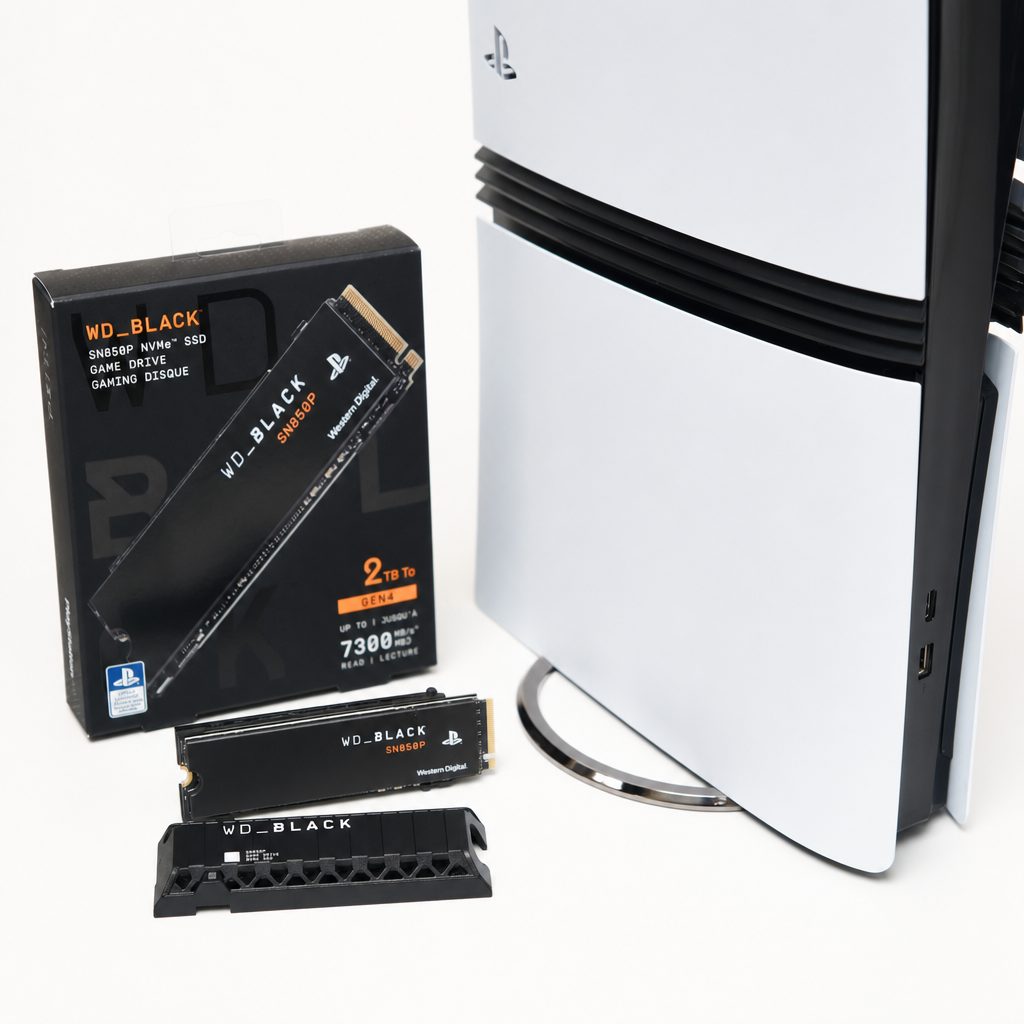
An internal M.2 NVMe drive with a low-profile heatsink is the definitive PS5 Pro storage upgrade for native playback.
Pros
- Enormous 8TB ceiling — the most headroom here
- Heatsink pre-fitted and sized for the PS5 bay
- Strong 7,100 / 6,800 MB/s sequential speeds
- Five-year warranty for peace of mind
Cons
- 8TB model is a considerable outlay
- Not the very fastest read speed in this group
9. Samsung 990 Pro — Best M.2 for Raw Speed
Shop Samsung 990 Pro on Amazon UK
When it comes to sheer benchmarked throughput, the Samsung 990 Pro is the fastest drive I've seen tested for this role, posting a staggering 7,465.49 MB/s read and 6,887.68 MB/s write. Those numbers comfortably clear the PS5 Pro's minimum requirement with room to spare, and while you won't perceive the difference between the top drives in day-to-day loading, if you simply want the quickest silicon you can slot in, this is it.
It's available with or without a heatsink; for the PS5 Pro you'll want the heatsink version or a compatible aftermarket one. As a package, it's the enthusiast's pick.
Pros
- Fastest tested read speed here at 7,465.49 MB/s
- Write speed of 6,887.68 MB/s is equally class-leading
- Trusted Samsung reliability
Cons
- Heatsink version needed for the PS5 Pro adds cost
- Speed advantage is imperceptible in everyday loading
10. Seagate FireCuda 530R — Best Balanced M.2 Choice
Shop Seagate FireCuda 530R on Amazon UK
The FireCuda 530R sits neatly between the outright speed of the 990 Pro and the sheer capacity of the Corsair, posting a tested 7,085.79 MB/s read and 5,721.37 MB/s write. That read figure is right up with the fastest, and while its write speed is a touch behind its rivals, it's still miles beyond anything a USB drive can offer and comfortably above what the PS5 Pro demands.
Seagate's FireCuda line has a strong reputation for endurance, and as an all-round native storage upgrade for the PS5 Pro it's an easy drive to recommend when you want speed and dependability without chasing the absolute headline number.
Pros
- Top-tier 7,085.79 MB/s read speed
- Well-regarded endurance from the FireCuda range
- A sensible middle-ground pick
Cons
- 5,721.37 MB/s write trails the 990 Pro and Corsair
- Heatsink fitment needs checking before buying
WD Black SN850X — The Honourable Mention
Shop WD Black SN850X on Amazon UK
Worth a quick word: the WD Black SN850X is a hugely popular PS5 M.2 choice and works perfectly well in the Pro. It's rated to a maximum of 7,300 MB/s, though when tested inside a PS5 Pro it registered a read speed of 6,498 MB/s — a little under its headline figure, but still far above the console's requirement and utterly imperceptible in real use. If you spot it at a keen price, it remains a very sound buy.
Full Comparison Table
Here's everything side by side. Pay close attention to the "Native Current-Gen Play" column — that's the one that separates a drive you can play from directly from one that's purely for storage.
| Drive | Type | Interface / Slot | Speed | Capacities | Native Current-Gen Play |
|---|---|---|---|---|---|
| Crucial X10 Pro | Portable USB | USB 3.2 Gen 2×2 | Up to 2,100 MB/s | 1–4TB | No (offload only) |
| Samsung T7 Shield | Portable USB | USB 3.2 Gen 2 | 1,050 MB/s | 1TB–8TB | No (offload only) |
| SanDisk Extreme Portable | Portable USB | USB 3.2 Gen 2 | 1,050 / 1,000 MB/s | Up to 8TB | No (offload only) |
| Crucial X9 Pro | Portable USB | USB 3.2 Gen 2 | 1,050 MB/s | 1–4TB | No (offload only) |
| WD Black P40 | Portable USB | USB-C | — | — | No (offload only) |
| Seagate Xbox Expansion Card | Xbox card | Proprietary bay | ~518 MB/s (tested) | 1 / 2 / 4TB | Yes (Xbox Series X|S) |
| WD Black C50 | Xbox card | Proprietary bay | Internal-SSD parity | 512GB / 1 / 2TB | Yes (Xbox Series X|S) |
| Corsair MP600 Pro LPX | Internal M.2 | M.2 NVMe slot | 7,100 / 6,800 MB/s | Up to 8TB | Yes (PS5 Pro) |
| Samsung 990 Pro | Internal M.2 | M.2 NVMe slot | 7,465 / 6,888 MB/s | — | Yes (PS5 Pro) |
| Seagate FireCuda 530R | Internal M.2 | M.2 NVMe slot | 7,086 / 5,721 MB/s | — | Yes (PS5 Pro) |
How I Ranked These Drives
I didn't just chase the biggest speed number, because in most real-world console use that number barely matters once you're above the platform's minimum. Instead, I weighted the picks around what actually improves your day-to-day experience.
Fitness for purpose
Does the drive do the job you're buying it for? A USB drive that can't run current-gen games natively is fine as an offload drive but scores badly if you expected to play from it.
Real, tested performance
I leaned on measured figures — the 990 Pro's 7,465.49 MB/s, the FireCuda's 7,085.79 MB/s, the Seagate card's ~11-second Forza load — rather than marketing maximums.
Durability and warranty
IP ratings, drop resistance and warranty length matter for kit that lives near a busy telly. Five-year warranties and IP65/IP55 ratings scored well.
Capacity headroom
With games hitting 100GB-plus, drives that scale to 8TB earned bonus marks for future-proofing a growing collection.
Frequently Asked Questions
Who Should Buy Which?
The Library Hoarder
You want to keep dozens of games installed across both consoles and a PC. Go for the Samsung T7 Shield or SanDisk Extreme at 8TB — massive, rugged offload storage that works everywhere.
The Xbox Series X Devotee
You play current-gen Xbox games and want them running natively. The Seagate Xbox Storage Expansion Card is the gold standard; the WD Black C50 is the equally capable, sometimes cheaper alternative.
The PS5 Pro Upgrader
You want more space to install and play PS5 games directly. Fit the Corsair MP600 Pro LPX for capacity, the Samsung 990 Pro for raw speed, or the Seagate FireCuda 530R for balance.
The Value Seeker
You just need reliable offload storage without overspending. The Crucial X9 Pro delivers the full console-supported 1,050 MB/s with IP55 protection at a friendly price.
The Multi-Device Power User
You also use a modern PC and want the fastest portable drive. The Crucial X10 Pro's 2,100 MB/s over USB 3.2 Gen 2×2 pays off there, whilst still serving as a solid console offload drive.
The Verdict
There's no single "best" external SSD here, because the two consoles play by different rules — and that's the most important takeaway. For pure add-on storage you can play from directly, the answer is platform-specific: the Seagate Xbox Storage Expansion Card on the Series X and an internal M.2 like the Corsair MP600 Pro LPX or Samsung 990 Pro on the PS5 Pro. Both let your current-gen games behave exactly as if they were on internal storage, with load times to match.
For flexible, cross-platform offload duty — parking games you're not playing this week and running backward-compatible titles — a rugged USB drive like the Samsung T7 Shield or Crucial X9 Pro is the smart, cost-effective choice. Just remember the golden rule: on both machines, current-gen games get moved back to fast internal-style storage before you press play. Buy with that in mind and you genuinely can't go wrong with any of the ten drives here.
Shop Best External SSDs for PS5 Pro and Xbox Series X on Amazon UK