
Switch 2 vs Switch OLED: Should Current Owners Actually Upgrade?
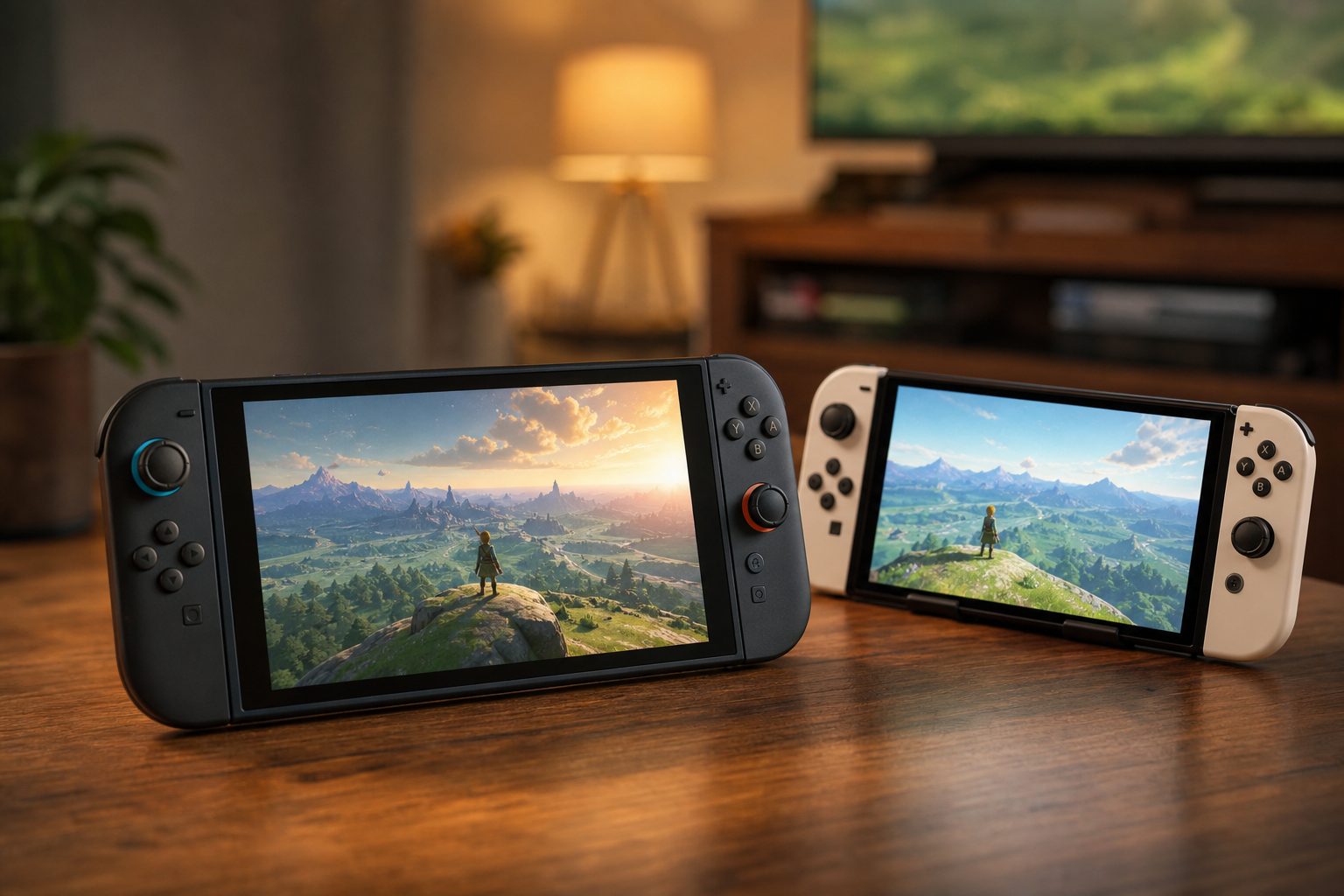
Nintendo Switch 2 brought a larger, sharper LCD and considerably more power, whilst Switch OLED remained the handheld display champion in the original Switch family.
Nintendo Switch 2 was not a gentle mid-generation tidy-up. It was a new console with a much larger performance ceiling, a 7.9-inch 1080p screen and 4K docked output. Yet Switch OLED still had one very awkward advantage: its 7-inch OLED panel remained gorgeous, and its battery could last materially longer. For an existing owner, this is less "new equals better" than it first appears.
The short answer: this is an upgrade, not a replacement for every habit
The Switch OLED arrived in October 2021 as the premium version of the original Nintendo Switch. It improved the screen, kickstand, dock and internal storage, but it retained the same Tegra X1 processor that powered the 2017 machine. It was the refined, lovely-to-use edition of a familiar console. A very good one, too.
Switch 2, released worldwide on 5 June 2025, changed the equation. Its custom Nvidia Tegra T239 chip, 12GB of LPDDR5X memory, 256GB of UFS 3.1 storage and new Joy-Con 2 controllers made it a different generation of hardware rather than an OLED-style revision. The headline features were easy to spot: 4K output at 60Hz when docked, up to 120Hz at lower output resolutions, HDR10, a 7.9-inch 1080p panel, faster storage and substantially more capable graphics technology.
But existing OLED owners were not wrong to hesitate. In your hands, Switch OLED still looked luxurious because OLED black levels are proper black, not very dark grey pretending it has not been caught. Its official battery range was 4.5 to 9 hours, against Switch 2's 2.5 to 6.5 hours. If your Switch life consisted mainly of indie games in bed, long journeys and a carefully curated collection of original Switch games, the newer machine did not erase the appeal of the old one.
The sensible question was therefore not "Is Switch 2 better?" It plainly was in raw capability. The better question was: will that capability improve the way you personally play enough to justify owning both, selling one, or moving over completely?
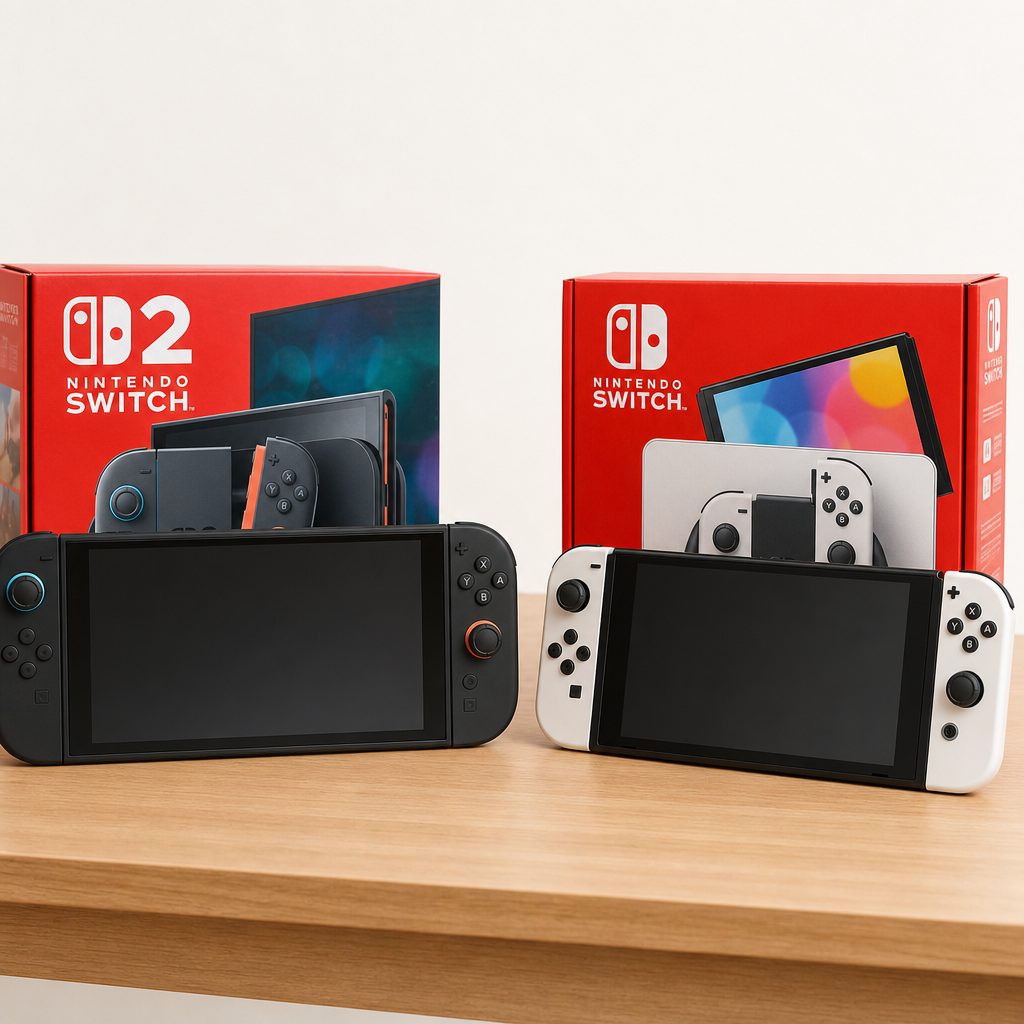
The two consoles were close enough in spirit to share a library, but their displays, storage and performance headroom told two very different stories.
Switch 2 vs Switch OLED specifications at a glance
Numbers are not the whole story, especially when one of those numbers happens to sit behind an OLED panel. Still, they show why Switch 2 felt like a proper generational leap rather than an incremental polish.
| Feature | Nintendo Switch 2 | Nintendo Switch OLED |
|---|---|---|
| Release date | 5 June 2025 | 8 October 2021 |
| Processor | Custom Nvidia Tegra T239 "Drake"; octa-core ARM Cortex-A78C | Custom Nvidia Tegra X1 |
| Memory | 12GB LPDDR5X | 4GB LPDDR4 |
| Handheld display | 7.9in LCD touchscreen, 1920 x 1080 | 7in OLED, up to 720p |
| Display features | HDR10, VRR and up to 120Hz | OLED contrast and up to 60fps |
| Docked output | Up to 4K at 60Hz; 720p, 1080p and 1440p up to 120Hz | Up to 1080p |
| Internal storage | 256GB UFS 3.1 | 64GB |
| Storage expansion | microSD Express, up to 2TB | microSD |
| Official battery range | 2.5 to 6.5 hours | 4.5 to 9 hours |
| Weight with controllers | 1.18lb | 0.93lb |
| Dimensions | 10.7 x 4.5 x 0.55in | 9.5 x 4.0 x 0.6in |
Switch 2's variable refresh rate support applied in handheld mode, not through HDMI. Its dock still offered higher resolutions and up to 120Hz at 720p, 1080p and 1440p, but do not buy it assuming VRR carries over to every television setup.
Display: Switch OLED still wins the beauty contest
Shop Switch OLED still wins the beauty contest on Amazon UK
This was the category that stopped Switch 2 from being an uncomplicated win. Switch 2's 7.9-inch LCD was 0.9 inches larger diagonally than Switch OLED's display, and its 1920 x 1080 resolution made menus, text and detailed game worlds appreciably crisper. That is not a tiny upgrade. On a handheld screen, 1080p gives games more room to breathe, particularly titles with fine UI elements, busy strategy screens or detailed scenery.
It also brought HDR10 and a refresh rate of up to 120Hz. When a game supported those capabilities, movement could look smoother and the machine had an altogether more modern feel. The extra display real estate was particularly welcome when playing in tabletop mode with friends. Nobody had suddenly gained eagle vision, but at least the map had stopped requiring a small committee to interpret it.
Yet the OLED's lower 720p resolution did not automatically make it less enjoyable. Its pixels switched off for black, delivering superb contrast in dark scenes. Metroid Dread remained a fine demonstration of why that mattered: the black corridors looked genuinely black, the colour accents had real depth and the visual mood landed with more punch than it could on a conventional LCD. Bright, bold games also had a richness that still looked special years after the model's release.
Switch 2's LCD was not poor. It was bigger, sharper and better equipped on paper. But it could not produce the same inky blacks or naturally dramatic contrast. If you mainly played handheld at night, played atmospheric games, or simply loved the OLED screen every single time you woke the console, this was a real trade-off rather than nostalgia talking.
Switch 2 display strengths
- 7.9-inch screen offered significantly more physical viewing area.
- 1920 x 1080 resolution made text and fine detail much sharper in handheld mode.
- HDR10 and up to 120Hz gave supported games more technical headroom.
- VRR in handheld mode helped the screen adapt to changing frame rates.
Switch OLED display compromises
- 720p was noticeably less crisp beside Switch 2's 1080p panel.
- It topped out at 60fps rather than offering a 120Hz mode.
- The screen was smaller, even if it remained more striking in dark scenes.
- Original Switch games retained the limits of the older hardware.
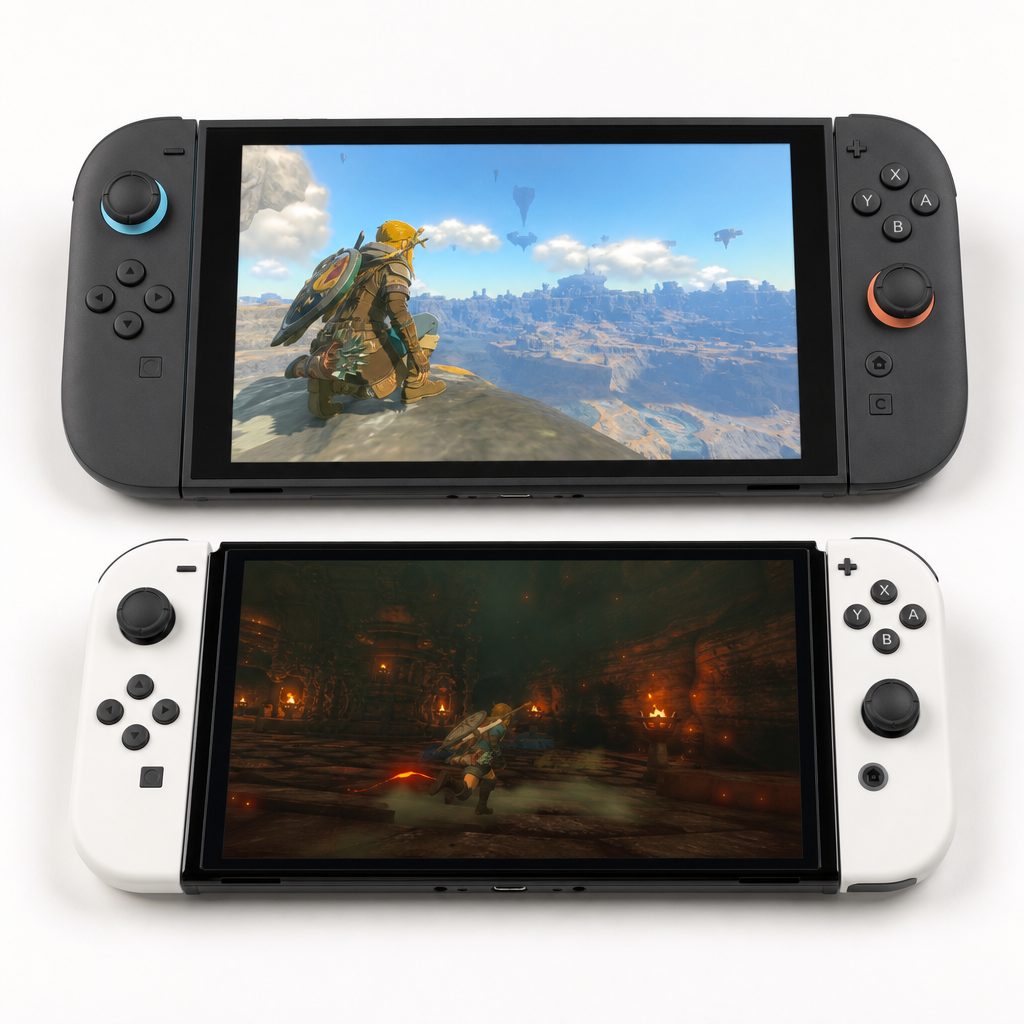
Switch OLED's panel remained exceptionally appealing for dark, colourful games, whilst Switch 2 countered with a sharper 1080p image and more screen space.
Performance: Switch 2 is the reason to upgrade
Shop Switch 2 is the reason to upgrade on Amazon UK
Here is the blunt bit. Switch OLED used the same basic Tegra X1 foundation as the original Switch, with 4GB of LPDDR4 memory. It could still deliver wonderful games, because great game design does not require a small nuclear reactor beneath the screen. But its limitations had become impossible to ignore in demanding releases. Pokémon Scarlet could be choppy, Xenoblade load times could drag, and even the system interface could feel less eager than one might like.
Switch 2's Tegra T239 combined an octa-core ARM Cortex-A78C CPU with an Ampere-architecture GPU and 12GB of much faster LPDDR5X memory. The CPU ran at 998MHz docked and 1,101MHz undocked; memory operated at 6,400 MT/s docked and 4,266 MT/s undocked. The architecture supported DLSS AI upscaling, hardware ray tracing and HDR. Those are not merely brochure-friendly abbreviations. They gave developers a far more useful toolbox for producing better-looking games, higher resolutions and steadier performance.
That meant Switch 2 Edition games could feel transformative rather than merely slightly tidier. The promise was not that every old title instantly became a technical showcase. It was that games designed or updated for the hardware could offer a higher resolution, more stable frame rate and faster loading. For owners who had spent years accepting uneven performance as part of the Switch bargain, that was a fairly enormous quality-of-life change.
It is worth keeping perspective, however. In a Cyberpunk 2077 comparison at 24W total system power, Switch 2 averaged 33.5fps, while Steam Deck OLED averaged 41.6fps; Steam Deck also loaded the game nearly 78% faster thanks to its higher CPU clocks. That does not make Switch 2 weak. It shows that its achievement was portability and console simplicity, rather than beating every handheld PC at every technical task. You gained Nintendo's approachable ecosystem and a major jump over Switch OLED, not an unrestricted desktop computer that happened to have buttons.
The upgrade test
If slow loads, stuttering performance or the thought of missing games made for Switch 2 have been grating on you, the newer console made sense. If you were still happily working through a large original Switch backlog, performance alone was less urgent. The same library did not magically demand a new machine overnight.
Docked gaming: 4K output changes the television conversation
The original Switch family was designed around 1080p docked output, and Switch OLED stayed within that ceiling. On a modest television, that was perfectly serviceable. On a large modern 4K screen, though, it could make the difference between an intentionally stylised image and one that simply looked a little soft.
Switch 2 could output 4K at 60Hz through HDMI with HDR10. Alternatively, it supported 720p, 1080p and 1440p at up to 120Hz. That made it much more flexible for households with newer televisions and monitors. A player with a 120Hz display could prioritise refresh rate at appropriate resolutions; someone with a 4K television could prioritise image detail. The important word is "could", because the result still depended on each game's implementation. Hardware capability opens a door. It does not force every developer to sprint through it carrying a basket of pixels.
For a dock-first owner, Switch 2 was arguably the clearest upgrade case of all. The OLED's famed screen had no bearing once the console was in its dock, whereas Switch 2's greater performance and much higher output ceiling continued to matter. Families playing Mario Kart World on the main television, or solo players who used handheld mode only occasionally, received almost none of the OLED model's central benefit but a great deal of Switch 2's.
Switch OLED still had an advantage worth acknowledging: its dock included LAN, and its overall setup was straightforward and mature. But this comparison was not really about basic competence. Both systems could be easily parked beside a television. The difference was that Switch 2 made better use of a modern display, especially for those who wanted their Nintendo games to sit more comfortably alongside other current consoles.
Battery life and portability: the OLED fights back
There is no way to make a larger, more powerful system with a 7.9-inch 1080p screen sound especially discreet in a coat pocket. Switch 2 measured 10.7 inches wide, 4.5 inches tall and 0.55 inches thick, weighing 1.18lb with both Joy-Con 2 controllers attached. Switch OLED was 9.5 inches wide, 4.0 inches tall and 0.6 inches thick, and weighed 0.93lb with Joy-Con controllers.
The newer machine was only fractionally slimmer, but it was longer, taller and around a quarter of a pound heavier in full handheld form. That is not catastrophic. In a backpack or on the sofa, most people will cope quite happily. On a long train journey, in smaller hands, or when a child is holding it for an hour, the difference was more tangible. Bigger screens bring bigger responsibility. Mostly to your wrists.
Battery life was the more decisive result. Switch 2's 5,220mAh battery was estimated at 2.5 to 6.5 hours depending on the game. Switch OLED's 4,310mAh battery had an official range of 4.5 to 9 hours. Its capacity was smaller, but it had less demanding hardware and a lower-resolution display to feed. In testing, Switch OLED had reached up to five hours of play, which aligned with the general feeling that it was an easier companion for a day away from a plug.
There is no single battery winner for every game, because software load matters. But the official ranges overlap only at 4.5 to 6.5 hours, and the OLED had the higher ceiling by a very useful margin. For commuters, frequent travellers and parents handing a console to a child for a journey, it was a proper advantage. Packing a charging cable was not a hardship, of course. It simply made Switch 2 feel more like a powerful portable machine and Switch OLED feel more like the carefree little console you could keep playing.
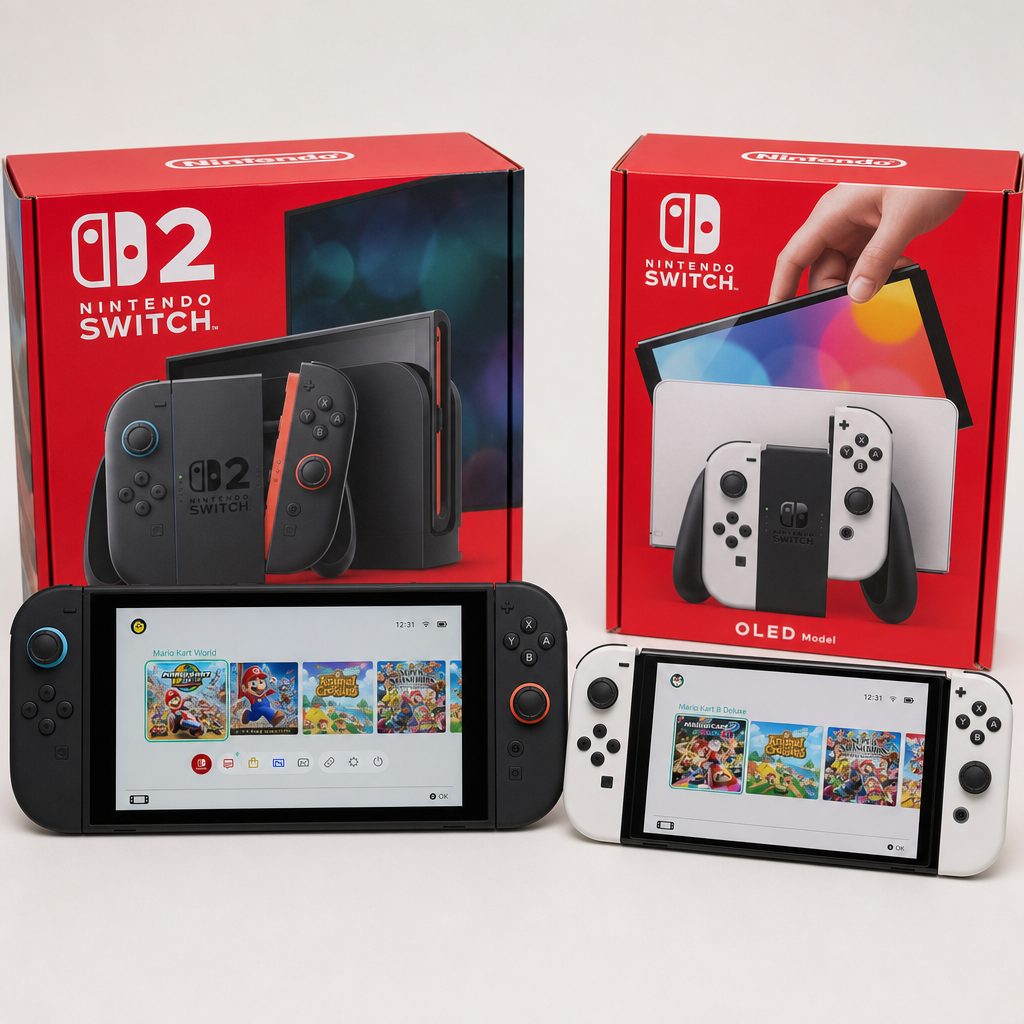
Switch 2's extra size accommodated a larger screen and new hardware, but Switch OLED was lighter in hand and carried the stronger official battery-life range.
Controls, tabletop play and everyday comfort
Switch OLED was already the best original Switch format for tabletop use. Its broad, Microsoft Surface-style kickstand was a major improvement over the flimsy strip of plastic that had accompanied the launch model. It could be set at several angles and made multiplayer at a table far more practical. This mattered more than it sounded; a well-designed kickstand is a tiny domestic miracle when two people are trying to share a screen without propping a console against a mug.
Switch 2 improved that formula with an adjustable kickstand of its own, plus Joy-Con 2 controllers that attached magnetically. The new controllers offered larger control sticks and bigger SL and SR buttons, which was welcome for shared-controller games. Magnetic attachment also made the act of connecting and removing controllers feel more deliberate and less fiddly.
Most interestingly, Joy-Con 2 supported mouse-style controls. This was not a feature every Nintendo player needed, but it widened the kinds of games and interfaces that could feel natural on the system. It was part of a broader sense that Switch 2 had been built to serve more ambitious software without abandoning the quick, approachable flexibility that made the original idea work.
Switch 2 also added a top USB-C port alongside the bottom port. That sounds like the least thrilling sentence in the world, until you remember the minor irritation of trying to charge a handheld whilst using its kickstand. It made tabletop charging more practical. The system also included a built-in microphone with noise-cancelling technology and improved speakers for GameChat. Switch OLED had enhanced audio compared with earlier Switch hardware, and it remained perfectly pleasant, but Switch 2's communications and sound features felt more intentionally built for modern social play.
Magnetic Joy-Con 2
Switch 2's controllers attached magnetically and used larger sticks plus larger SL and SR buttons.
Mouse support
Joy-Con 2 could provide mouse-style control, adding a fresh input option beyond traditional sticks and buttons.
Tabletop strengths
Both had adjustable kickstands, but Switch OLED's broad stand remained a thoroughly good solution for casual shared play.
GameChat hardware
Switch 2 included a noise-cancelling built-in microphone and improved speakers for GameChat.
Storage, game cards and the practical cost of a bigger library
Storage was one of the less glamorous but more immediately useful upgrades. Switch OLED included 64GB internally. That was better than the original Switch's storage arrangement, but it could fill surprisingly quickly once you had accumulated downloads, updates and a few substantial games. Expansion was available through microSD, and for many owners that was simply part of setting up the console.
Switch 2 stepped up to 256GB of UFS 3.1 internal storage: four times the OLED's capacity. The move to faster internal storage mattered alongside the performance uplift, helping the system feel more at home with bigger games and quicker loading expectations. It expanded via microSD Express cards up to 2TB, while Switch OLED used microSD expansion.
It is worth thinking about your actual buying behaviour here. If you buy physical game cards, keep only a handful of downloaded titles installed, and routinely clear old games after finishing them, 64GB can be managed. If you maintain a digital library, like having favourites ready for the children without a lengthy redownload, or regularly switch among several games, 256GB feels far less cramped.
Switch 2 supported Switch game cards, Switch 2 game cards and digital distribution. That was important emotionally as well as technically: an existing Switch collection did not become a box of obsolete plastic merely because a successor arrived. For OLED owners, compatibility softened the move. You could bring the games you had loved into a machine with more performance headroom, then decide gradually where Switch 2-specific software fitted into your collection.
Price and value: the awkward case for keeping a Switch OLED
Value was unusually dependent on where you sat. Switch 2 had a US console price of $449.99, with the Mario Kart World bundle listed at $499. In the UK, its console price was £395.99, with the Mario Kart World bundle at £429.99; a best UK price of £369 had also been seen in July 2026. Switch OLED was listed around $349 in the US market, though some retailers showed $399 to $399.99, and UK market pricing had been around £400 after the August 2025 tariff adjustments.
That muddle is why a simple "the OLED is the cheaper choice" line would have been too glib. On the second-hand and refurbished market, a well-kept OLED could be a sensible way to access the original Switch library with that excellent screen. At retail-like pricing, however, it could look uncomfortably close to Switch 2 money despite using the older Tegra X1 platform and offering one quarter of the internal storage.
For a current owner, the calculation was different again. You had already paid for the OLED and presumably still enjoyed it. Its resale value, the cost of new storage, the fact that existing games remained playable, and how often you used TV mode all affected the maths. Buying Switch 2 purely for a screen upgrade would be silly: OLED had the prettier panel. Buying it for 4K docked output, substantially improved performance, faster storage and access to Switch 2 software was much easier to defend.
Nintendo Switch 2
UK console price; a £369 best UK price had been available in July 2026.
Nintendo Switch 2 Mario Kart World bundle
UK bundle price, pairing the newer hardware with Mario Kart World.
Nintendo Switch OLED
UK market pricing after August 2025 tariff adjustments; second-hand value varied by condition and bundle.
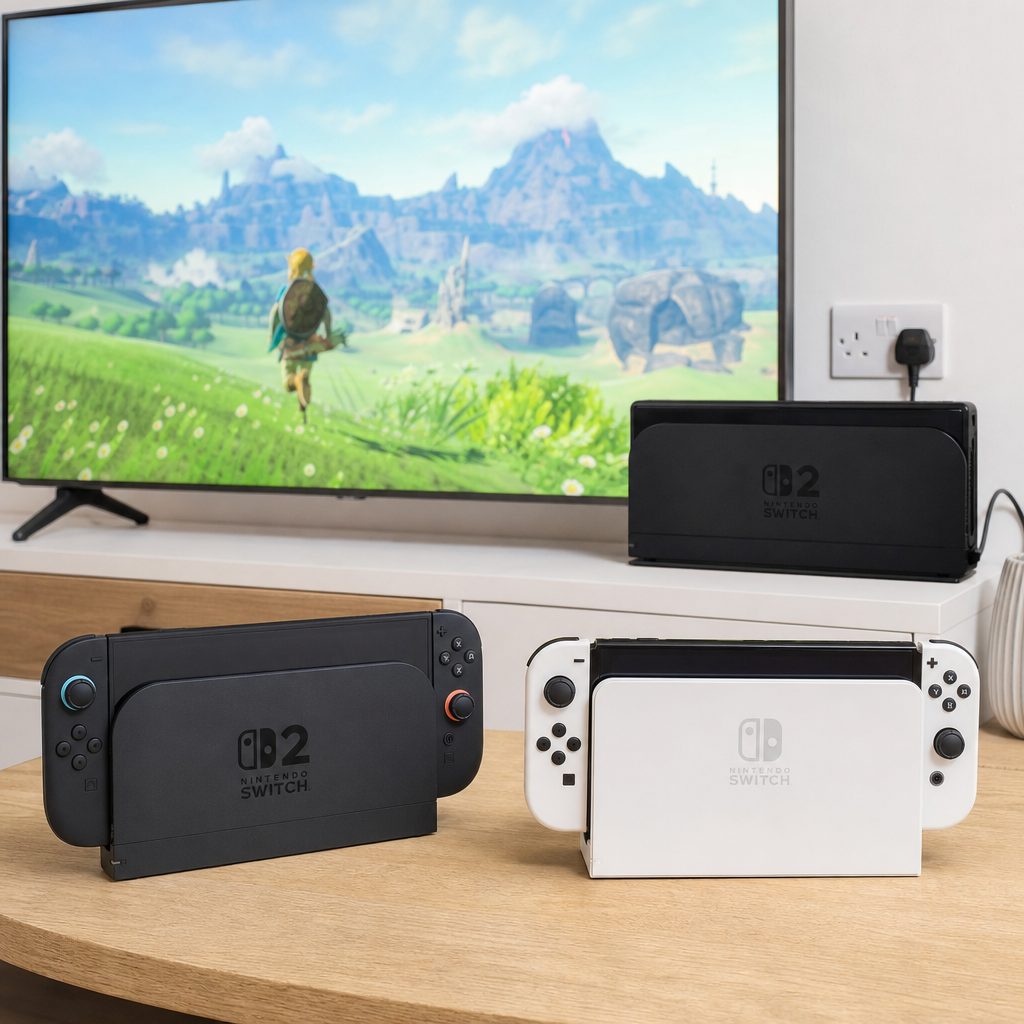
For television-first households, Switch 2's 4K-capable docked output made a more persuasive case than it did for owners who almost never left handheld mode.
What each console did best
It is tempting to award every category to the newest machine and call it a day. That would be easy, fast and slightly lazy. Switch 2 was unquestionably the better technical platform, but Switch OLED remained an unusually polished version of the original Switch concept. It had a superb handheld display, a longer official battery range, less weight and the comfort of an established library.
The distinction was clearest when I imagined two different evenings. In the first, someone was playing a rich, demanding new release on a 4K television, then moving to handheld mode and appreciating sharper text, a bigger screen and a more responsive system. Switch 2 was the obvious choice. In the second, someone was playing an indie favourite under a blanket, enjoying deep blacks, vibrant colour and the knowledge that the battery was unlikely to complain any time soon. Switch OLED still felt utterly right.
Best for different buyers
The "right" result depended less on which machine had the longest feature list and more on the habits you had already formed. There was no shame in keeping the OLED. Equally, there was no need to pretend the performance gap was minor just because the older screen remained beautiful.
Best all-round upgrade: Nintendo Switch 2
Choose Switch 2 if you want the clearest all-purpose step forward: more power, 256GB storage, a larger 1080p display and dramatically stronger docked options.
Best for TV-first players: Nintendo Switch 2
4K at 60Hz, HDR10 and up to 120Hz at 720p, 1080p and 1440p gave Switch 2 advantages that Switch OLED's panel simply could not offer in a dock.
Best for handheld image quality: Nintendo Switch OLED
For dark games, colourful art styles and night-time play, the 7-inch OLED panel's contrast and true blacks remained the visual favourite.
Best for longer sessions away from a socket: Nintendo Switch OLED
Its official 4.5-to-9-hour battery range beat Switch 2's 2.5-to-6.5-hour estimate, and it was lighter in the hand.
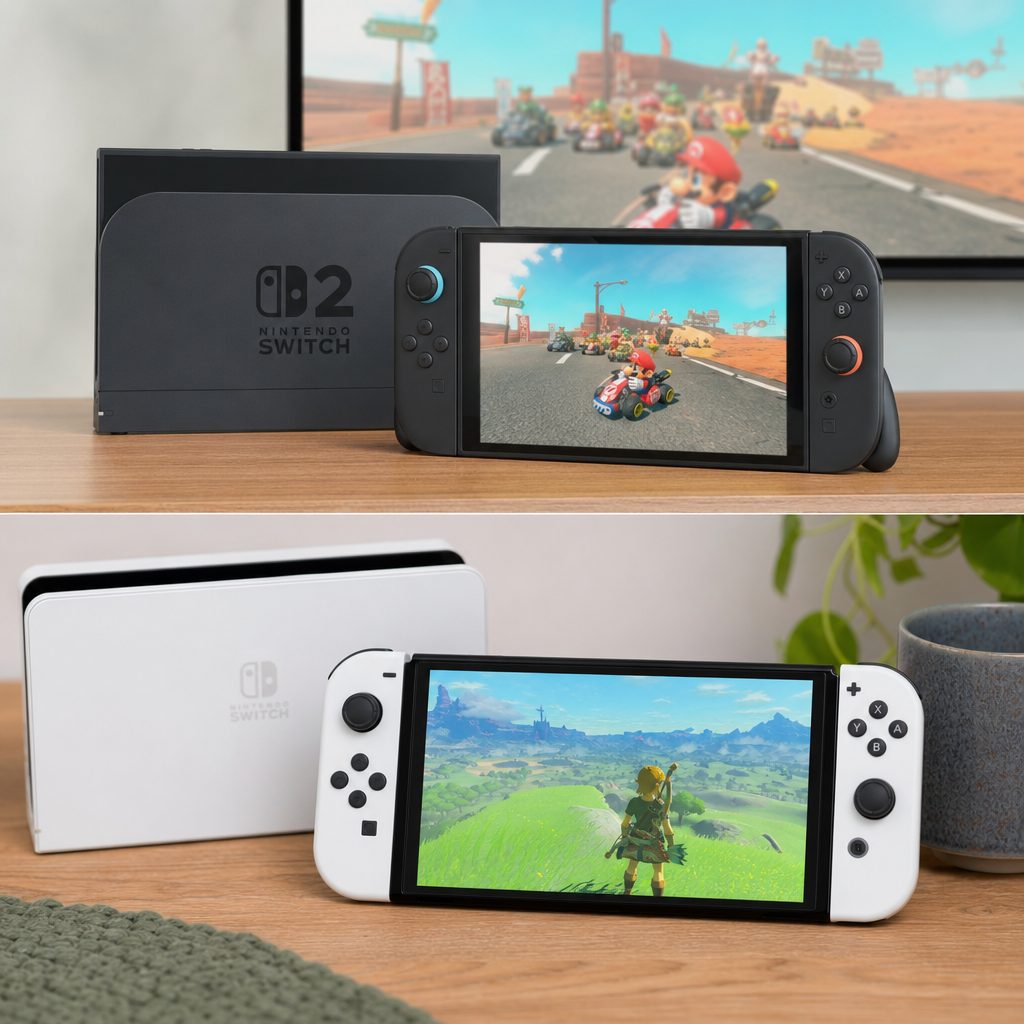
The best choice depended on where and how you played: Switch 2 made the stronger case in the dock, while Switch OLED remained a delight for relaxed handheld sessions.
Should you sell your Switch OLED after upgrading?
Not necessarily. The OLED was still a strong second console for a household, a travel machine with longer battery potential, or simply a way to play original Switch games on a display some people would continue to prefer. Its age did not make it rubbish. That is a very internet way of thinking about perfectly good hardware.
If you had children, keeping the OLED could also make practical sense. One console on the television and one in handheld use removed some of the inevitable negotiation around whose turn it was. If you travelled often, the smaller, lighter OLED with its longer official battery range had a clear role even alongside Switch 2.
On the other hand, if you wanted a single Nintendo machine, played heavily docked, were hungry for newer titles and disliked managing 64GB of storage, moving fully to Switch 2 was logical. The central point was that Switch OLED had become a classic original-Switch model: not the current technical flagship, but still a distinctively appealing device with a screen that had not lost its magic.
Frequently asked questions
Yes. Switch 2 used the Tegra T239 with an octa-core Cortex-A78C CPU, Ampere GPU and 12GB of LPDDR5X memory. Switch OLED retained the Tegra X1 and 4GB of LPDDR4. The difference supported more ambitious games, faster loading, higher resolutions and steadier performance in software designed for the newer hardware.
No. Switch 2 used a 7.9-inch 1920 x 1080 LCD with HDR10, VRR in handheld mode and up to 120Hz refresh. Switch OLED used a smaller 7-inch 720p OLED panel. Switch 2 was sharper and larger; Switch OLED offered deeper blacks and stronger contrast.
Switch OLED had the better official battery range at 4.5 to 9 hours, compared with Switch 2's estimated 2.5 to 6.5 hours. Actual play time depended on the game, but the OLED had the more reassuring maximum for long sessions away from mains power.
Very likely. Switch 2 could output 4K at 60Hz with HDR10, and could offer 720p, 1080p or 1440p at up to 120Hz. Switch OLED topped out at 1080p when docked, so its key display advantage disappeared once you were using a television.
Switch 2 supported Switch game cards, Switch 2 game cards and digital distribution. That made the upgrade less disruptive for existing owners, who could retain access to their original Switch games whilst gaining a platform built for newer software.
For many shoppers, the second-hand or refurbished market made the most sense because Switch OLED was an older model and its value depended heavily on its condition and price. It remained appealing for its OLED screen, lighter weight and longer official battery range, but it did not offer Switch 2's performance or docked output capability.
VRR was supported in Switch 2 handheld mode only, not via HDMI. The dock did support a range of higher-resolution and higher-refresh outputs, but television VRR was not part of the specification.
Upgrade if you want Switch 2-specific games, stronger performance, faster storage, a larger 1080p display or 4K-capable TV play. Keep the OLED if your priority is its screen quality, portability, battery life and enjoying the original Switch library without feeling a need for more technical horsepower.
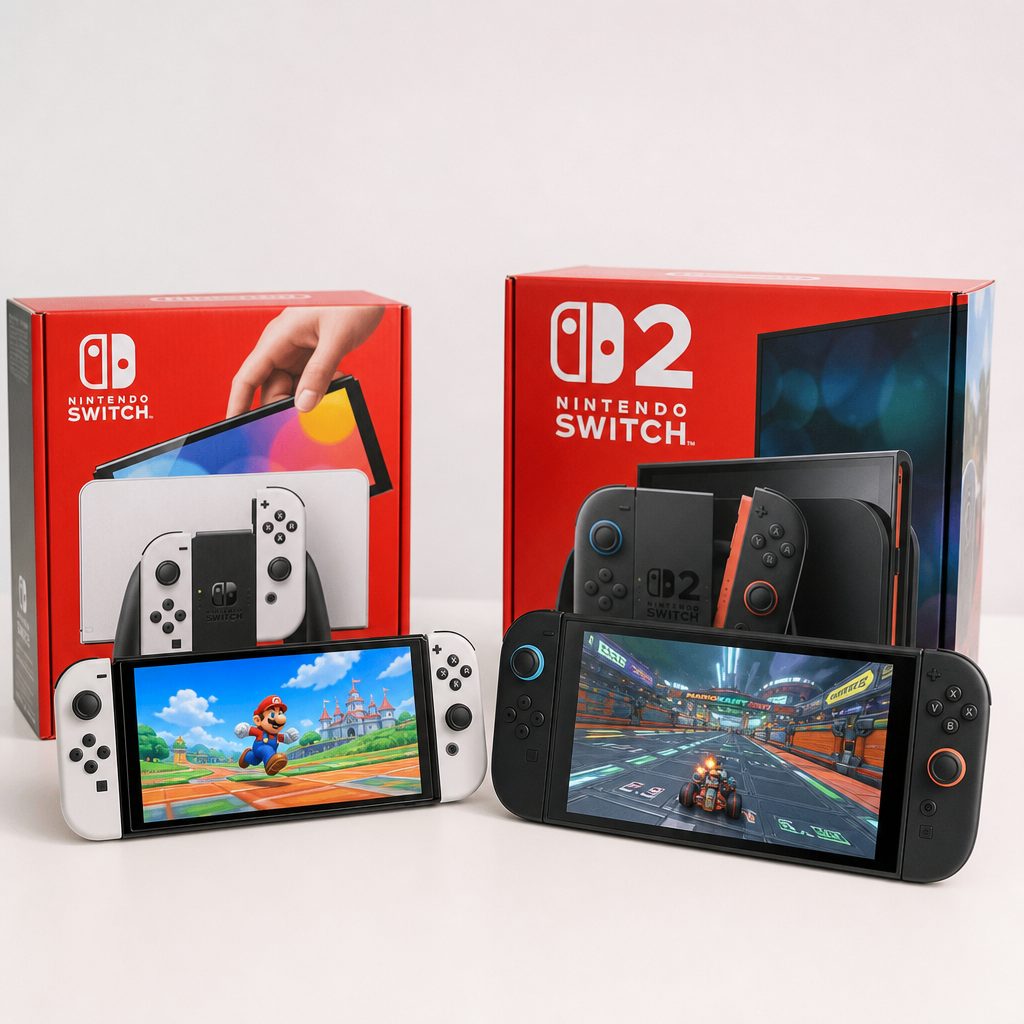
Switch OLED remained a handsome, capable classic of the original Switch generation; Switch 2 was the clear route forward for owners who wanted more speed, scale and television performance.
Final verdict: Nintendo Switch 2 vs Nintendo Switch OLED
Nintendo Switch 2 was the better buy for owners seeking a true upgrade. Its larger 7.9-inch 1080p display, far more capable Tegra T239 hardware, 12GB of memory, 256GB storage, faster technology, 4K docked output and up-to-120Hz support changed what Nintendo's hybrid console could do. For TV-first players, performance-conscious players and anyone excited by Switch 2 software, it was not a marginal improvement.
Nintendo Switch OLED remained the better choice for a particular kind of handheld fan. Its 7-inch OLED display still delivered richer blacks and more dramatic contrast, it was lighter, and its official 4.5-to-9-hour battery range beat Switch 2's. If your existing OLED was serving you well and most of your time was spent with original Switch games in handheld mode, there was no urgent reason to abandon it.
The grown-up answer, irritating though it may be, was that both could be right. Buy Switch 2 for the future-facing upgrade. Keep or seek out Switch OLED for the gorgeous, long-lasting original Switch experience. One brought more horsepower. The other still knew how to make a screen sing.