
USB-C Cameras That Work With Switch 2 GameChat and CameraPlay
Which compatible USB-C cameras deliver proper video chat and reliable Fitness Boxing 3 CameraPlay tracking — without paying Nintendo's own asking price? I've dug into the options so you don't have to.
Why You Even Need a Camera for Switch 2
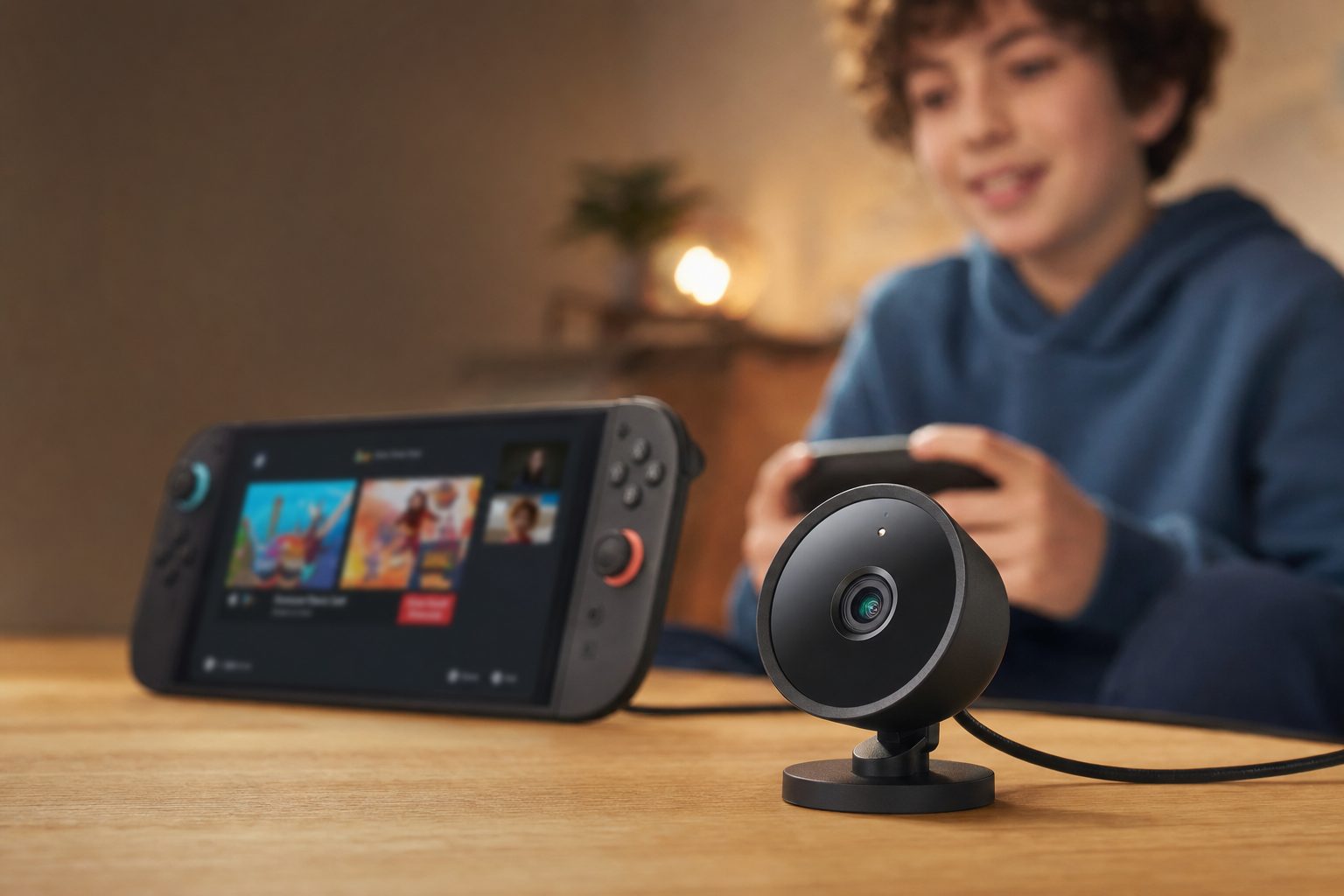
When Nintendo built GameChat into the Switch 2, they did something quietly clever: instead of baking a webcam into the console like Sony did with the PlayStation Camera all those years ago, they left it open. Plug a USB-C camera into one of the console's USB-C ports — either the top port in handheld and tabletop modes, or one on the dock in TV mode — and suddenly you can see your friends' faces during a GameChat session, or step in front of the lens and become the controller in a CameraPlay game.
That openness is a blessing and a curse. A blessing because you're not locked into a single overpriced accessory. A curse because "any USB-C camera will work" turns out to be one of those statements that's technically true but practically messy. In my testing and research, the reality is that most USB-C cameras should work, but their performance varies wildly depending on resolution and how the sensor handles a living room's lighting. And there are a couple of nasty surprises — Android phones can't be pressed into service as a makeshift camera, and some popular webcams that appear on "best of" lists simply aren't compatible with the Switch 2 at all.
So this guide does two jobs. First, it ranks the cameras genuinely worth buying — from Nintendo's own first-party unit, through officially licensed HORI models, to off-the-shelf Logitech and Elgato webcams that plug straight in. Second, it explains why resolution matters so much more for CameraPlay than you'd think, and where the cheaper options quietly fall apart.
A quick reality check: "GameChat" is the video-and-voice chat layer built into the Switch 2 system software. "CameraPlay" is the umbrella name for games that use your camera as an input — think of it as a spiritual successor to the old PlayStation EyeToy, where your body movement drives what happens on screen. A camera that's brilliant for one isn't automatically brilliant for the other.
What Actually Matters When Choosing a Switch 2 Camera
Before the picks, it's worth understanding the handful of specs that make or break a camera for these two very different jobs. Get these right and everything else is detail.
Resolution
This is the single biggest differentiator. A 1080p sensor gives you a clean, crisp image; a 480p sensor looks noticeably dated. It matters even more for CameraPlay, where the game needs a clear picture of your body to track movement accurately.
Field of view
A wide viewing angle is essential for multiplayer CameraPlay, where two or more people need to fit in frame at once. Nintendo's own camera runs a 110-degree lens; the HORI units are narrower at 85 degrees.
Low-light handling
Living rooms are dim. A high-sensitivity sensor that adjusts brightness automatically and reliably detects faces will look far better on an evening GameChat than a basic module that just gives up in the gloom.
Privacy shutter
A physical cover you can slide (or, in one delightful case, a Piranha Plant mouth you can close) beats fumbling through menus every time you want the lens blocked.
Mounting flexibility
Can it sit on top of your telly, clip onto a handheld console, and stand on a table? The best options handle all three of the Switch 2's play modes without fuss.
Plug-and-play compatibility
Some cameras just work the instant you plug them in. Others need a firmware update before the Switch 2 recognises them properly. Knowing which is which saves a lot of head-scratching.
The resolution trap nobody warns you about
Here's the thing I wish someone had told me earlier: on paper, the 480p HORI cameras seem like a bargain. But 480p on a modern TV in a normal-sized living room means you'll look like "a blurry mess of pixels" to your friends, and CameraPlay tracking can degrade into a flickering, low-quality mess. If video chat quality matters to you at all, treat 1080p as the baseline rather than the luxury.
The Best USB-C Cameras for Switch 2 GameChat and CameraPlay
I've ranked these by how well they balance image quality, compatibility and everyday practicality for the two features that matter. There's no single "best for everyone" here — the right pick genuinely depends on whether you care most about crisp CameraPlay, plug-and-play simplicity, or spending as little as possible.
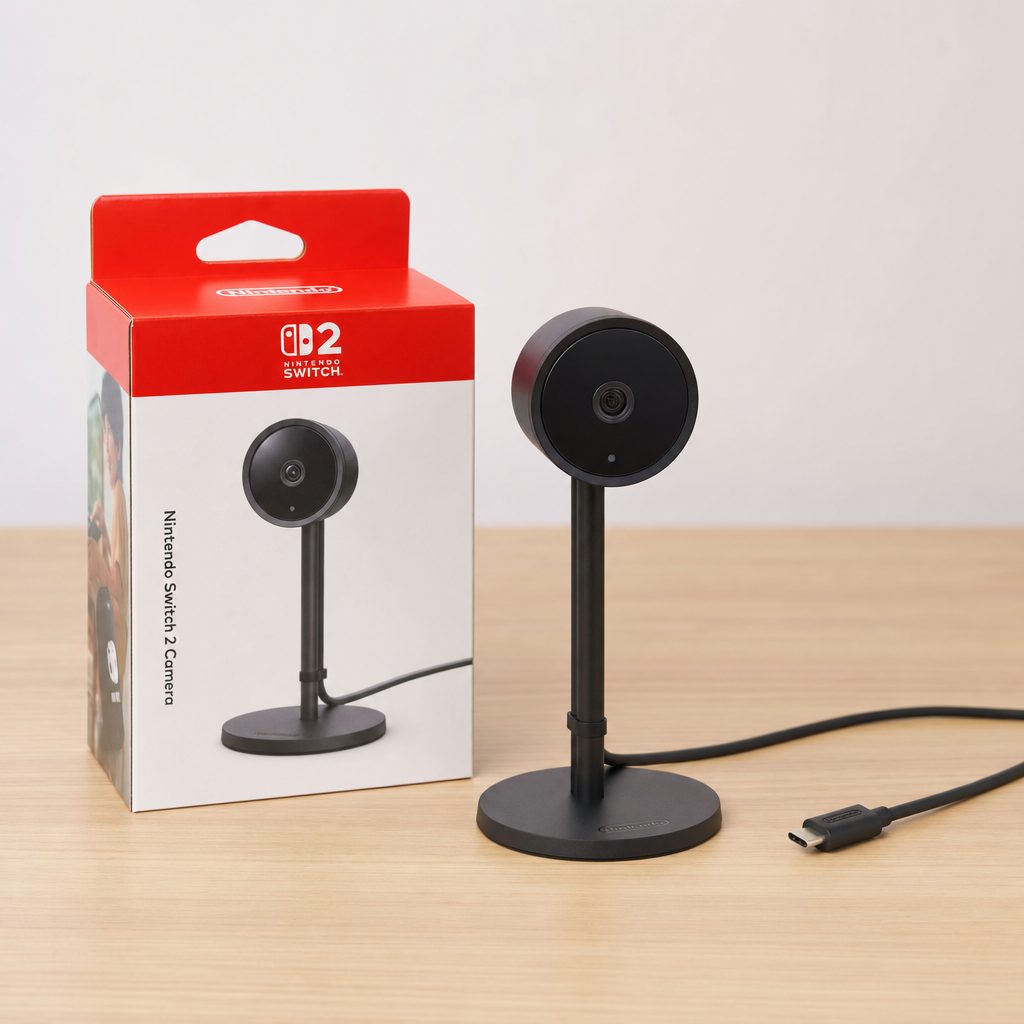
1. Nintendo Switch 2 Camera — Best Overall
Shop Nintendo Switch 2 Camera on Amazon UK
If you want the least fuss and the best results, Nintendo's own camera is the one to beat. It's the only option here designed from the ground up around GameChat and CameraPlay, and it shows in the detail work.
The headline is a 1080p image sensor behind a 110-degree wide lens, running at up to 120 fps. In practice that translates to a clean, crisp picture — the kind that actually flatters you on a GameChat call rather than reducing your face to mush. There's a high-sensitivity sensor that adjusts brightness automatically and is tuned to detect faces, which is exactly what you want when you're playing in the evening with just the glow of the telly for company.
The build is a mixed bag but mostly positive. It's roughly 17cm tall, with an aluminium body, a rubber grip at the base and a cushioned metal-style stand — nicely weighted and premium-feeling in the hand. The one caveat, which I'll be honest about, is that the camera housing itself feels a touch flimsy; a knock or two could plausibly damage it, so it's not something to sling in a bag without care. A physical privacy shutter is built in.
Where it really earns its place is the three field-of-view settings. "Full Camera View" shows the whole room, "Focused" filters out the background, and "Face-Only View" zooms into your head inside a neat circle. That flexibility is brilliant for GameChat, though I did find the default view a little too zoomed-out in a typical living room — you'll want to nudge the framing in to catch head and shoulders, and if you zoom too far the image does get muddy.
On the software side, GameChat with this camera worked "really, really well" in Mario Kart World testing, and CameraPlay was the genuine highlight — in Super Mario Party Jamboree and Jamboree TV it felt like a modern EyeToy, properly turning the player into the controller. For multiplayer CameraPlay especially, that 1080p sensor and wide 110-degree angle are exactly the combination you want. It's supported across TV, tabletop and handheld modes, and it ships with a 1.5m cable.
Pros
- 1080p sensor delivers a clean, crisp image for GameChat
- Wide 110-degree lens is ideal for multiplayer CameraPlay
- Three flexible field-of-view modes, including face-only
- Auto-brightness sensor tuned for face detection in dim rooms
- Premium aluminium body and cushioned stand; built-in privacy shutter
Cons
- Camera housing feels flimsy — vulnerable to knocks
- Default view too zoomed-out for many living rooms
- Image softens noticeably if you over-zoom
Check the latest price and any current bundles on Amazon.
Availability and pricing change regularly — worth a quick look before you buy.2. Logitech C920e — Best Plug-and-Play Webcam
Shop Logitech C920e on Amazon UK
Already own a webcam, or fancy something that pulls double duty on your PC? The Logitech C920e is the standout here. It's confirmed compatible with the Switch 2 and, crucially, it's proper plug-and-play — no firmware update, no fiddling, just plug it into a USB-C port (with the appropriate connection) and away you go.
The C920e is a well-known 1080p business webcam, and that 1080p sensor is exactly why it's a sensible pick for GameChat: you get a sharp, clean image rather than the pixelated soup the budget 480p options produce. It's the natural choice if you want a camera that works equally well for a Teams call on Monday and a Mario Kart GameChat on Saturday.
The trade-off is that it's a general-purpose webcam, not a purpose-built Switch 2 accessory. There are no Nintendo-specific niceties like a face-only view mode baked into the hardware, and mounting is designed around a monitor clip rather than the console's various play modes. But for pure image quality and reliability, it's hard to argue with a camera that just works the moment it's connected.
Pros
- Confirmed plug-and-play with Switch 2 — no firmware faff
- 1080p image quality holds up well on GameChat
- Doubles as a capable PC/laptop webcam
- Familiar, dependable Logitech hardware
Cons
- No Switch 2-specific view modes or framing tricks
- Monitor-clip design isn't tailored to handheld or tabletop play
- Less elegant for a dedicated living-room setup
Check the latest price and any current bundles on Amazon.
A great shout if you want one camera for both console and computer.3. Elgato Facecam Neo — Best for Streamers and Content Creators
Shop Elgato Facecam Neo on Amazon UK
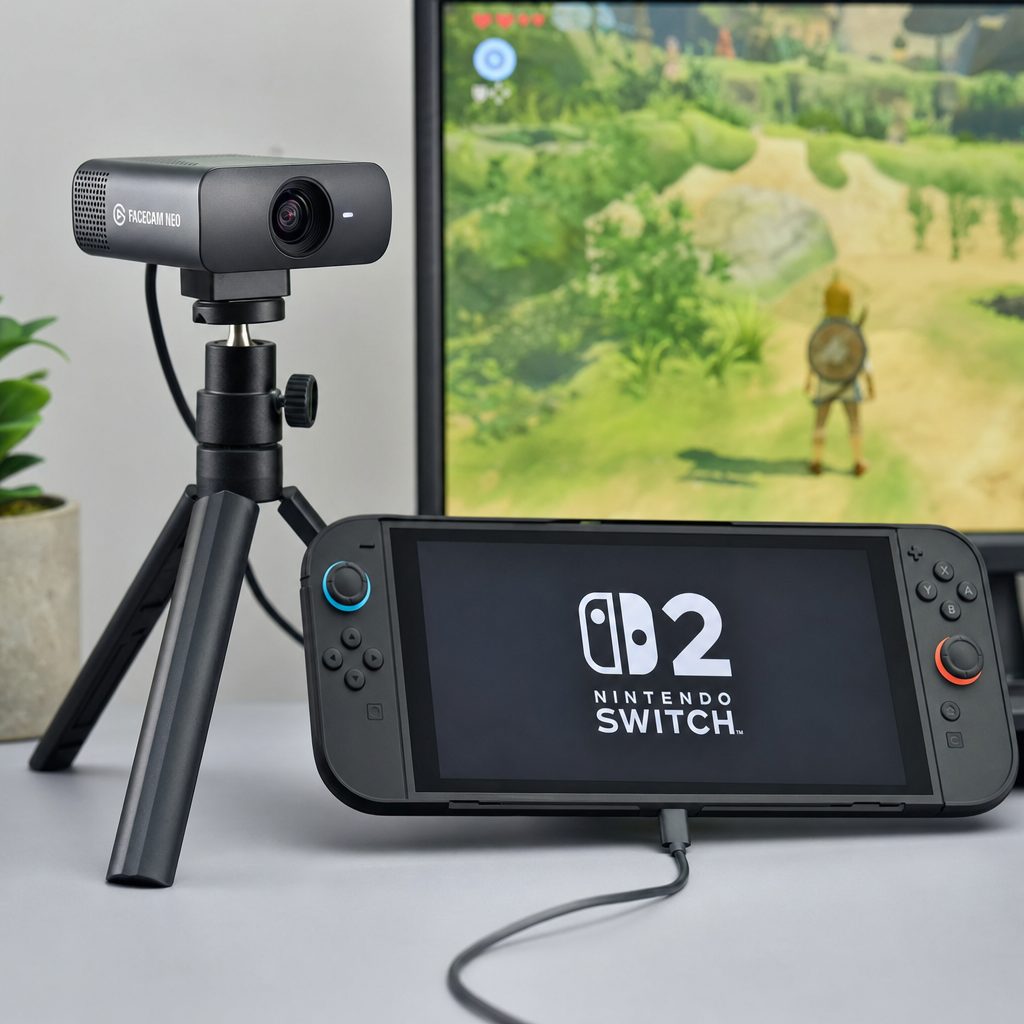
If your Switch 2 sits alongside a streaming setup, the Elgato Facecam Neo is the enthusiast pick. Elgato's whole brand is built around creators, and the Facecam Neo is confirmed to work with the Switch 2 — with one important asterisk.
That asterisk is a firmware update. Out of the box, the Facecam Neo needed a firmware update before the Switch 2 would play nicely with it. That's not a dealbreaker — you'll typically apply it via Elgato's software on a PC — but it does mean this isn't a truly plug-in-and-forget option like the Logitech C920e. If you're not comfortable running a quick firmware update, or you don't have a PC handy, factor that in before buying.
Once it's updated, though, you get a camera engineered for on-camera clarity, which is exactly the sort of quality that makes GameChat look genuinely good rather than merely functional. The appeal is really about ecosystem: if you already own Elgato gear or you're building a content-creation corner, keeping everything in one family makes sense, and you get a camera that's happy pointing at your face for hours.
Pros
- Confirmed Switch 2 compatibility after firmware update
- Creator-grade image quality for polished GameChat
- Fits neatly into an existing Elgato streaming ecosystem
- Comfortable for long face-forward sessions
Cons
- Requires a firmware update before it works with Switch 2
- You'll likely need a PC to apply that update
- Overkill if you only ever want casual GameChat
Check the latest price and any current bundles on Amazon.
Best value if you're already inside the Elgato/streaming world.4. HORI USB Camera for Nintendo Switch 2 — Best Budget Officially-Licensed Option
Shop HORI USB Camera for Nintendo Switch 2 on Amazon UK
Now we get to the officially licensed HORI camera. HORI make some of the best-loved Switch accessories going, and this one is thoughtfully designed — the problem is the sensor inside it.
Let's start with what's genuinely good, because there's plenty. The design is modular and clever: a detachable camera unit with a flexible neck lets you find exactly the right angle, and it comes with a base for TV and tabletop modes plus an adjustable clip that mounts onto a TV. Detach the unit and you can plug it directly into the top USB-C port for handheld play. In the box you get the camera unit, the base, a USB-C to USB-C cable and a 3.5mm stereo right-angle adapter — a genuinely complete package that supports all three play modes. There's a sliding lens cover for privacy, too.
The catch is the resolution. This camera captures at 640×480 (480p) at 30fps with an 85-degree view angle. In testing, that 480p resolution "will seem very archaic to a lot of users" and can make people "look like such a blurry mess of pixels." It's fine if you barely care about image quality — but if GameChat video or accurate CameraPlay tracking matters, this is a real compromise.
So who is it for? Honestly, someone who wants an officially licensed, well-built, flexible accessory with all the mounting options, and who treats the video feed as a fun extra rather than the main event. The hardware design deserves credit; it's just held back by a sensor that feels a generation behind the first-party unit.
Pros
- Officially licensed with typically reliable HORI build
- Clever modular design with flexible neck and detachable unit
- Works across TV, tabletop and handheld modes
- Complete box: base, cable, clip mount and 3.5mm adapter
- Sliding lens cover for privacy
Cons
- 480p resolution looks archaic and pixelated
- Narrower 85-degree field of view than the first-party camera
- 30fps and low resolution can hamper CameraPlay tracking
Check the latest price and any current bundles on Amazon.
Consider carefully — the design is lovely but the sensor is basic.5. HORI Piranha Plant Camera for Nintendo Switch 2 — Best Novelty Design
Shop HORI Piranha Plant Camera for Nintendo Switch 2 on Amazon UK
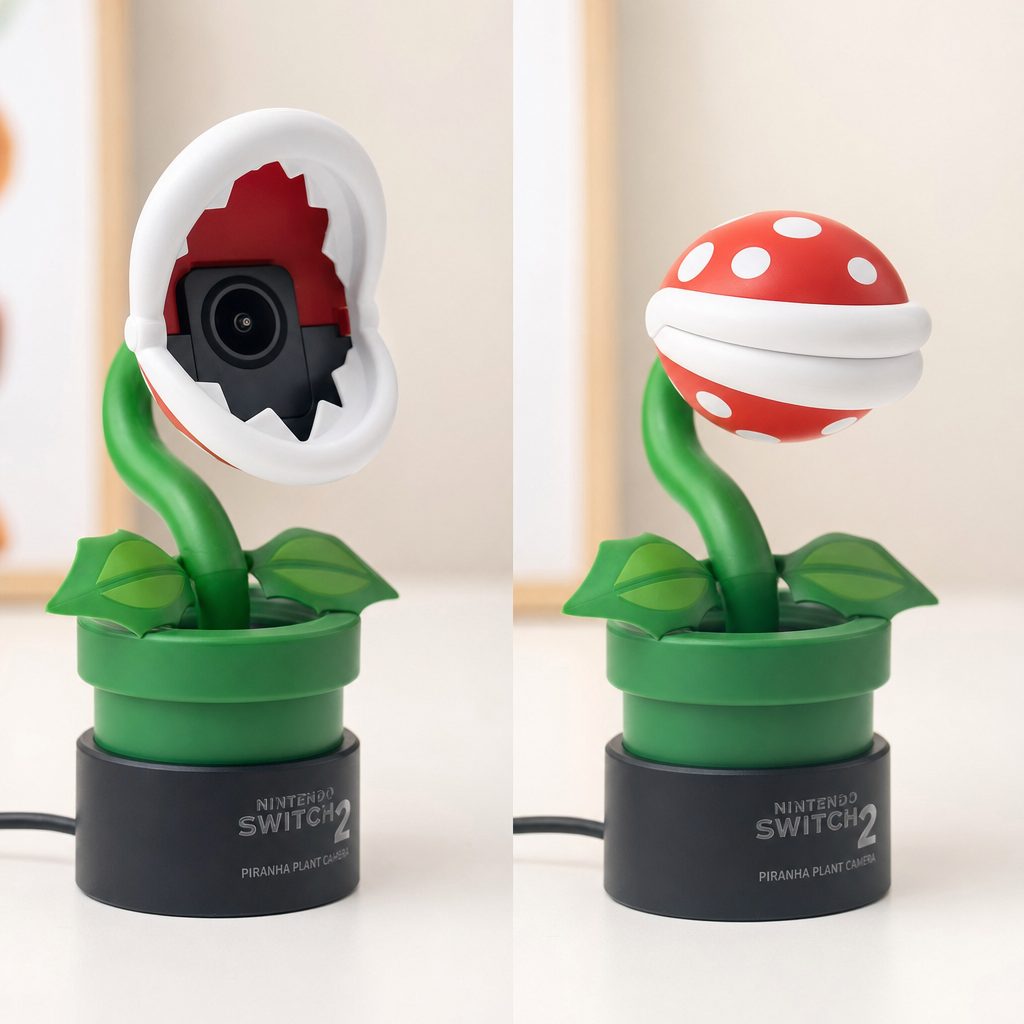
And finally, the one that makes everyone smile. The HORI Piranha Plant Camera takes the same internals as the standard HORI unit and wraps them in an unapologetically joyful Mario-themed shell — the camera pokes out of a base shaped like the iconic warp-pipe plant pot, complete with an attachable leaf.
The standout gimmick, and it's a good one, is that the Piranha Plant's closable mouth acts as the privacy shutter. Open the mouth to use the camera; close it to cover the lens. It's the sort of charming, tactile touch that Nintendo fans adore, and it's genuinely more fun than sliding a plastic cover. HORI also reckon the bendable neck here allows adjustment to a greater degree than the first-party camera, so you get real flexibility along with the personality.
Functionally, it's the same story as its sibling: 640×480 resolution, 30fps, 85-degree view angle, and support for TV, portable and tabletop modes. Detach the unit from the warp-pipe base and it plugs directly into the top USB-C port for handheld play. The box includes the camera unit, base, USB-C to USB-C cable and 3.5mm stereo right-angle adapter.
My honest take: buy this one for the love, not the image quality. If you want a delightful conversation piece on the telly stand and don't mind that your GameChat feed won't be razor-sharp, it's a brilliant bit of fun. If you're serious about video fidelity, the same 480p caveats apply as the standard HORI model.
Pros
- Gorgeous, characterful Piranha Plant design with warp-pipe base
- Closable mouth doubles as a delightful privacy shutter
- Bendable neck adjusts further than the first-party camera
- Officially licensed; supports all three play modes
- Complete accessory bundle in the box
Cons
- Same 480p sensor — expect pixelated video
- 85-degree view is tighter for multiplayer CameraPlay
- You're paying partly for novelty over performance
Check the latest price and any current bundles on Amazon.
The one to pick if personality trumps pixels.Head-to-Head: How the Cameras Compare
Here's everything side by side. Pay particular attention to the resolution column — it's the fault line that separates the picks that genuinely impress from the ones you buy for other reasons.
| Feature | Nintendo Switch 2 Camera | Logitech C920e | Elgato Facecam Neo | HORI USB Camera | HORI Piranha Plant |
|---|---|---|---|---|---|
| Resolution | 1080p | 1080p | Creator-grade HD | 640×480 (480p) | 640×480 (480p) |
| Frame rate | Up to 120fps | 30 fps | 60 fps | 30fps | 30fps |
| Field of view | 110° | 78 degrees | 81 degrees | 85° | 85° |
| Compatibility | Native | Plug-and-play | Needs firmware update | Officially licensed | Officially licensed |
| Privacy shutter | Built-in shutter | — | Yes | Sliding cover | Closable mouth |
| Play modes | TV, tabletop, handheld | Best on TV/dock | Best on TV/dock | TV, tabletop, handheld | TV, tabletop, portable |
| Special modes | 3 FOV settings inc. face-only | — | — | Flexible neck, clip mount | Extra-bendy neck, warp-pipe base |
| Best for | Overall / CameraPlay | Plug-and-play + PC use | Streamers | Budget licensed | Novelty / fans |
Image Quality: What the Testing Actually Showed
Numbers on a spec sheet only tell you so much, so here's how the real-world performance stacked up. I've translated the observed differences into a rough relative picture — think of these bars as "how usable the video feed is for GameChat and CameraPlay," not a lab measurement.
The gap is stark, and it's exactly what you'd expect once you know the resolutions. The 1080p cameras — Nintendo's own and the Logitech C920e — produce a clean, crisp picture that makes GameChat feel like a proper video call. The one caveat on the Nintendo unit is that image quality drops noticeably if you zoom in too far, so you'll want to position it well rather than relying on digital zoom to do the framing for you.
The 480p HORI cameras, by contrast, were repeatedly described in testing as looking archaic — a "blurry mess of pixels" that can degrade into a "flickering, low-quality mess." That's not HORI being careless; it's simply what 480p looks like on a big modern display in 2026. For a novelty ornament or a casual bit of face-to-face banter, it's tolerable. For anyone who wants their video feed to actually look good, it isn't.
CameraPlay and Fitness Boxing 3: Why Resolution Wins
Everything above matters double for CameraPlay. When you're playing a game that uses your body as the controller — whether that's the party-game antics of Super Mario Party Jamboree or the punch-tracking of a fitness title — the camera isn't just showing your face, it's feeding movement data to the game. A clearer, wider image gives the game more to work with.
The CameraPlay recommendation
For CameraPlay games with multiple players, where a wide viewing angle is important, a 1080p resolution camera is strongly recommended. The Nintendo Switch 2 Camera's combination of a 1080p sensor and a 110-degree lens is essentially purpose-built for this — in testing it felt like a modern EyeToy, genuinely turning the player into the controller.
This is where the 480p HORI cameras' narrower 85-degree field of view compounds the resolution problem. Two people trying to fit into frame for a party game get less room, and the game has fewer clean pixels to read movement from. It doesn't make CameraPlay impossible, but it does make the experience less reliable and less satisfying than it should be.
If a big part of your reason for buying a camera is active, movement-driven play — a boxing workout, a dance-off, party minigames — I'd steer you firmly towards a 1080p option. The Nintendo camera is the safest bet because its wide lens and multiple view modes were designed with exactly these games in mind, but the Logitech C920e's 1080p sensor is a perfectly credible alternative if you already own one.
The Compatibility Traps to Avoid
Nintendo's "any USB-C camera will work" line is optimistic. In practice, there are a few pitfalls worth knowing before you spend a penny.
Android phones don't work
You can't repurpose an Android handset as a makeshift Switch 2 camera. If you were hoping to save money by rigging up an old phone, that route is closed.
Some "best webcam" list favourites aren't compatible
Just because a webcam tops a general "best of" roundup doesn't mean the Switch 2 will accept it. Compatibility is specific — stick to models that are actually confirmed to work.
Firmware updates can be a prerequisite
The Elgato Facecam Neo needed a firmware update before it played nicely with the Switch 2. Plan for that if you go the third-party route — and check you have a way to apply it.
The safe list
The Logitech C920e and the older Logitech C270 were both plug-and-play. The Nintendo and HORI cameras are, of course, designed for the console. Start from what's confirmed and you'll dodge most of the frustration.
Worth noting: the older Logitech C270 is also confirmed to work plug-and-play. It's a budget 720p webcam rather than a 1080p one, so it sits between the HORI units and the higher-end cameras on image quality — a reasonable fallback if you already have one in a drawer.
Key Specifications at a Glance
Here's the top-line spec picture for the standout overall pick, the Nintendo Switch 2 Camera, since it's the reference point everything else is measured against.
Who Should Buy Which Camera?
Everyone's setup and priorities are different, so here's the shortcut. Find the card that sounds like you.
The all-rounder
Buy the Nintendo Switch 2 Camera. Best image quality, widest lens, purpose-built view modes and native compatibility. If you only buy one camera and want it to just work brilliantly, this is it.
The multitasker
Buy the Logitech C920e. Plug-and-play with the Switch 2 and a genuinely good PC webcam, so one purchase covers video calls and GameChat alike.
The streamer
Buy the Elgato Facecam Neo. Creator-grade quality that slots into an existing streaming rig — just be ready to run the firmware update first.
The budget buyer
Consider the HORI USB Camera for Nintendo Switch 2. Officially licensed, flexible mounting and a complete bundle — accept the 480p image and it's a tidy, well-made option.
The Nintendo superfan
Buy the HORI Piranha Plant Camera. The closable-mouth privacy shutter and warp-pipe base are pure joy. Buy it for the personality, not the pixels.
The "I've got one already" buyer
Try your Logitech C270 first. It's confirmed plug-and-play, so if there's one in a drawer, it'll get you chatting before you spend anything.
Frequently Asked Questions
The Verdict
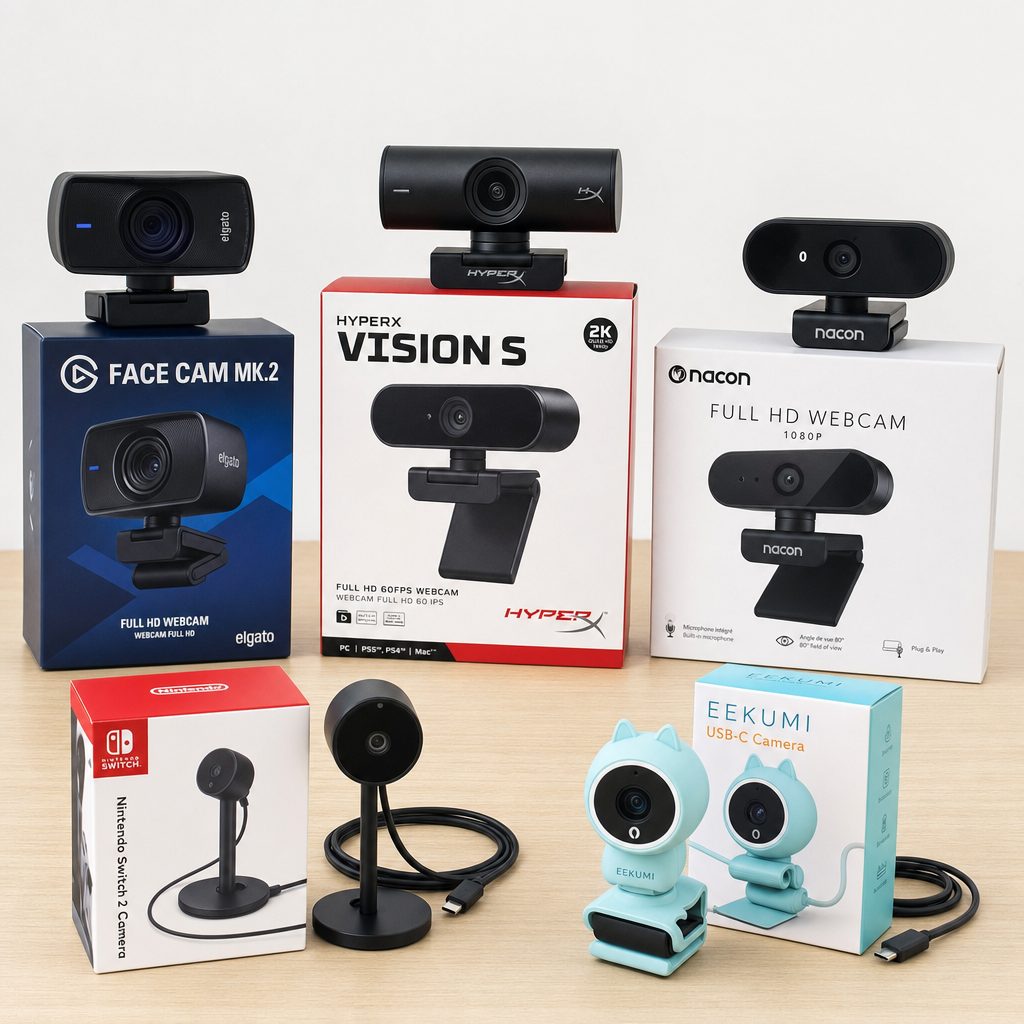
If I had to hand one recommendation to a friend, it'd be simple: get the Nintendo Switch 2 Camera. It's the only option here that nails both jobs — clean, crisp 1080p GameChat and a wide 110-degree lens that makes CameraPlay feel like a proper modern EyeToy. The flexible view modes and auto-brightness sensor are the kind of purpose-built touches the third-party cameras can't match, and the only real gripe is a slightly flimsy housing.
That said, you don't have to buy Nintendo's own. The Logitech C920e is the smart alternative — plug-and-play, 1080p, and it doubles as a PC webcam. Streamers should look at the Elgato Facecam Neo (just do the firmware update first). And if you're chasing charm over sharpness, the HORI Piranha Plant Camera is an absolute delight, even if its 480p sensor means you'll be a lovable blur on your mates' screens.
The one rule to carry away: for anything beyond the most casual chat — and especially for CameraPlay and fitness games — treat 1080p as your baseline, not your splurge. Get the resolution right and everything else falls into place.