
What do you need in a good gaming laptop?
Start with the parts that directly affect games: a dedicated graphics chip, a capable multi-core processor, 16GB of RAM, a 512GB SSD and a 144Hz-or-higher screen. Everything else matters, but these are the basics that stop a laptop looking like a bargain on the shelf and feeling limited once you start playing.
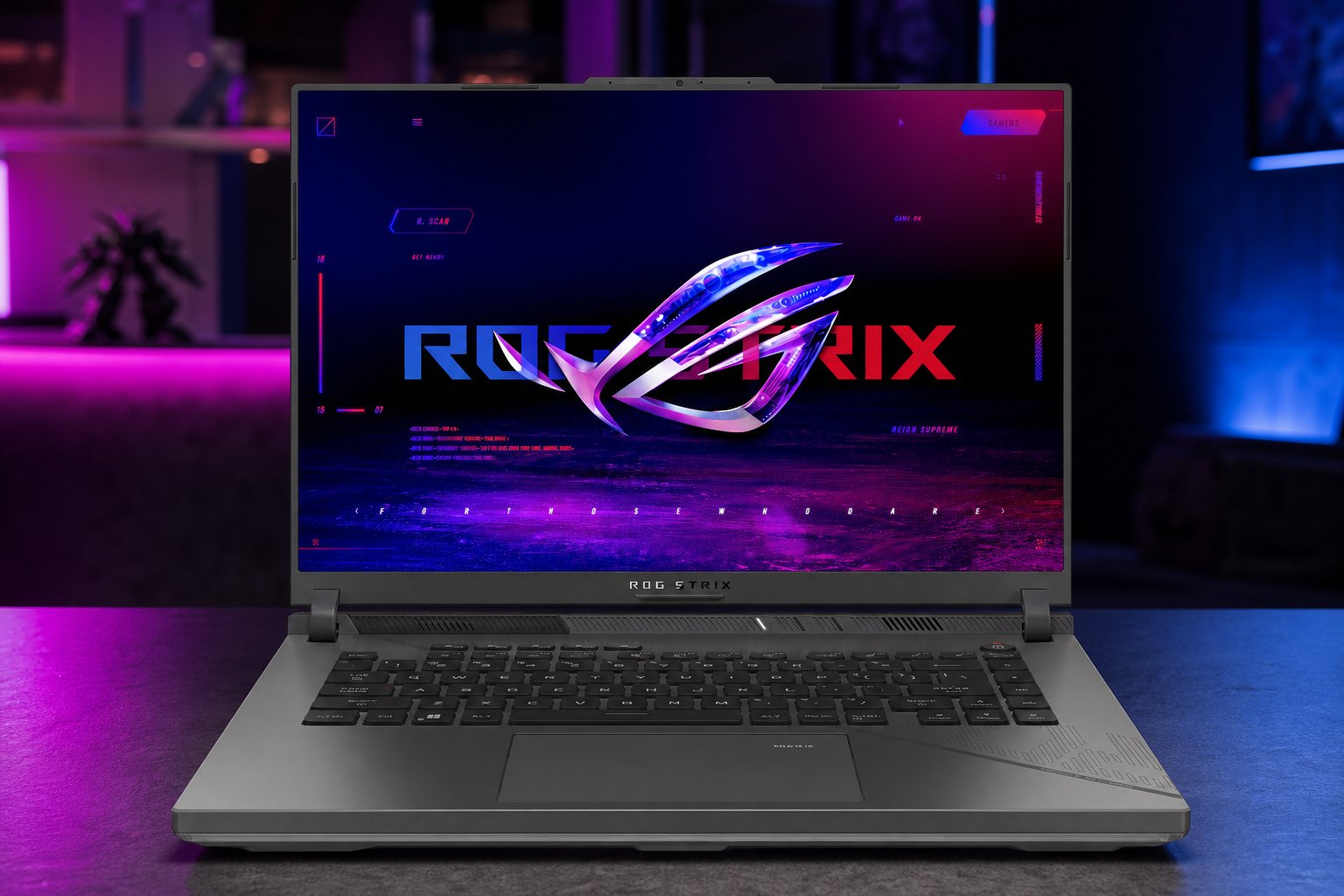
A good gaming laptop is not simply any laptop with colourful lighting or the word "gaming" in its name. The sensible route is to read the full specification for the exact configuration being sold. A model name can cover several versions, and the processor, graphics hardware, memory, storage and screen can differ between them.
If your budget means choosing between a stronger graphics chip and cosmetic extras, choose the graphics chip. If it means choosing between enough memory and a very high-refresh display, make sure the memory is there first. The aim is a balanced machine, not one impressive number surrounded by compromises.
The short buying rule
For a solid starting point, look for a dedicated GPU in the RTX 4060 class, a strong multi-core Intel Core i7 or AMD Ryzen 7 processor, 16GB RAM, a 512GB SSD and a 144Hz display. That is a practical baseline rather than a promise that every game will behave identically.
1. Put the dedicated graphics chip first
The graphics processing unit, or GPU, is the component most closely tied to how well a laptop handles game visuals. It does the heavy graphics work that an ordinary integrated graphics setup is not designed to take on by itself.
A dedicated GPU such as an NVIDIA GeForce RTX 4060 is a useful level to target for fluid graphics and ray-tracing performance a dedicated GPU like the RTX 4060 as crucial for fluid gaming graphics.
Do not buy based on "RTX" alone. Check the full GPU name in the listing, then compare laptops with the same sort of processor, memory, storage and display. It is the complete specification that tells you what you are actually getting.
2. Choose a processor that will not hold the system back
The processor, or CPU, handles the game's wider workload alongside the operating system and anything else you leave open. A laptop may have a dedicated GPU yet still feel less comfortable to use if the processor is a weak fit for the rest of the hardware.
For this reason, look for a strong multi-core processor. HONOR's UK guidance recommends at least an Intel Core i7 or AMD Ryzen 7 for gaming laptops intended to avoid lag. As noted above, HONOR is a manufacturer with a commercial interest in this advice; treat it as a useful indicator rather than independent editorial guidance. The recommendation is nonetheless a sensible target for buyers who want to play whilst also keeping voice chat, a browser or other everyday apps open.
Names are useful, but read the exact processor listed rather than assuming every Core i7 or Ryzen 7 laptop is otherwise identical. The GPU, RAM, drive and display should all support the kind of games you expect to play.
Graphics hardware decides the gaming direction
Look for a clearly named dedicated GPU rather than relying on a marketing label. An RTX 4060-class GPU is a practical point of reference for fluid graphics and ray tracing.
A multi-core CPU supports the rest of the system
An Intel Core i7 or AMD Ryzen 7 is a worthwhile baseline when you want gaming and general multitasking from one machine.
Memory keeps your setup comfortable
16GB RAM is a recommended amount for smooth gaming and multitasking, rather than a luxury add-on to leave until later.
Storage affects how quickly you can get into games
Choose SSD storage and aim for at least 512GB. It is the practical minimum commonly advised for game load times and general system responsiveness.
3. Treat 16GB RAM as the sensible minimum, ideally 32GB if the budget will allow.
RAM is the laptop's short-term working space. It matters when a game, the operating system and background tasks all need room at once. For 2026 buying, 16GB is a minimum baseline for smooth gaming and multitasking, but may run into issues with the latest games which can be demanding when it comes to memory requirements.
Lower-memory configurations are a compromise to think about carefully, especially if this will be your main laptop for schoolwork, browsing, streaming and games as well. More RAM is not a replacement for a capable GPU or CPU, but too little memory can make an otherwise promising specification less balanced.
4. Buy enough SSD storage from the start
An SSD helps the laptop and games load quickly. A 512GB SSD is the minimum worth targeting, rather than a tiny drive that will quickly become an awkward juggling act.
Before paying, look at the stated capacity in the exact listing. Do not assume that every version of a laptop has the same drive, even when the product name and outer design are the same.
A gaming laptop is also your game library. Check the installed SSD capacity before you buy, not after you have filled it with a few favourite titles and updates.
5. Look for a 144Hz screen or better
Refresh rate is how many times a display can update each second. In fast-moving games, a higher refresh rate can make motion appear smoother than a standard screen. For a gaming laptop, 144Hz is a practical minimum worth targeting for smoother motion in fast-paced gameplay, but will put more pressure on the GPU and therefore increase the price.
A higher figure is useful when the rest of the laptop is capable enough for the games you play. It should not be the only headline you notice. A very fast display does not make up for limited graphics hardware, too little RAM or cramped storage.
A quick checklist before you pay
- Is there a clearly named dedicated GPU, rather than a vague graphics description?
- Does the laptop have a strong multi-core Intel Core i7 or AMD Ryzen 7 processor, or higher?
- Does the exact configuration include 16GB RAM?
- Does it have at least a 512GB SSD?
- Is the screen rated at 144Hz or above?
- Have you checked every specification against the exact laptop version in the retailer listing?
Who should choose something else?
If your main priority is portability for notes, browsing and occasional lighter games, a gaming laptop built around these targets may be more machine than you need. In that case, it is better to choose for your actual use than pay for gaming hardware that will sit unused.
Equally, if you want a laptop chiefly for demanding games and want the smoothest possible experience, do not settle for a low-end configuration simply because its product title says "gaming". Wait until you can buy a properly balanced specification with the dedicated GPU, CPU, memory, storage and display working together.
The bottom line
A good gaming laptop starts with balance. Buy a model with a dedicated RTX 4060-class GPU, a strong Intel Core i7 or AMD Ryzen 7 processor, 16GB RAM, a 512GB SSD and a 144Hz screen or higher. Check those details for the exact configuration, not just the name on the page. It is the simplest way to avoid paying for a gaming laptop that makes one impressive claim whilst cutting corners where it matters.
Sources
- HONOR UK — Recommended Gaming Laptop Specifications: What to Look For 2026 (HONOR is a laptop manufacturer with a commercial interest in this advice)
- ASUS ROG Global — ROG Strix G16 (2024) specifications (global spec page only; does not confirm UK availability or UK-specific configuration)